8 Fault Analysis/Trouble-shooting
82
8.3 Resetting faults/warnings
• Menu-guided via “diag” in the display and operating unit (optional extra)
• Menu-guided via “Status” using remote display software
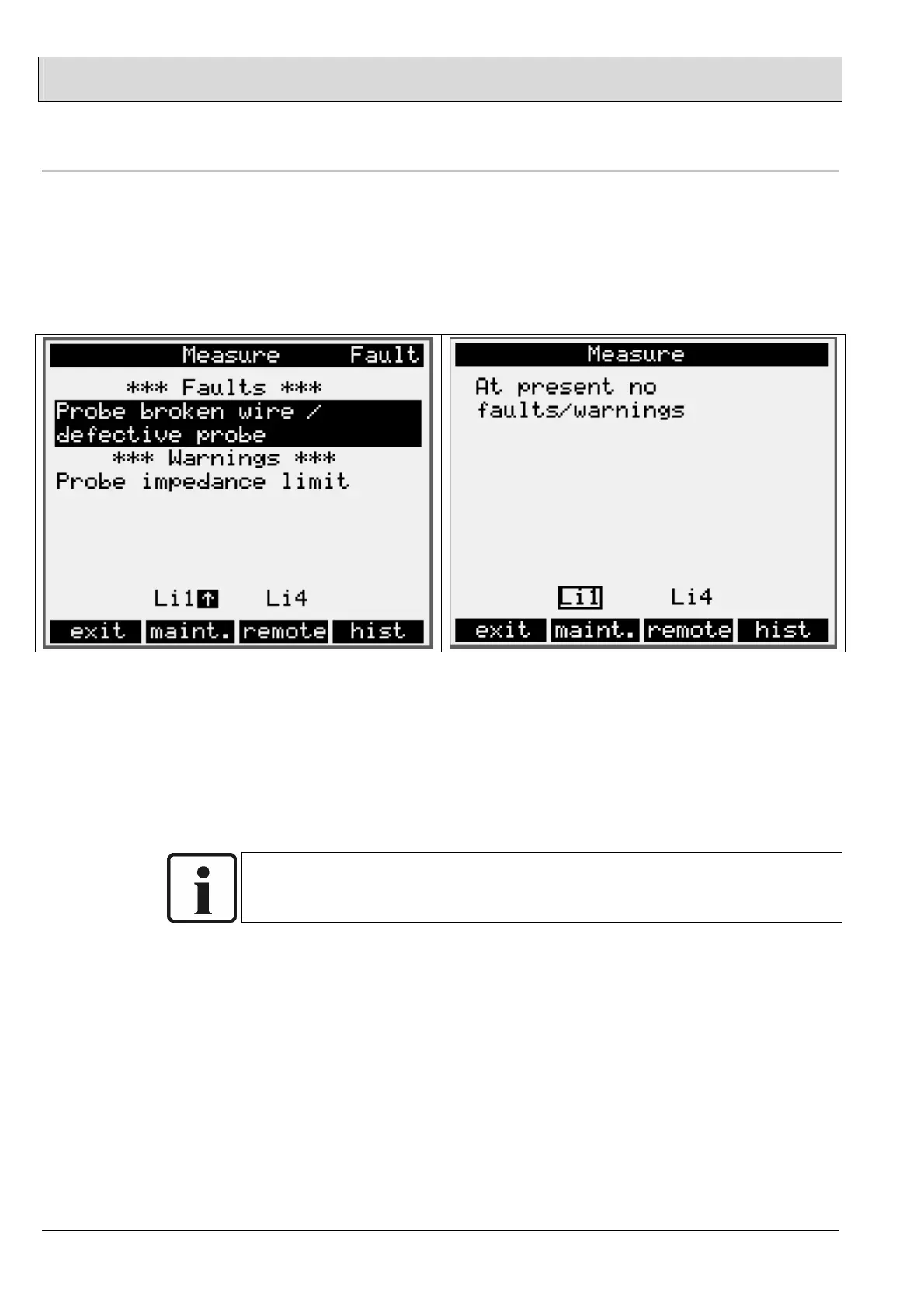
The [diag] key switches the screen to the display of warnings and faults. You can
select individual warnings, faults or limit values using the cursor keys (up, down).
The selected warning or fault, which is displayed inverted, can now be acknowledged
or reset with ENTER.
• Via digital inputs - input 1
• By pressing the multi-function pushbutton T2
(for more than 3 seconds for each fault)
If several faults are present at the same time, you must press the multi-function
pushbutton T2 several times.
NOTE:
Not all warnings and faults can be reset by acknowledging them - the cause of the
warning or fault may have to be corrected first.


 To Next Page