6300 Rev H User’s Manual
125-9106A
At the end of two minutes, the
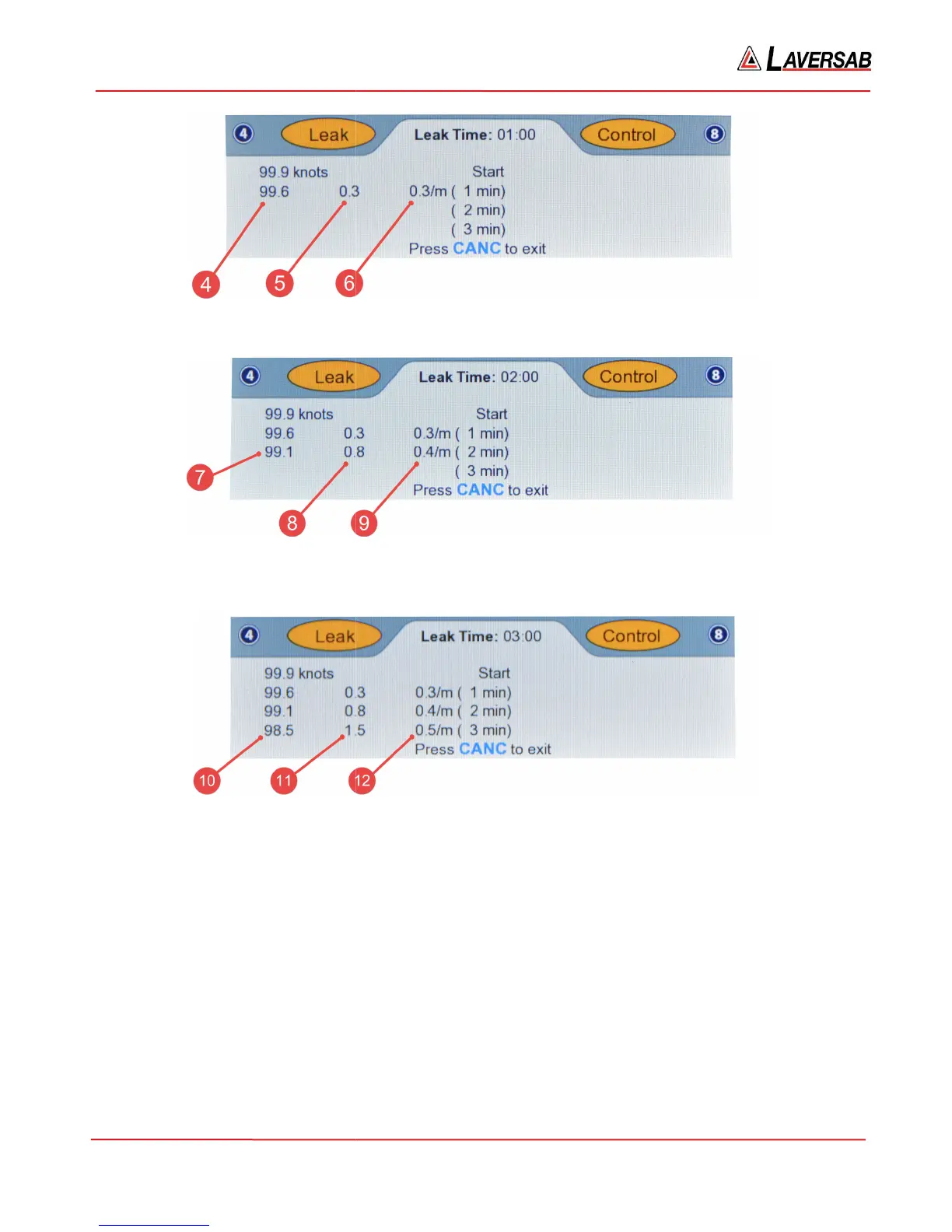
screen will appear similar to Figure 3.23 below.
At the end of three minutes, the screen will appear similar to Figure 3.24 below.
The parameters indicated in Figures 3.21 through
[1] Leak Timer: Shows the elapsed time since the Leak
[2] Start value: The Actual value at the start of the leak
[3] Leak timer values: Currently set at 1, 2 and 3 minutes. Can be
See Section 3.10.7 for details.
[4] The Actual value at the end of 1 minute
[5] Total leak in 1 minute
[6] Average per-
minute leak rate over 1 minute
Figure 3.22 : Pitot Leak (1-min)
screen will appear similar to Figure 3.23 below.
Figure 3.23 : Pitot Leak (2-min)
At the end of three minutes, the screen will appear similar to Figure 3.24 below.
Figure 3.24 : Pitot Leak (3-min)
The parameters indicated in Figures 3.21 through
3.24 are explained below.
[1] Leak Timer: Shows the elapsed time since the Leak
-check was started.
[2] Start value: The Actual value at the start of the leak
-check (at time 0:00)
[3] Leak timer values: Currently set at 1, 2 and 3 minutes. Can be
changed to values up to 20 minutes.
[4] The Actual value at the end of 1 minute
minute leak rate over 1 minute
Page 36
changed to values up to 20 minutes.



 To Next Page