6300 Rev H User’s Manual
125-9106A Page 43
3.10 OTHER FUNCTIONS
There are several other functions available on the 6300 that can be accessed by pressing the FUNC key.
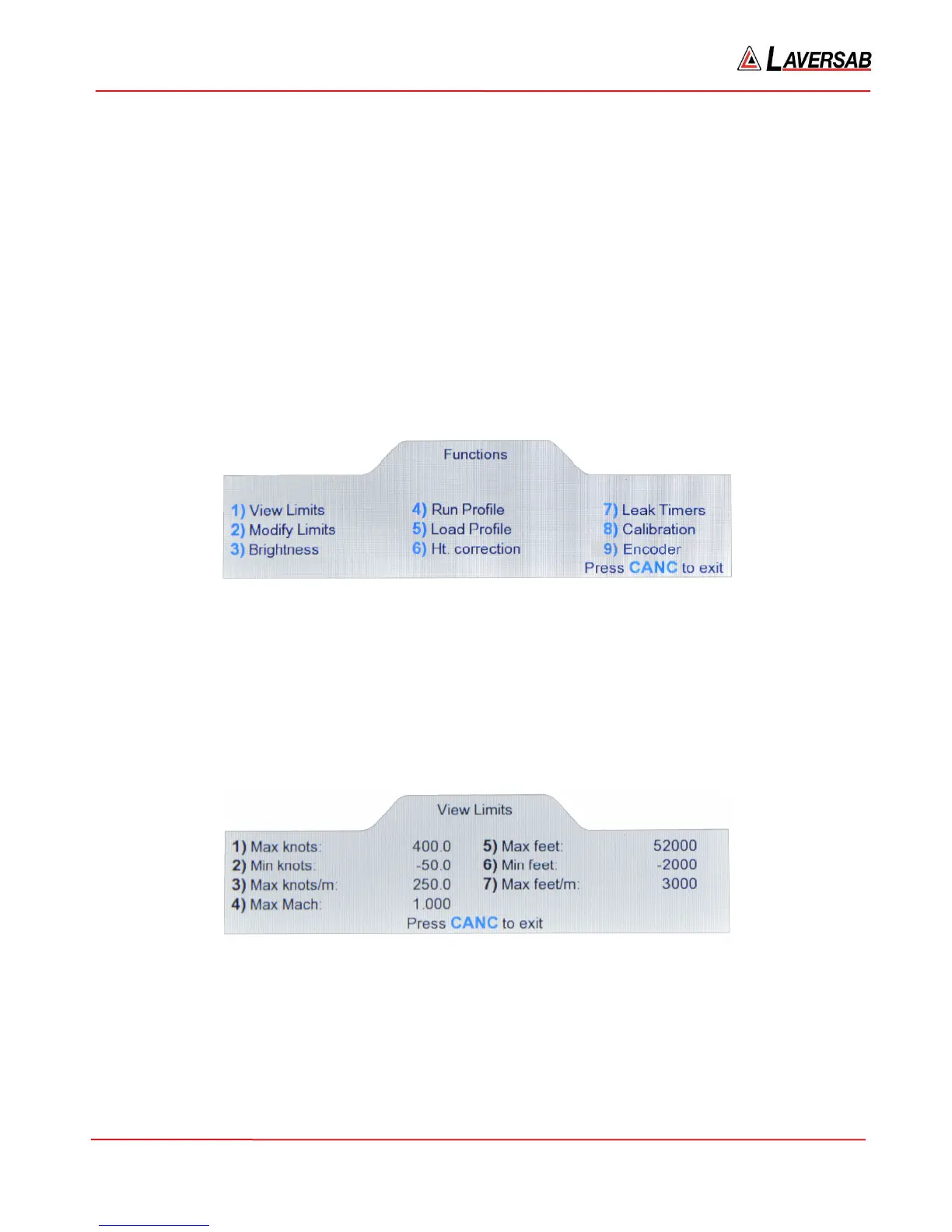
These are explained in the sub-sections below. The functions available are:
1. View Limits
2. Modify Limits
3. Brightness (Adjust display brightness)
4. Run Profile
5. Load Profile
6. Height Correction
7. Leak Timers
8. Calibration
9. Encoder
When the FUNC key is pressed, the Lower section of the screen appears as shown below. The specific
function can be selected by pressing the related number-key.
Figure 3.34 : Functions
3.10.1 VIEW LIMITS
The 6300 has seven user-programmable limits. These are used to prevent incorrect entry of target values.
These limits are also checked continuously when the outputs are in Control mode. If any limit is
exceeded, the 6300 puts both outputs into Measure mode and displays an error condition.
Select ‘1’ in the Functions menu and the screen appears as shown below.
Figure 3.35 : View Limits
The details of each limit are provided in Section 3.10.2 (Modify Limits).



 To Next Page