6300 Rev H User’s Manual
125-9106A Page 65
Connect the differential-pressure output (QcinHg) of the Pressure Standard to the Pitot output of the
6300. Connect the absolute-pressure output (PsinHg) of the Pressure Standard to the Static output of the
6300.
The calibration adjustment requires generating two differential pressures at the Pitot output and two
absolute pressures at the Static output. The details are provided in Section 6.4 below. The verification
and entry of non-linearity offsets (if required) requires generating pressures in 10% increments of the full-
scale pressure for each output. The details are provided in Section 6.5 below.
6.4 CALIBRATION PROCEDURE
The step-by-step procedure for calibrating the 6300 is provided below. The assumption made is that the
Pressure Standard can generate differential pressures (QcinHg) for the Pitot output of the 6300 and can
simultaneously generate absolute pressures (PsinHg) for the Static output of the 6300.
The sample calibration report shown in Figure 6.10 (at the end of this Section) will be referenced in the
procedure below.
1. Set up the 6300 as detailed in Section 6.3.
2. Keep QcinHg=0 and exercise PsinHg between 1.6 inHg and 32 inHg, three times. This will purge
the system with clean Dry Air.
3. Generate exactly QcinHg=0.000 and PsinHg=1.600. Wait for a minimum of 5 minutes to allow
temperature effects to stabilize.
4. Note (on the calibration report, not on the Remote unit) the 6300’s Static Actual value as the “As
Found” value for the Static vacuum point. (See Figure 6.10)
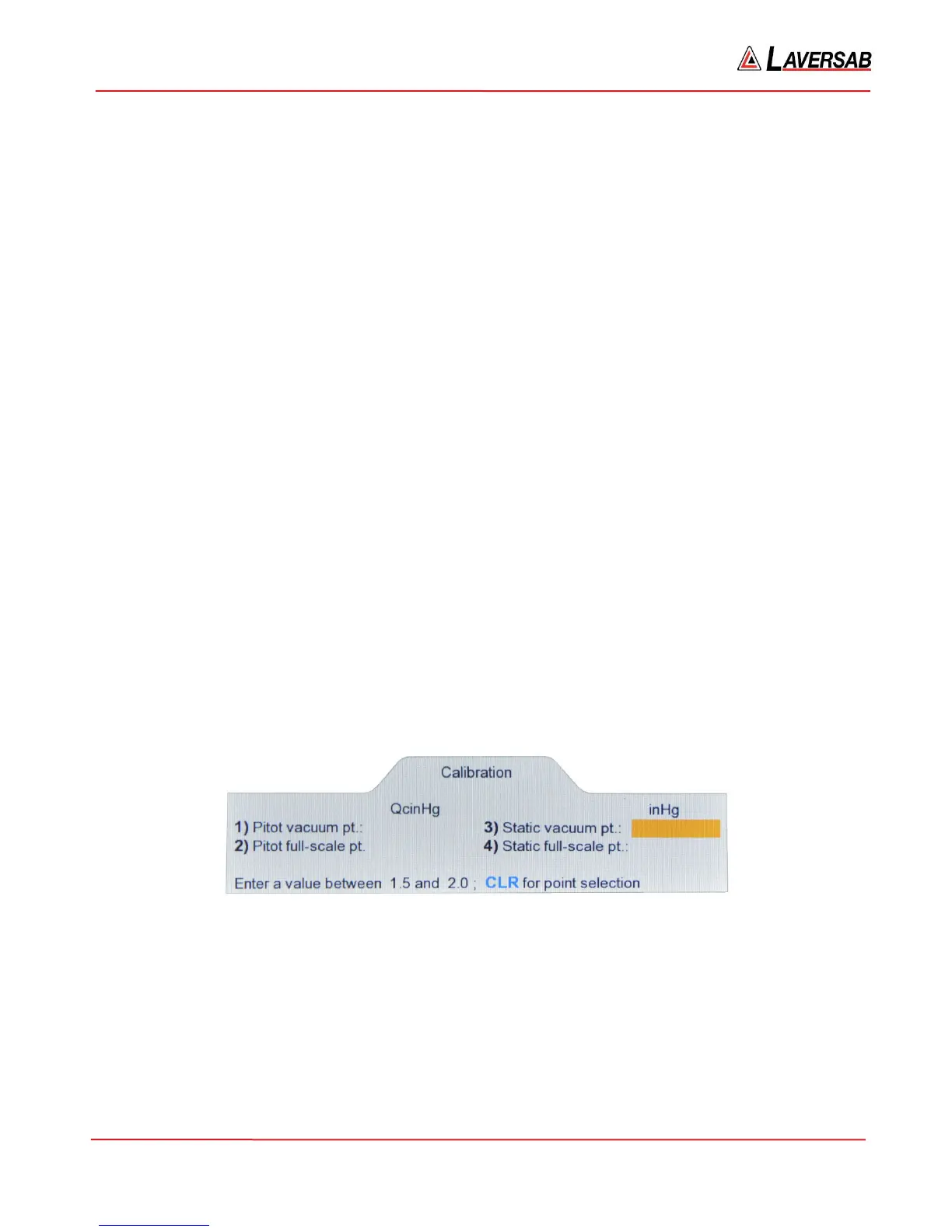
5. Press ‘3’ on the Remote to enter the Static vacuum point. The screen will appear as follows.
Figure 6.4
6. Enter ‘1.600’ followed by ENTER on the keypad. The highlighted field will be replaced by
‘1.600’. Press CLR to return to the point-selection screen (Figure 6.3). You should see ‘1.600’ on
this screen, as the Static vacuum point. This indicates to the 6300 that the absolute pressure on
the Static output is currently exactly 1.600 inHg.
7. Generate exactly QcinHg=0.000 and PsinHg=16.000. Wait for a minimum of 5 minutes to allow
temperature effects to stabilize.
8. Press ‘1’ on the Remote to enter the Pitot vacuum point. The screen will appear as follows.



 To Next Page