6300 Rev H User’s Manual
125-9106A Page 64
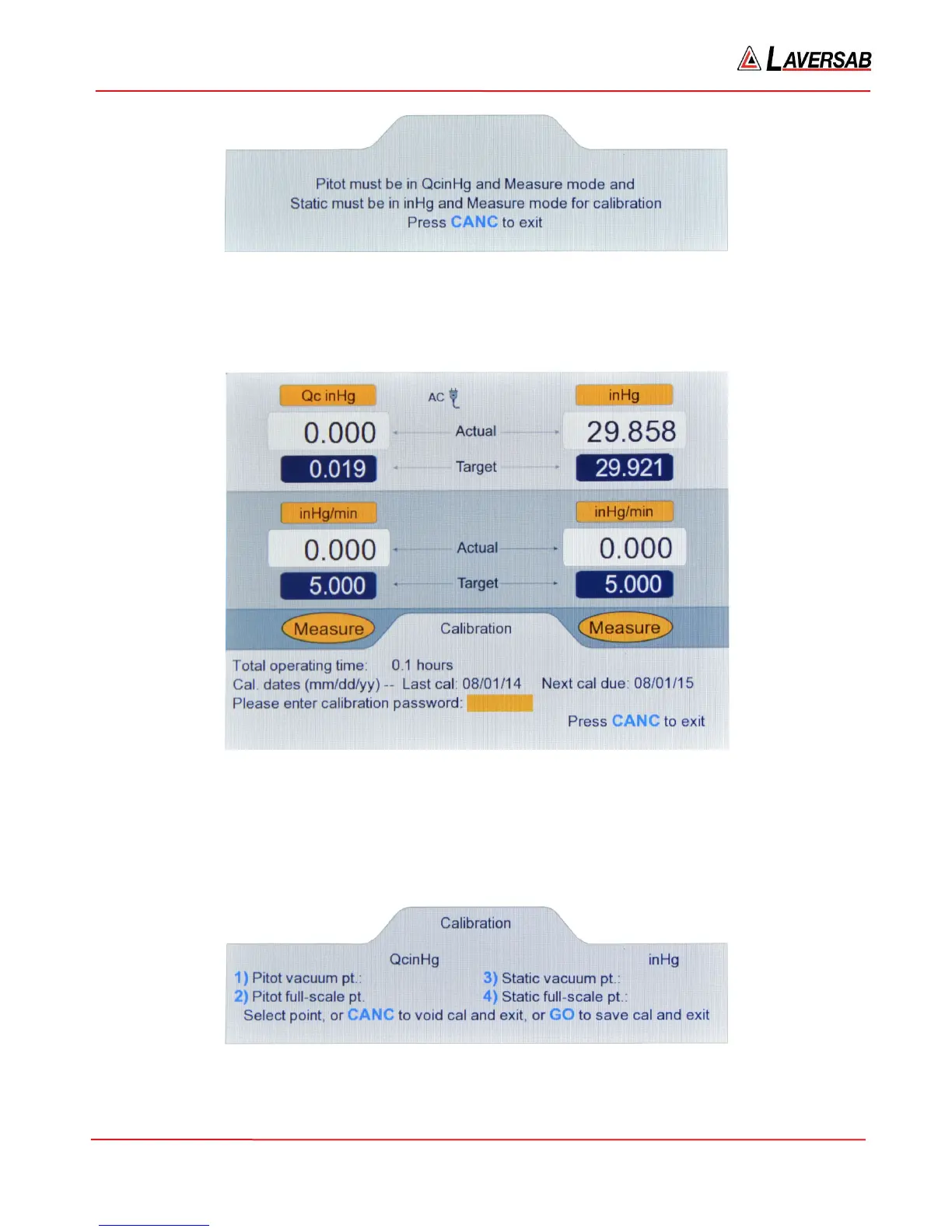
Figure 6.1 : Calibration (invalid)
If the setup is done correctly, selecting option ‘8’ on the Functions menu will bring up the screen shown
below.
Figure 6.2 : Calibration (password)
Details of the information provided on the Lower section of this screen are provided in Section 3.10.8.
To display the main calibration screen, enter the password followed by ENTER. The main calibration
screen will appear as follows.
Figure 6.3 : Calibration (Main)



 To Next Page