6300 Rev H User’s Manual
125-9106A Page 41
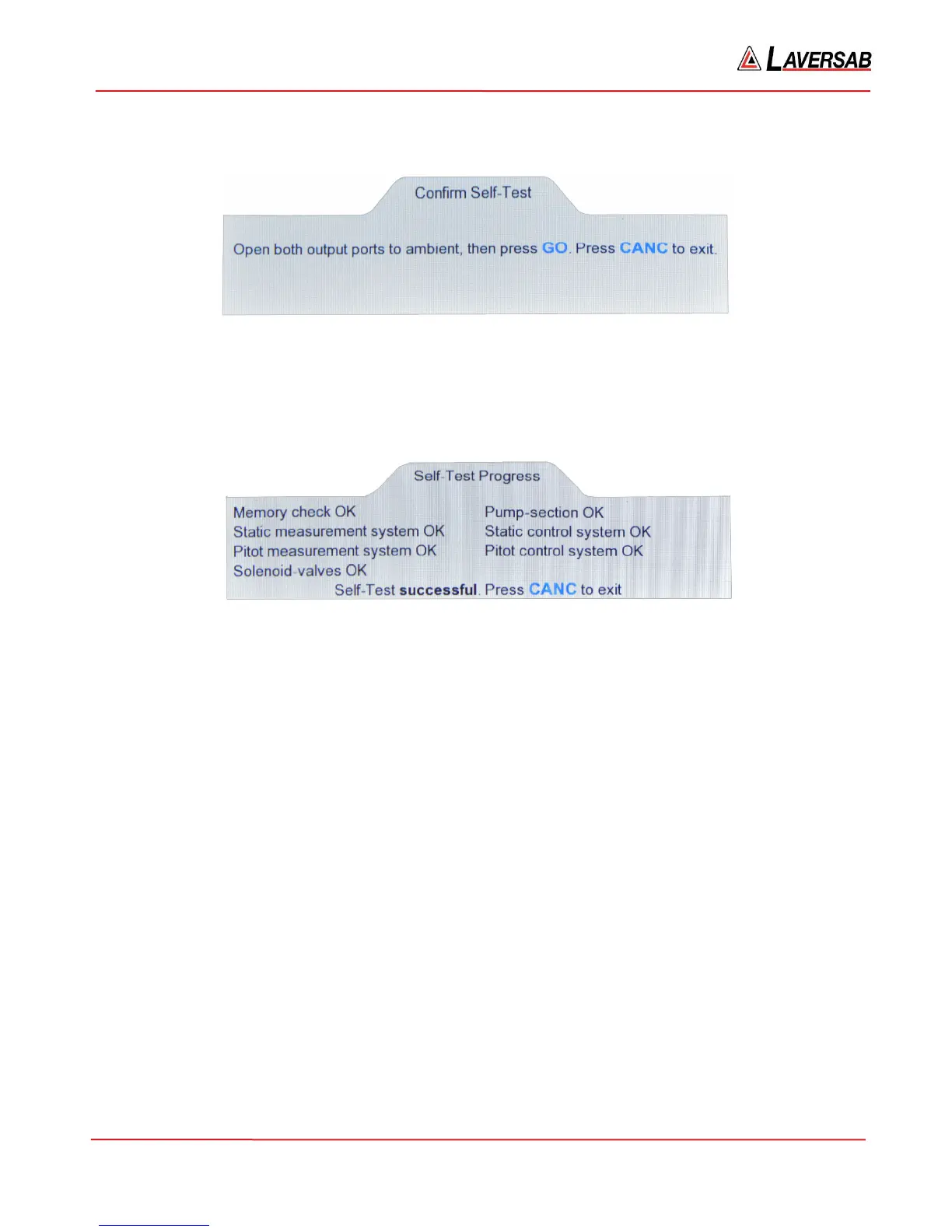
If the conditions are met, the following message is displayed.
Figure 3.31 : Confirm Self-Test
Press GO to start the Self-Test. The Lower section of the display will show the ‘Self-Test Progress’ screen.
The screen will be updated as each test completes successfully. If a specific test fails, the last line of
display will show the failure message and the Self-Test will be aborted. If all the tests pass, the screen
will appear as shown in Figure 3.32
Figure 3.32 : Self-Test successful
Note: The Actual values are NOT updated during the Self-Test.
As shown in Figure 3.32, there are seven categories of tests performed, which essentially check most of
the sub-systems within the 6300. The pumps are started just after ‘Pitot measurement system OK’ is
displayed. There is a long delay of about 100 seconds before the next update of the screen (Solenoid-
valves OK). During this time the 6300 performs all the remaining four tests (since they are inter-
dependent) before displaying the results. The pumps are turned Off after the tests are completed.
After the tests are completed successfully (or aborted due to a failure), press CANC to exit.
Note: Once the Self-Test is started, it cannot be aborted (except by turning power Off).
3.8 GO-TO-GROUND FUNCTION
Note: “Ground” signifies the ambient pressure, NOT the field elevation.
The GND key is used to activate this function. This function performs the following operations:
a. Sets the Pitot Target to the equivalent of 20 knots (in the current Pitot units)
b. Sets the Static Target to the equivalent of the ambient (“Ground”) pressure (in the current Static
units).
c. Sets both Pitot and Static modes to Control.
d. Controls both outputs to their respective targets.



 To Next Page