6300 Rev H User’s Manual
125-9106A Page 67
16. The calibration points have now been entered. Press GO to save the points and exit this screen.
If you press CANC, the calibration will be void. When GO is pressed, the screen will appear
similar to the one shown below.
Figure 6.8
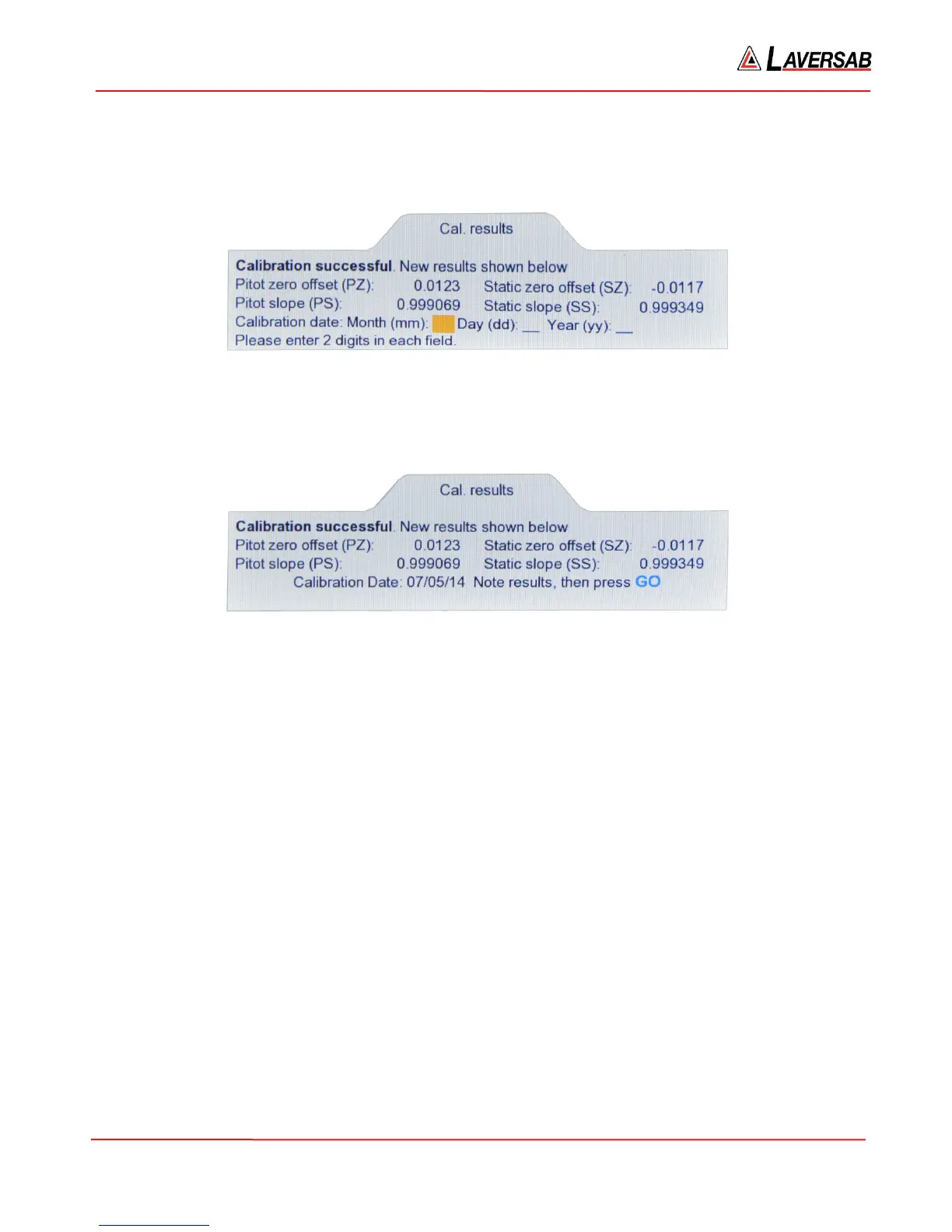
17. The calibration results showing the zero offset values and slope values are displayed in this
screen. Enter the current date as the ‘Calibration date’. After the Year has been entered, the
screen will appear similar to the one shown below.
Figure 6.9
18. Note the calibration results, then press GO. Calibration is complete. The Lower section of the
screen will blank out. The Actual values displayed in the Upper section should typically be 0.000
QcinHg for Pitot and 32.000 inHg for Static.
19. Do not disconnect the Pressure Standard. It will be required for the verification process shown
below.
6.5 VERIFICATION PROCEDURE
During the verification process, it is possible to correct for the non-linearity of the transducers at each
verification point. To do this, it is necessary to send the non-linearity offsets from a PC to the RS232 serial
port on the 6300, using a program similar to Hyperterminal. Details of this setup are provided in Section
8.1.
Once communication between the 6300 and the PC has been setup and verified, in Hyperterminal, enter
the command:
CP=xxxxxx followed by ENTER, where ‘xxxxxx’ is the calibration password.
If the password is correct, the 6300 will echo back a ‘0’. This completes the setup required for entering the
non-linearity offsets, which will be entered at various points in the verification process detailed below.



 To Next Page