6300 Rev H User’s Manual
125-9106A Page 66
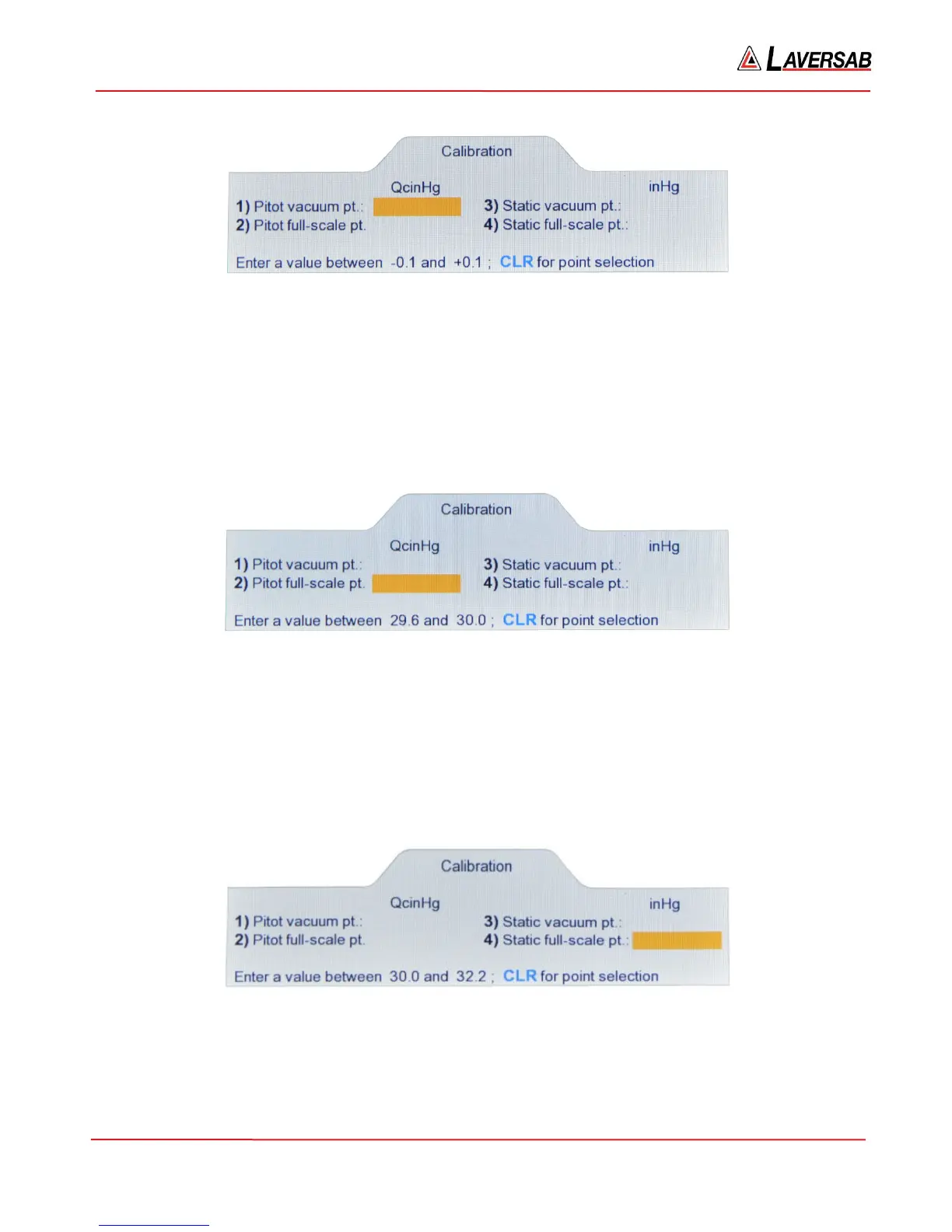
Figure 6.5
9. Enter ‘0.000’ (or simply 0) followed by ENTER on the keypad. The highlighted field will be
replaced by ‘0.000’. Press CLR to return to the point-selection screen (Figure 6.3). You should see
‘0.000’ on this screen, as the Pitot vacuum point. This indicates to the 6300 that the differential
pressure on the Pitot output is currently exactly 0.000 inHg.
10. Generate exactly QcinHg=30.000 and PsinHg=16.000. Wait for a minimum of 5 minutes to allow
temperature effects to stabilize.
11. Press ‘2’ on the Remote to enter the Pitot full-scale point. The screen will appear as follows.
Figure 6.6
12. Enter ‘30.000’ (or simply 30) followed by ENTER on the keypad. The highlighted field will be
replaced by ‘30.000’. Press CLR to return to the point-selection screen (Figure 6.3). You should
see ‘30.000’ on this screen, as the Pitot full-scale point. This indicates to the 6300 that the
differential pressure on the Pitot output is currently exactly 30.000 inHg.
13. Generate exactly QcinHg=0.000 and PsinHg=32.000. Wait for a minimum of 5 minutes to allow
temperature effects to stabilize.
14. Press ‘4’ on the Remote to enter the Static full-scale point. The screen will appear as follows.
Figure 6.7
15. Enter ‘32.000’ (or simply 32) followed by ENTER on the keypad. The highlighted field will be
replaced by ‘32.000’. Press CLR to return to the point-selection screen (Figure 6.3). You should
see ‘32.000’ on this screen, as the Static full-scale point. This indicates to the 6300 that the
absolute pressure on the Static output is currently exactly 32.000 inHg.



 To Next Page