30
Instructions for Use V 1.9 RevC - 06/2013
Setting up the knife holder base
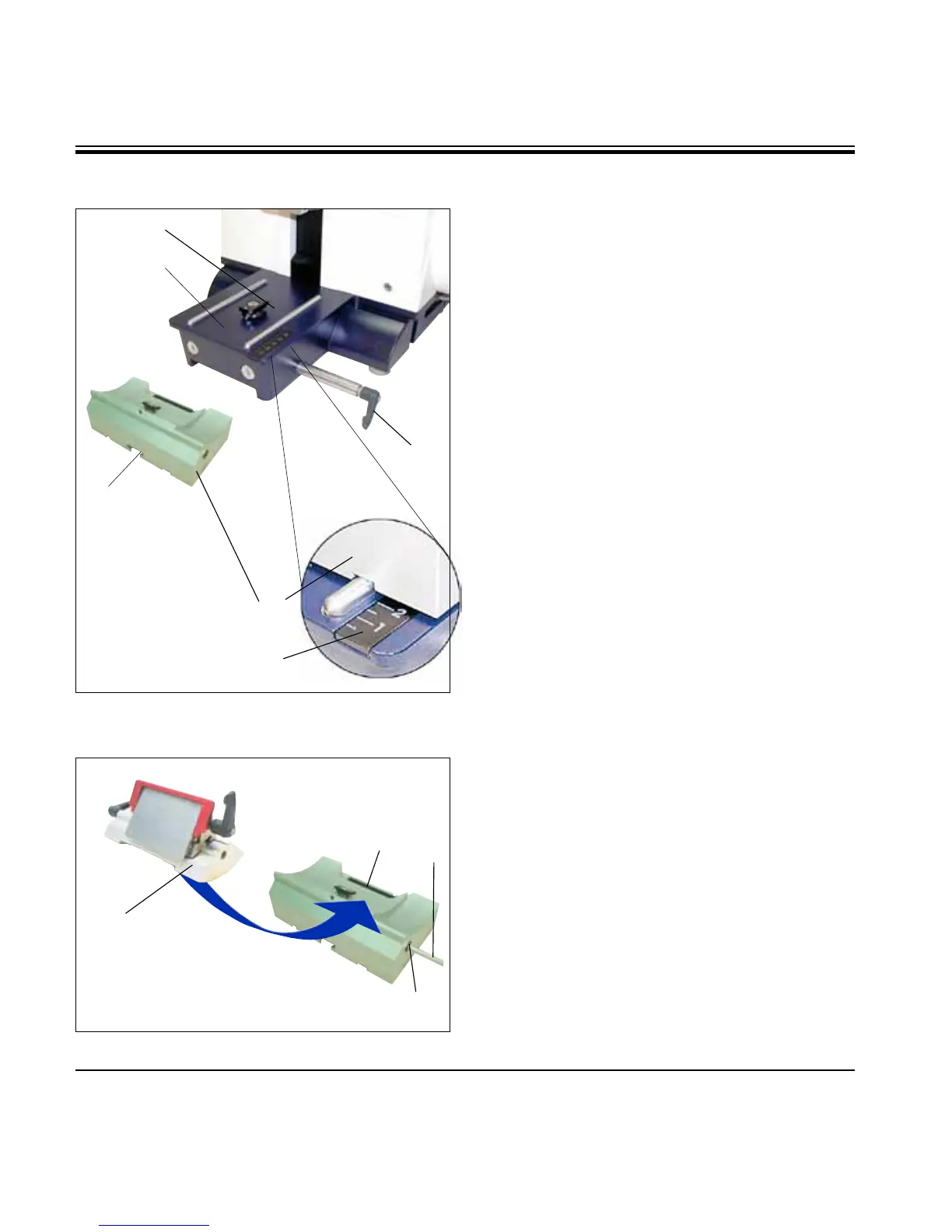
• Releasetheclampinglever(50) by rotating it
counterclockwise.
• Insertthe knife holder base (51) using the
notch (52) on the bottom into the T-piece (55)
of the microtome base plate (53).
• To secure the knife holder base,turnthe
clamping lever (50) clockwise.
The knife holder base (51) can be moved back and
forth on the microtome base plate. This allows
bringing the knife holder to optimal sectioning
position in relation to the specimen.
There is a scale (54) on the right side of the micro-
tome base plate. This enables faster and better
positioning of the knife holder at the specimen
if various combinations of standard specimens
and specimen holders are used. The rear edge of
the knife holder base (51) functions as the scale
reference.
55
50
51
52
53
5.2 Inserting the knife holder
Inserting the knife holder
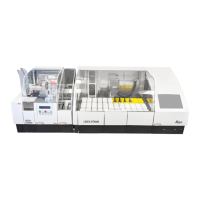
• Loosenthescrew(58) using an Allen key size 4
(71) until the knife holder (57) can be moved.
• Placetheknifeholder(57) with the underside
groove onto the T-piece (56) of the knife holder
base (51).
• Toclamp,retightenthescrew(58).
Enlarged detail:
Scale for better
repositioning of
the knife holder for
varying specimen
heights.
54
5. Operation
56
57
58
71
Fig. 22
Fig. 23



 To Next Page