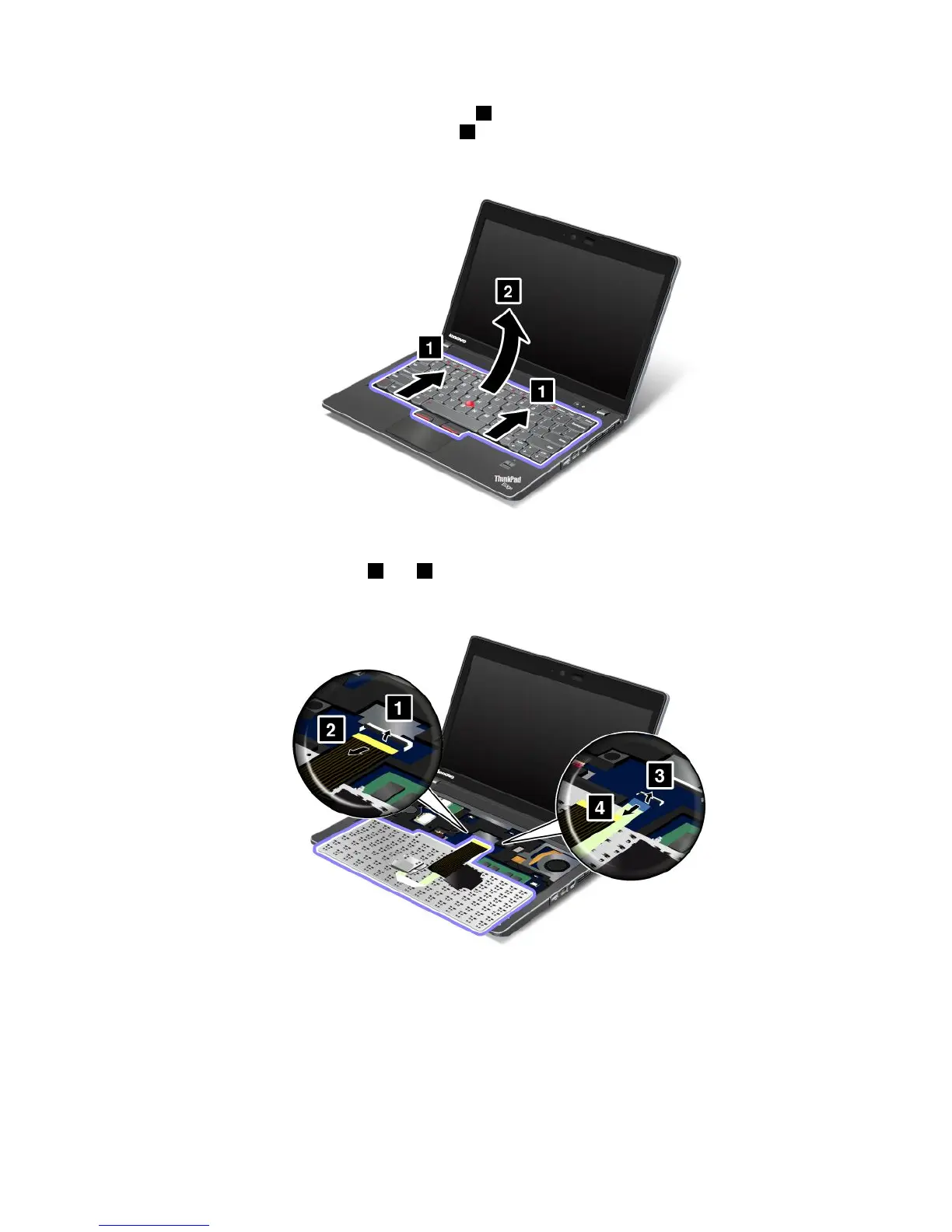
6.Pushhardinthedirectionshownbythearrows1inthedrawingtounlatchthefrontsideofthe
keyboard.Thekeyboardwillopenupslightly2.
7.Carefullyliftthekeyboarduntilyoucanseehowit'sconnected.Holdthekeyboardabovethecomputer,
andthendetachtheconnectors1and3.Thenremovethekeyboard.
Chapter6.Replacingdevices83













 To Next Page