Note:Youcandisableallofthefourphysicalbuttons(18Homebutton,19Backbutton,20Browser
button,and21Screenrotationlockbutton)bygoingtotheAndroidSettingsscreenandtouchingDisplay
➙DisablePhysicalButtons.
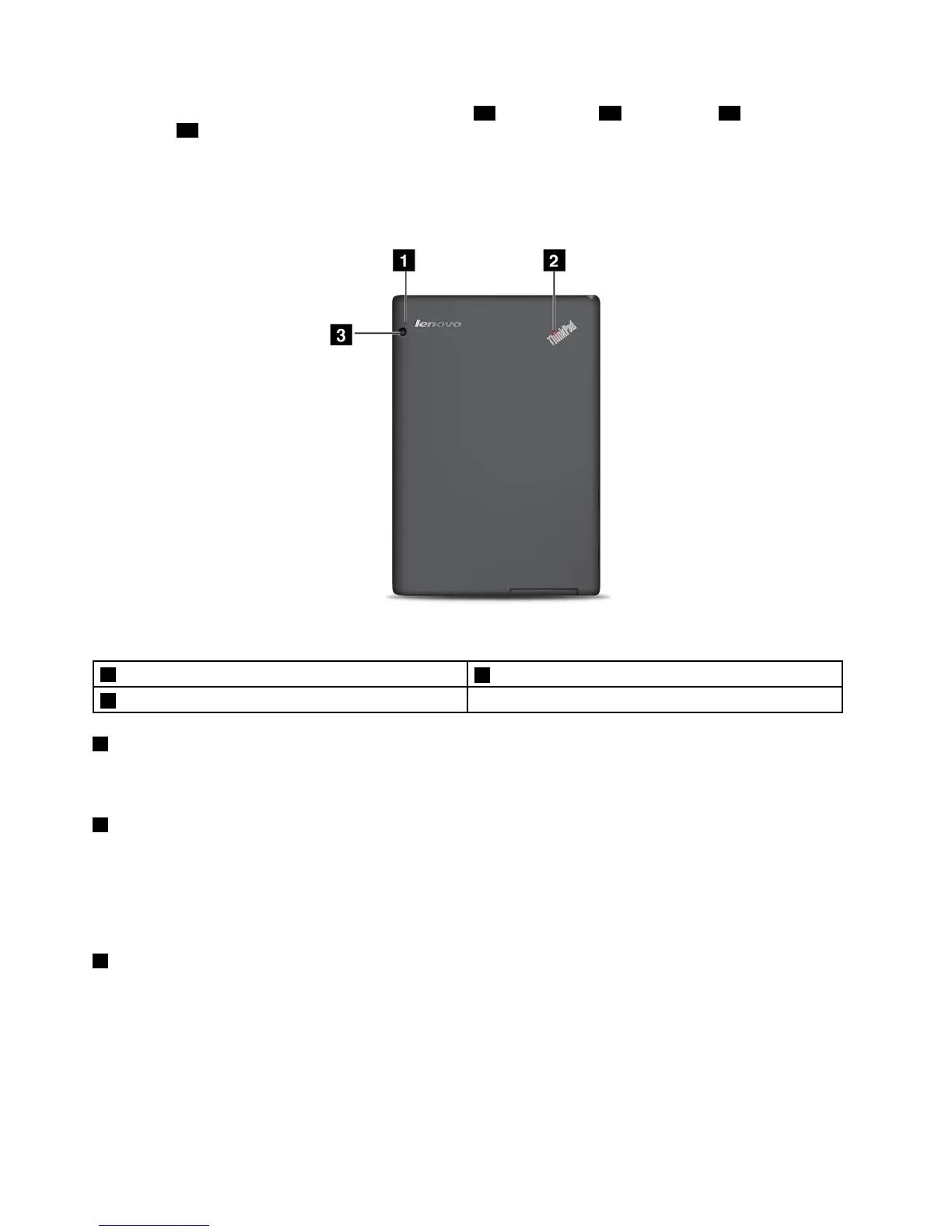
Back-sideview
Figure2.ThinkPadTabletback-sideview
1Microphone
3Rear-facingcamera
2System-statusindicator
1Microphone
Thebuilt-inmicrophonecapturessoundandvoicewhenitisusedwithanapplicationcapableofhandling
audio.
2System-statusindicator
TheilluminateddotintheThinkPadlogoonthebacksideofthetabletworksasasystem-statusindicator.
Thesystem-statusindicatorisonwhenthetabletisonandinuse.Whenthetabletisinsleepmodeoris
turnedoff,theindicatorisoff.
3Rear-facingcamera
Yourtablethasa5-megapixelrear-facingcamera,whichyoucanusetotakepicturesandcreatevideos.For
moreinformation,see“Usingthecameras”onpage34
.
4UserGuide
















 To Next Page