Chapter6.ThinkPadTabletoptions
YourtabletmightcomewithaThinkPadTabletKeyboardFolioCaseoraThinkPadTablet
Dock.Ifyourtabletdoesnotcomewithone,youcanpurchaseonefromLenovoat
http://www.lenovo.com/accessories/services/index.html.
TheThinkPadTabletKeyboardFolioCaseandtheThinkPadTabletDockareoptiondevicesthatLenovo
designedspecicallyfortheThinkPadTablet.Theseoptionsprovideconvenienceandmakeyourtablet
easiertouseforwork,study,andentertainment.
ThinkPadTabletKeyboardFolioCase
Thekeyboardfoliocaseisnotonlyabook-likecoverwithaThinkPadkeyboard.Italsoisafoldablestand
thatholdsyourtabletinanuprightpositionandprovidesatypingexperiencesimilartoanotebookcomputer.
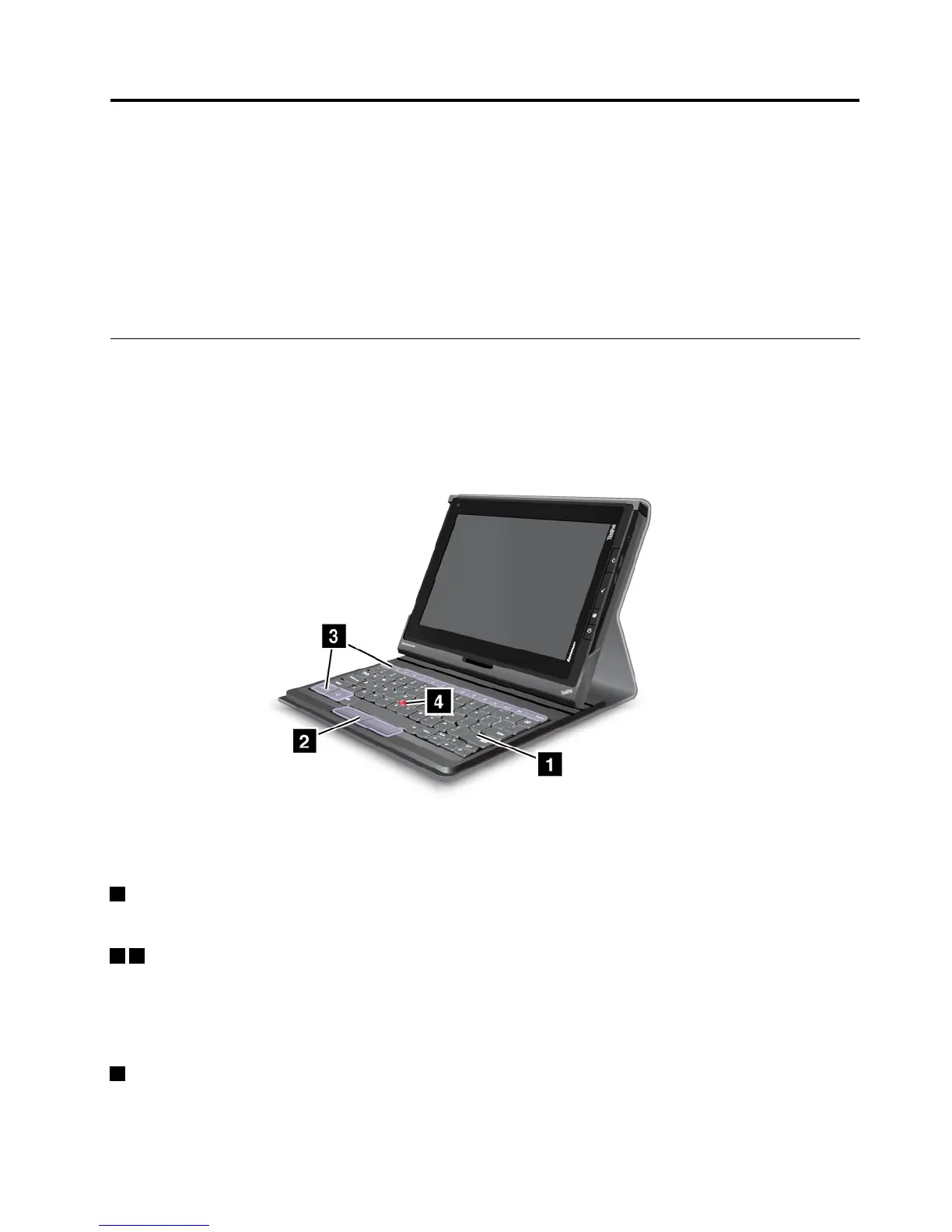
Figure9.ThinkPadT abletKeyboardFolioCaseoverview
1Keyboard
WorksasaUSBkeyboardwithOpticalTrackPointandhotkeys.
24OpticalTrackPoint
TheOpticalTrackPointisacursor-positioningdevicethatenablestoyoutopoint,select,anddragwithout
movingyourngersfromatypingposition.
Formoreinformation,see“UsingtheThinkPadTabletKeyboardFolioCase”onpage46
.
3Hotkeys
Thehotkeysonthekeyboardfoliocaseenableyoutocontrolmanyfeaturesofyourtabletbypressinga
singlekey.Referto“UsingtheThinkPadTabletKeyboardFolioCase”onpage46formoreinformation.
©CopyrightLenovo2011,2012
45
















 To Next Page