2.Touchtheaccountthatyouwanttosynchronizewithyourtablet.
3.Conguretheitemsthatyouwanttosynchronize.
4.Touchthemenuicon.ThentouchSyncNow.
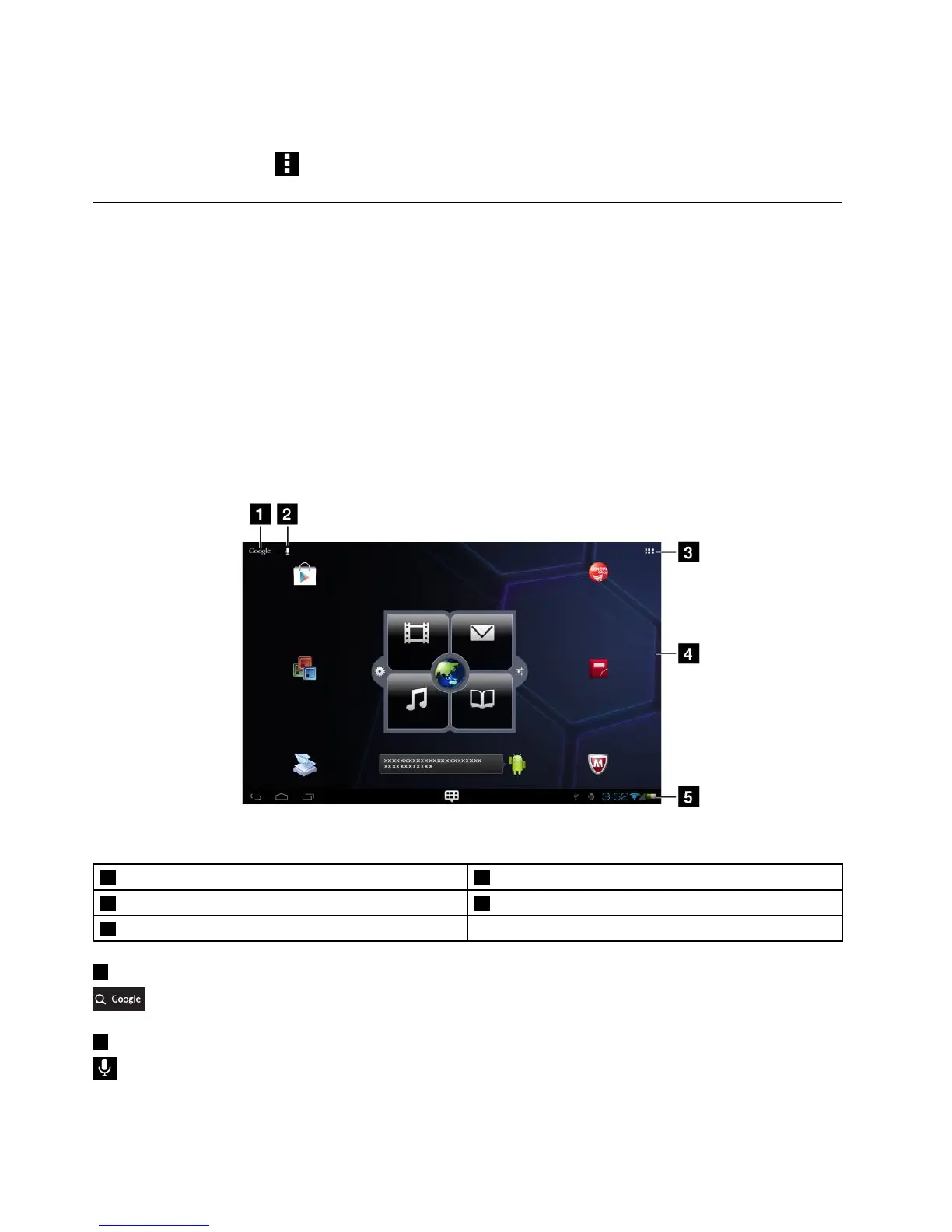
Homescreens
Asthestartingpointstouseyourtablet,Homescreensdisplaythestatusofyourtabletandprovideyou
withaccesstoapplications.
ThereareveHomescreens.Bydefault,themainHomescreenisdisplayedwheneveryouturnonyour
tabletorpresstheHomebutton.Touchablankareaonthescreenandslideyourngerleftorright
horizontallytoviewtheotherHomescreens.
Note:TheavailablewidgetsandapplicationshortcutsonHomescreensmightvarybygeographiclocation.
YoucancustomizetheveHomescreenstomeetyourpersonalpreferences.Forexample,youcanchange
themainHomescreen,addorremovewidgetsorapplications,changethewallpaper,andsoon.Formore
information,see“CustomizingyourHomescreens”onpage12
.
Figure4.Homescreen
1GoogleSearch
4Desktop
2GoogleVoiceSearch5Systembar
3Applications
1GoogleSearch
:SearchforinformationontheInternet.See“SearchingtheInternet”onpage33formoreinformation.
2GoogleVoiceSearch
:SearchforinformationontheInternetbyspeaking.See“SearchingtheInternet”onpage33formore
information.
10UserGuide
















 To Next Page