Chapter3.Wirelessnetworksanddevices
Yourtabletcanconnecttoavarietyofnetworksanddevices,includingmobilenetworks(2Gor3G),Wi-Fi
datanetworks,andBluetoothdevices.
Note:Sometabletmodelscanconnecttobothmobilenetworks(2Gor3G)andWi-Finetworks,whileothers
canconnecttoWi-Finetworksonly.IfyourtabletsupportsWi-Ficonnectiononly,theinformationrelated
tomobilenetworksdoesnotapplytoyourtablet.
InstallingtheSIMcard
Ifyourtabletsupportsmobilenetworkconnection,itmightrequireaSIMcardtoconnecttoamobile
network.Dependingonthecountryofdelivery,theSIMcardmightbeshippedwithyourtabletoryouneed
topurchaseonefromtheservicecarrier.
Attention:WheninstallingorremovingtheSIMcard,donottouchtheSIMcardmetalconnectors.As
aprecaution,alwaysholdyourtabletinyourhandbeforeyouinstallorremovetheSIMcardtoavoid
electrostaticdischarges.
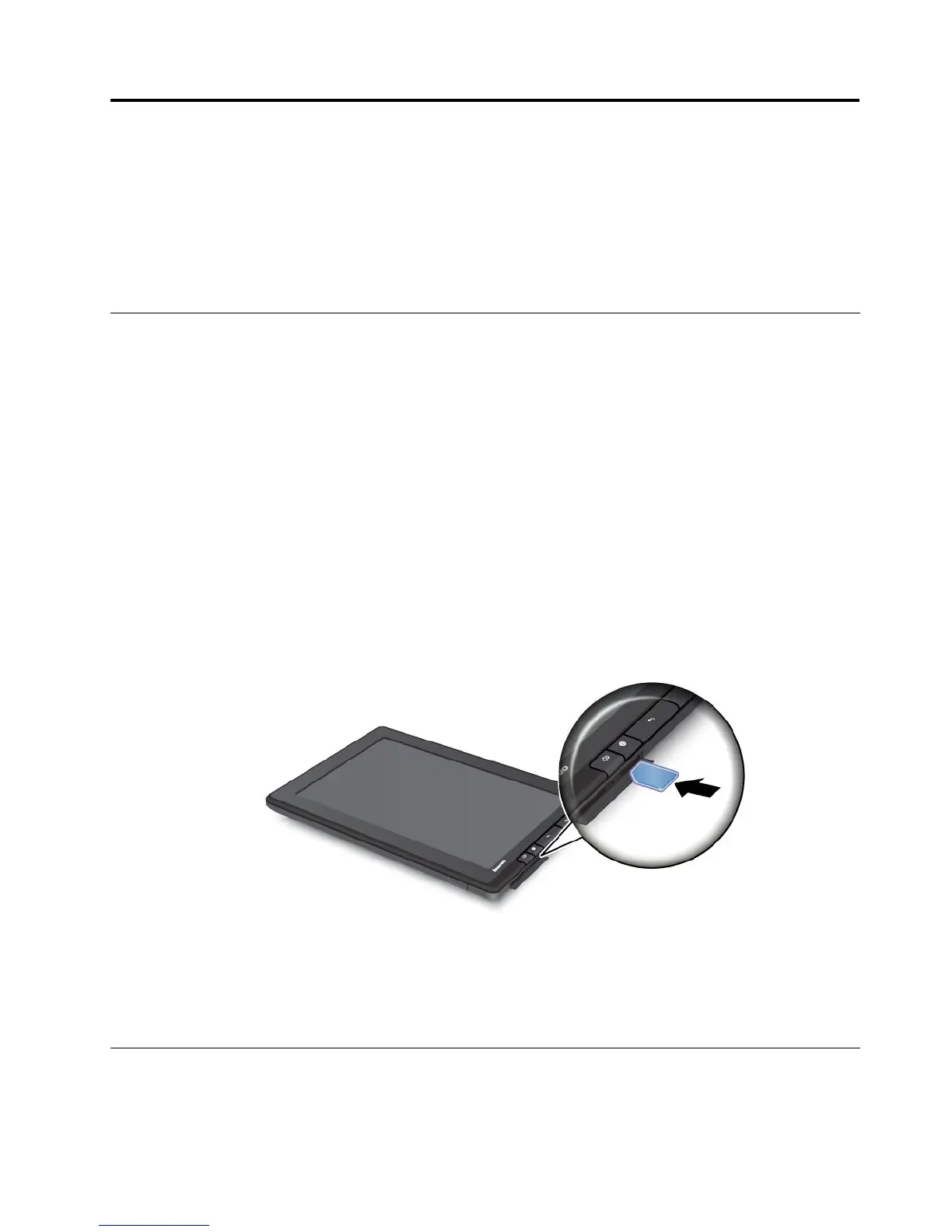
ToinstallaSIMcard,dothefollowing:
1.Turnoffthetabletbypressingthepowerbuttonforafewseconds,andthentouchOKfromthePower
offmenu.
2.OpentheSIMcardslotcoverandlocatetheSIMcardslot.TolocatetheSIMcardslot,see“Tablet
layout”onpage1.
3.HoldtheSIMcardwiththemetalcontactsfacingdown,andtheninsertitrmlyintotheSIMcardslot
untilyouhearaclick.
4.ClosetheSIMcardslotcoverandrestartyourtablet.
ToremovetheSIMcard,afteryouturnoffthetablet,pushtheSIMcardinwarduntilyouhearaclick.The
SIMcardejects.GentlyslidetheSIMcardoutoftheslot.
Determiningwhichmobilenetworkyouareusing
Forsomenetworks,youcancheckthenetworknametoseewhichmobilenetworkyouareusing.
©CopyrightLenovo2011,2012
23
















 To Next Page