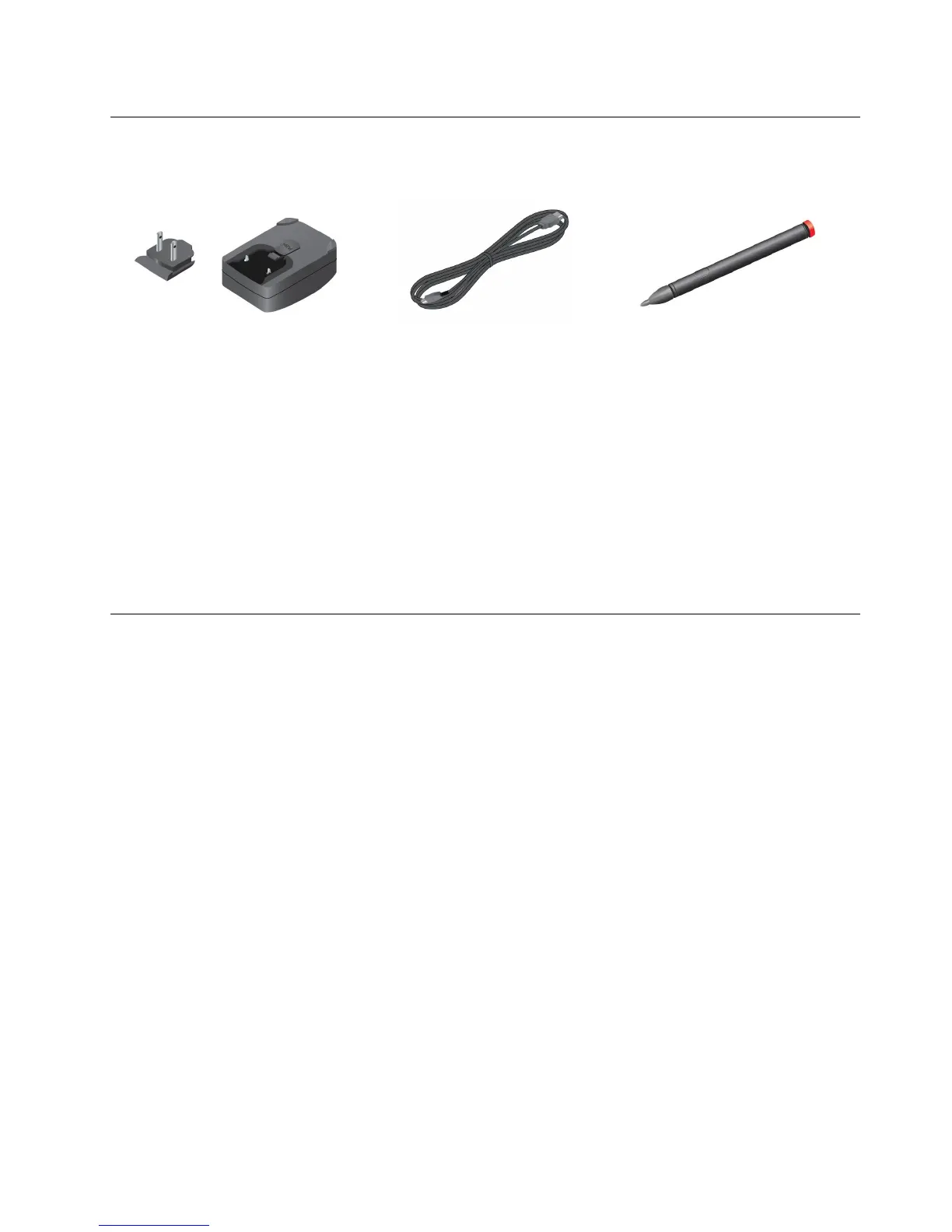
Accessories
Figure3.Accessories
•ThinkPadTabletACCharger:Theacchargerconsistsoftwoparts,snap-inprongsandachargerhead.
Inserttheprongsintothechargerheadtosetuptheaccharger.Usetheacchargertogetherwiththe
suppliedUSBcabletoprovideacpowertoyourtabletandchargethebattery.
•USBcable:UsetheUSBcabletoconnectyourtablettoapersonalcomputerfordatatransfer,oruseit
togetherwiththeacchargertochargeyourtablet.
•ThinkPadTabletPen(forsomemodels):IfyourtabletisequippedwithaThinkPadTabletPen,useit
toinputtextordrawgraphicsinanaturalmannerandperformotheroperationswithouttouchingthe
screenwithyournger.Ifyourtabletissoldwithoutthepen,itisavailableasanoptionfromLenovoat
http://www.lenovo.com/accessories/services/index.html.Formoreinformation,see“UsingtheThinkPad
TabletPen”onpage16
.
Features
Processor
•NVIDIATegra2dual-coreARMprocessor
Operatingsystem
•Android4.0
Memory
•1GB
Internalstorage
•16GB,32GB,or64GB(dependingonthemodel)
Display
•Damage-resistantCorningGorillaglass
•Size:257mm(10.1inches)
•Screenresolution:1280x800pixels
•Automaticbrightnesscontrol
•Multitouchtechnology
•ThinFilmTransistorLiquidCrystalDisplay(TFTLCD)technology
•Supportforbattery-poweredThinkPadTabletPeninput
Chapter1.Productoverview5
















 To Next Page