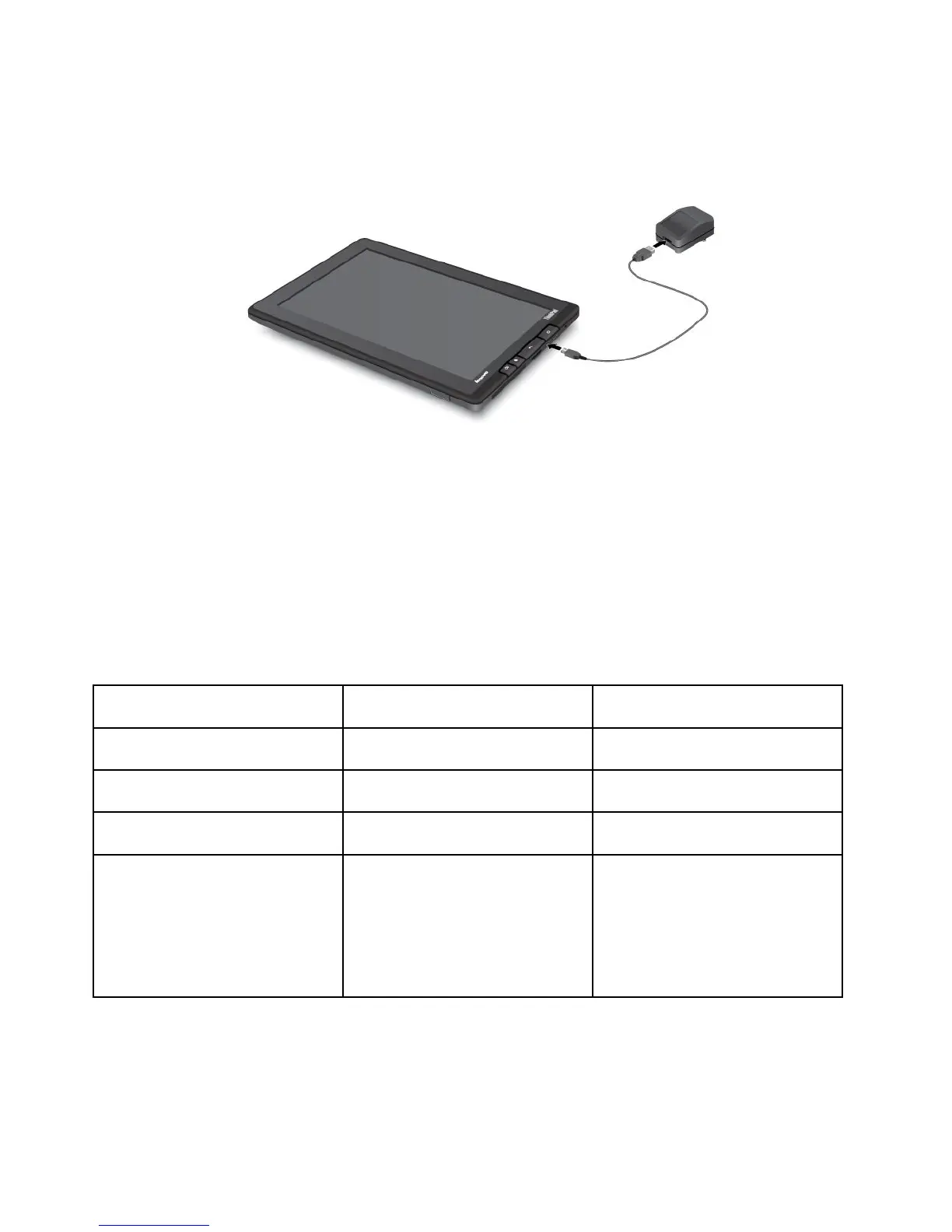
Figure8.Connectingtheacchargerwiththetablet
3.Plugtheacchargerintoastandardacpoweroutlet.
4.Disconnecttheacchargerfromyourtabletwhenthebatterypowerisfull,orleavetheaccharger
connectedtooperatefromacpower.
Alternatively,youcanuseanyofthefollowingchargingmethodstosafelyrechargetheinternalbatteryof
yourtablet:
Chargingmethod
Tableton
(Displayison)
Tabletofforinscreenlockmode
(Displayisoff)
ThinkPadTabletDock(fastest
chargingmethod)
ApprovedApproved
ThinkPadTabletACCharger
Approved,butthebatterywillcharge
slowly
Approved
ThinkPadTabletDCCharger
Approved,butthebatterywillcharge
slowly
Approved
AUSBconnectionbetweenthe
microUSBconnectoronthetablet
andaUSBconnectorofapersonal
computerorotherdevicethat
complieswiththeUSB2.0standards
(slowestchargingmethod)
MightnotchargeduetoUSB2.0
powerlimits.
Ifthepowerconsumptionofthetablet
exceedsUSB2.0powerlimits,the
batterywilldischargetocompensate
fortheadditionalpowerrequiredby
thetablet.
Approved
Attention:UseonlyLenovoapprovedchargers.Unauthorizedchargerscouldcauseseveredamageto
yourtablet.
30UserGuide




 To Next Page