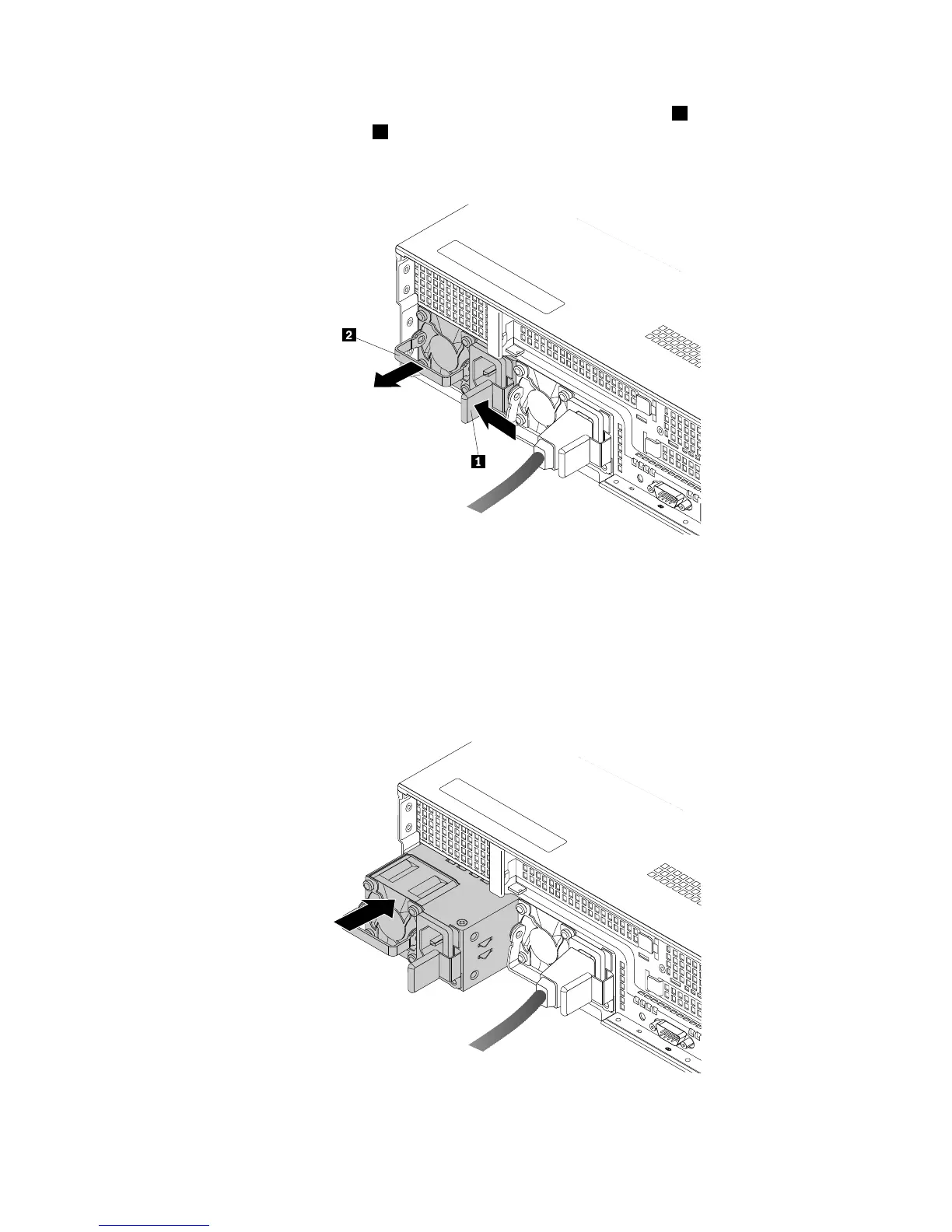
2.Ifyouarereplacingahot-swapredundantpowersupply,pressthereleasetab1inthedirectionas
shownandcarefullypullthehandle
2atthesametimetoslidethefailinghot-swapredundantpower
supplyoutofthechassis.
Figure86.Removingahot-swapredundantpowersupply
3.Touchthestatic-protectivepackagethatcontainsthenewhot-swapredundantpowersupplytoany
unpaintedsurfaceontheoutsideoftheserver.Then,removethenewhot-swapredundantpower
supplyfromthepackage.
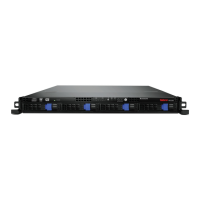
4.Notetheorientationofthenewhot-swapredundantpowersupplyandthenslideitintothechassisuntil
itsnapsintoposition.
Figure87.Installingahot-swapredundantpowersupply
138ThinkServerRD440UserGuideandHardwareMaintenanceManual









 To Next Page