Table 1. Server specifications (continued)
Specification
Description
DIMM
• Minimum: 8 GB
• Maximum:
– 768 GB using registered DIMMs (RDIMMs)
– 1.5 TB using load-reduced DIMMs (LRDIMMs)
– 3 TB using three-dimensional stack registered DIMMs (3DS RDIMMs)
• Type:
– PC4-21300 (DDR4-2666), operating speed depends on processor model and
UEFI Operating Mode selection
– Single-rank, dual-rank, quad-rank, or octa-rank
– RDIMM, LRDIMM, or 3DS RDIMM
• Slots: 24 DIMM slots
• Supports (depending on the model):
– 8 GB, 16 GB, and 32 GB RDIMMs
– 64 GB LRDIMMs
– 128 GB 3DS RDIMMs
Note: For a list of supported DIMMs, see:
http://www.lenovo.com/us/en/serverproven/
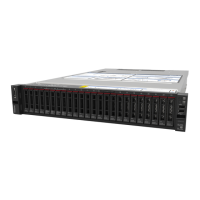
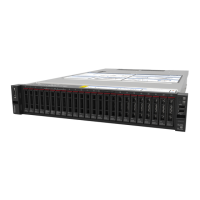
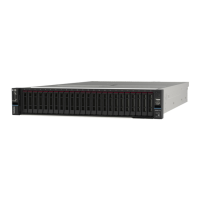
Internal drives The supported drives vary by models.
• Up to eight 3.5-inch hot-swap SAS/SATA drives
• Up to twelve 3.5-inch hot-swap SAS/SATA drives
• Up to twelve 3.5-inch hot-swap SAS/SATA/NVMe drives (NVMe drives are
supported only in drive bays 8–11)
• Up to eight 2.5-inch hot-swap SAS/SATA drives
• Up to eight 2.5-inch hot-swap SAS/SATA/NVMe drives (NVMe drives are
supported only in drive bays 4–7)
• Up to sixteen 2.5-inch hot-swap SAS/SATA drives
• Up to sixteen 2.5-inch hot-swap SAS/SATA/NVMe drives (NVMe drives are
supported in drive bays 4–7 and bays 12–15)
• Up to twenty-four 2.5-inch hot-swap SAS/SATA drives
• Up to twenty-four 2.5-inch hot-swap SAS/SATA/NVMe drives (NVMe drives are
supported in drive bays 4–7 and bays 12–15)
• Up to two 3.5-inch hot-swap SAS/SATA drives in the rear
• Up to two M.2 drives
Note: NVMe drives means Non-Volatile Memory express drives.
Expansion slots
• One PCIe slot on the system board
• One RAID adapter slot on the system board
• Two riser card slots on the system board
• Two or three PCIe slots on the riser card
For detailed information, see “Rear view” on page 18.
Input/Output (I/O) features • Front panel:
– One VGA connector (available on some models)
– One XClarity Controller USB connector
– One USB 3.0 connector
• Rear panel:
– One VGA connector
– One XClarity Controller network connector
– One serial port (available on some models)
– Two USB 3.0 connectors
– Two or four Ethernet connectors on the LOM adapter (available on some
models)
4 ThinkSystem SR650 Maintenance Manual





 To Next Page