9
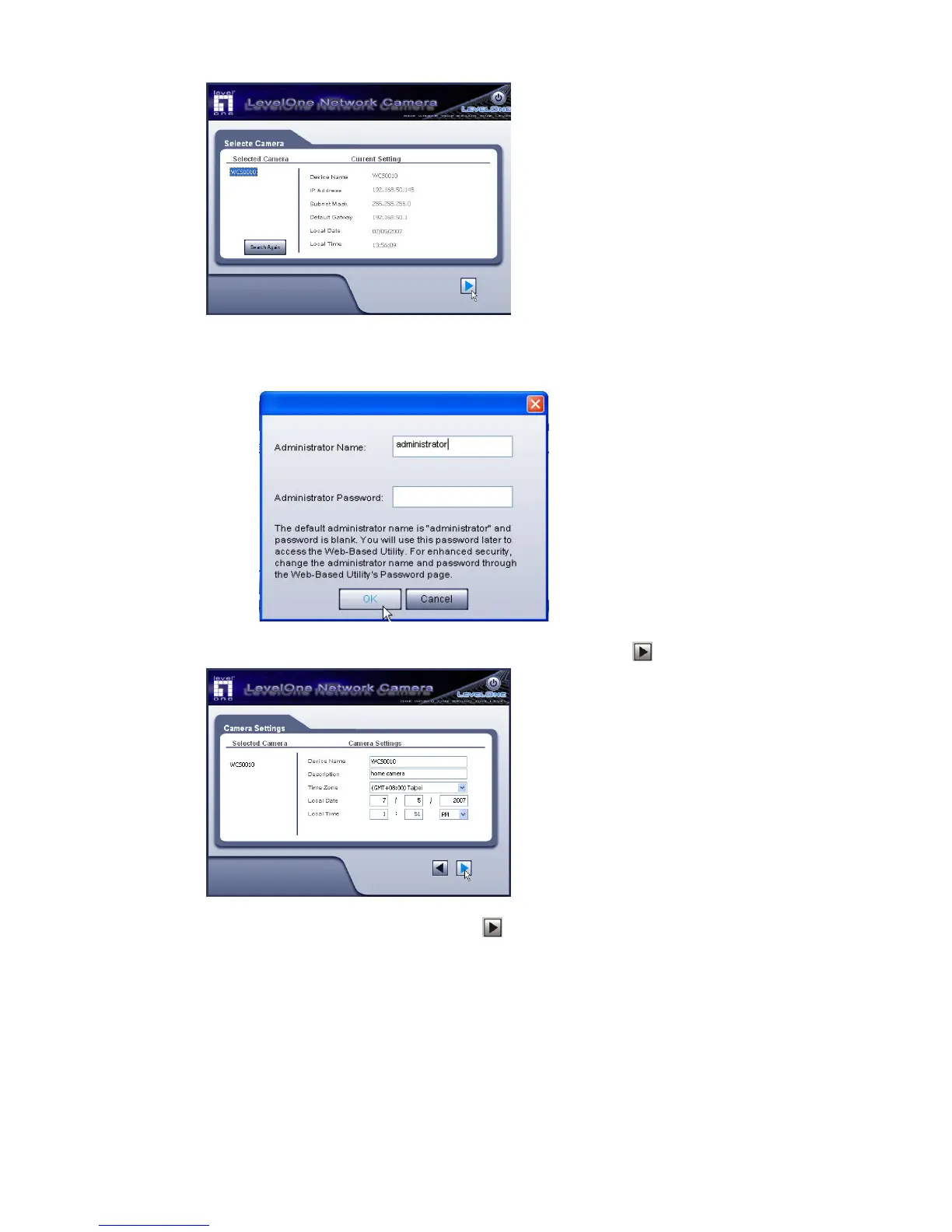
4. You will be prompted to enter the Administrator Name and Administrator Password,
as shown below. Enter “administrator” for the name, and leave the password
blank. Otherwise, enter the Administrator Name and Administrator Password set
on the Maintenance screen.
5. This screen allows you to enter a suitable Description, and set the correct Time
Zone, Date, and Time. Make any desired changes, then click
to continue.
6. On the following IP Address Settings screen, shown below, choose Fixed IP
Address or Dynamic IP Address. Click
to continue.















 To Next Page