25
Motion Detection Alerts
The Motion Detection feature can generate an Alert when motion is detected.
The FCS-0020/WCS-0020 will compare consecutive frames to detect changes caused
by the movement of large objects.
But the motion detector can also be triggered by:
• Sudden changes in the level of available light
• Movement of the camera itself.
Try to avoid these situations. The motion detection feature works best in locations
where there is good steady illumination, and the camera is mounted securely. It
cannot be used outdoors due to the sensitivity of the CMOS sensor.
To Use Motion Detection Alerts
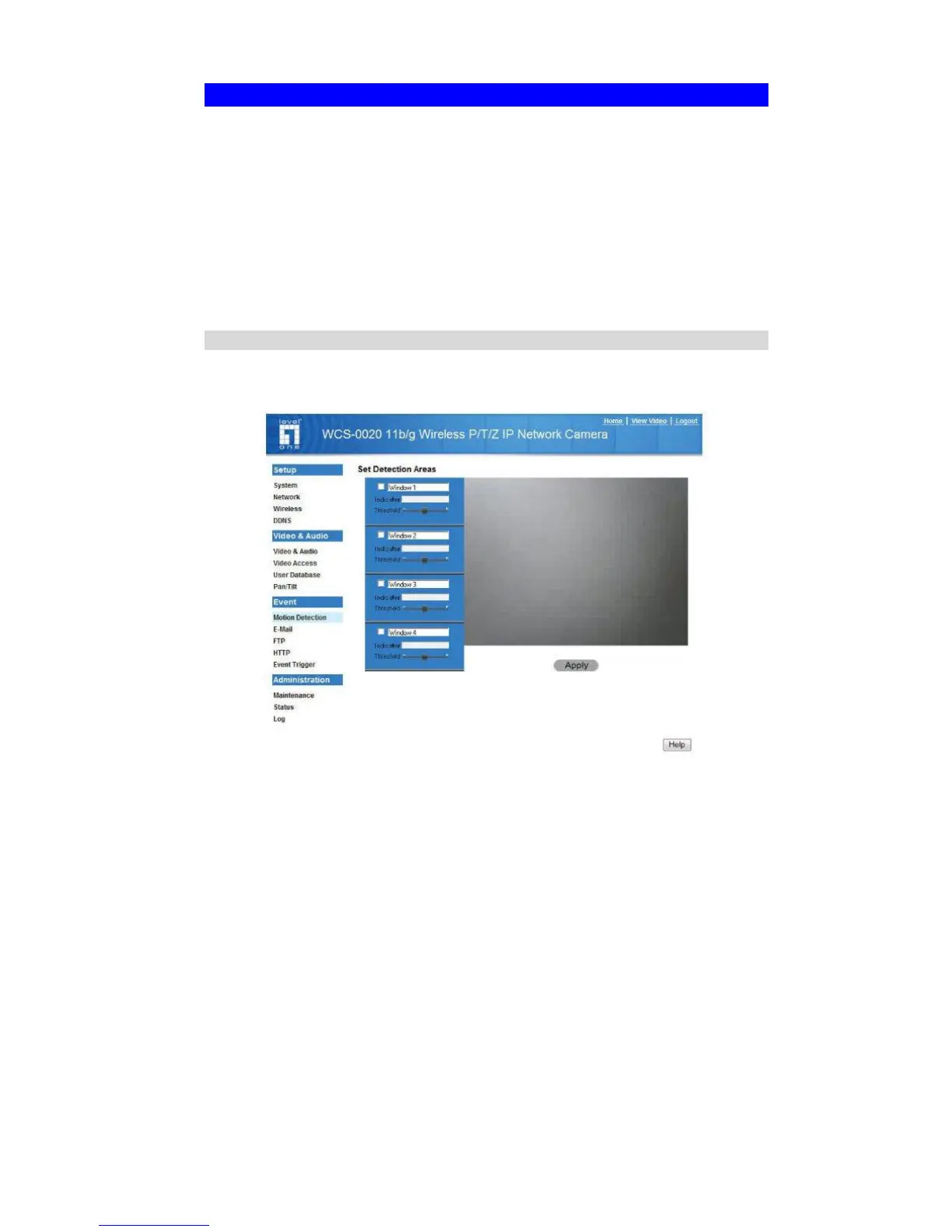
Using the Web-based interface on the FCS-0020/WCS-0020, select the Motion
Detection screen, then configure this screen as described below.
Figure 12: Motion Detection
1. Enable the Motion Detection feature.
2. Set the area or areas of the video image to be examined for movement. You can
define up to 4 areas, and set the motion threshold individually for each area.
3. If using a schedule, define the desired schedule in Event Trigger screen.
4. Save your changes.
5. Select the E-Mail screen to have alerts sent by E-mail:
• Enable and enter at least one (1) E-mail address
• Select or enter the desired options for Video Attachment, Show "From" as and
Subject fields.
• Enter details of the SMTP Server used to send the E-mail.















 To Next Page