34
Wireless Screen (WCS-0020 Only)
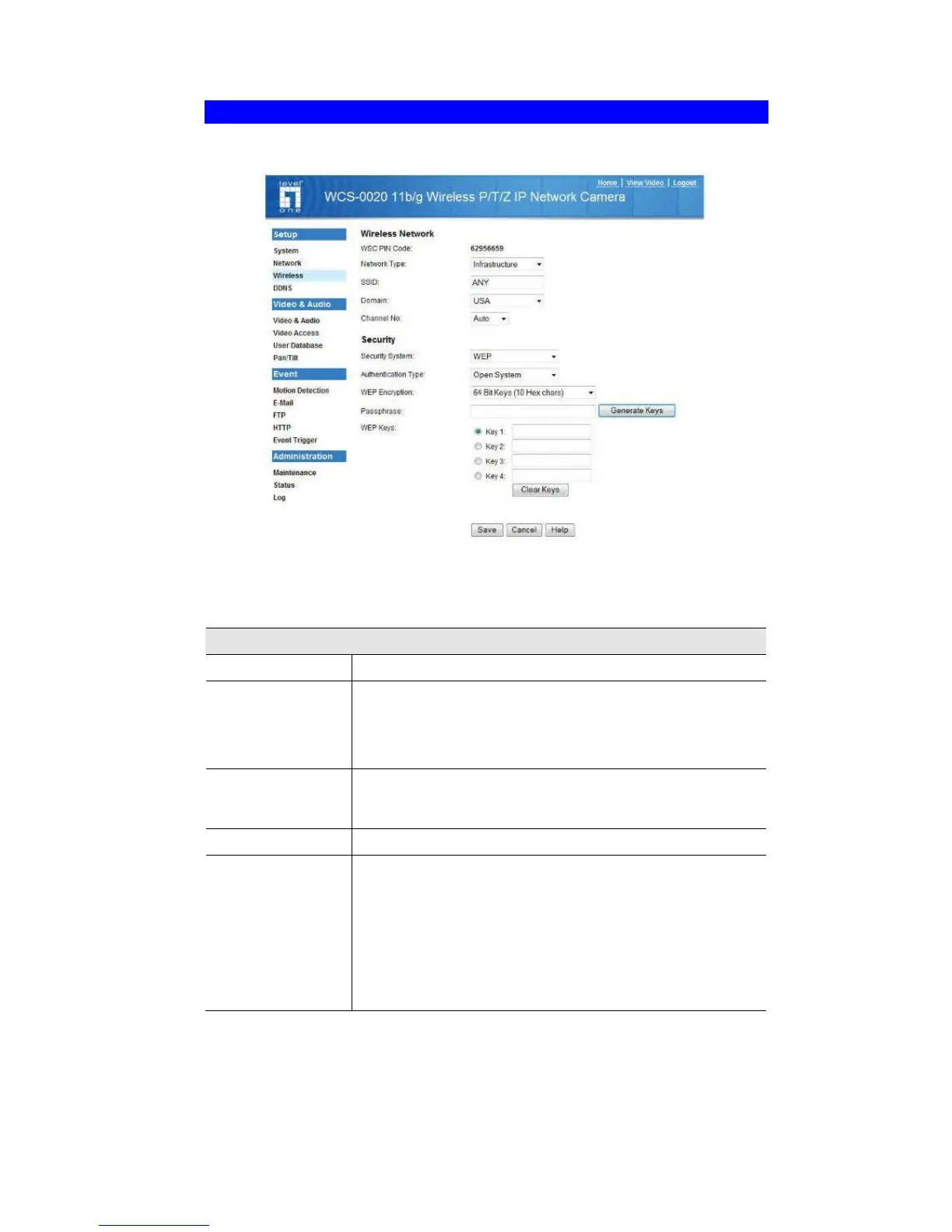
This screen is displayed when the Wireless menu option is clicked.
Figure 16: Wireless Screen
Data - Wireless Screen
Wireless Network
WSC PIN Code
It displays the WSC PIN code number for the camera.
Network Type
This determines the type of wireless communication used by
the WCS-0020.
• If you have an Access Point, select Infrastructure.
• Otherwise, select Ad-hoc.
SSID
This must match the value used by other devices on your
wireless LAN.
Note! The SSID is case sensitive.
Domain
Select your region from the drop-down list.
Channel No.
• In Infrastructure mode, this setting is ignored. The WCS-
0020 will use the Channel set on the Access Point.
• For Ad-hoc mode, select the Channel you wish to use on
your WCS-0020. Other Wireless stations should use the
same setting.
• If you experience interference (shown by lost connections
and/or slow data transfers) you may need to experiment
with different channels to see which one is the best.















 To Next Page