30
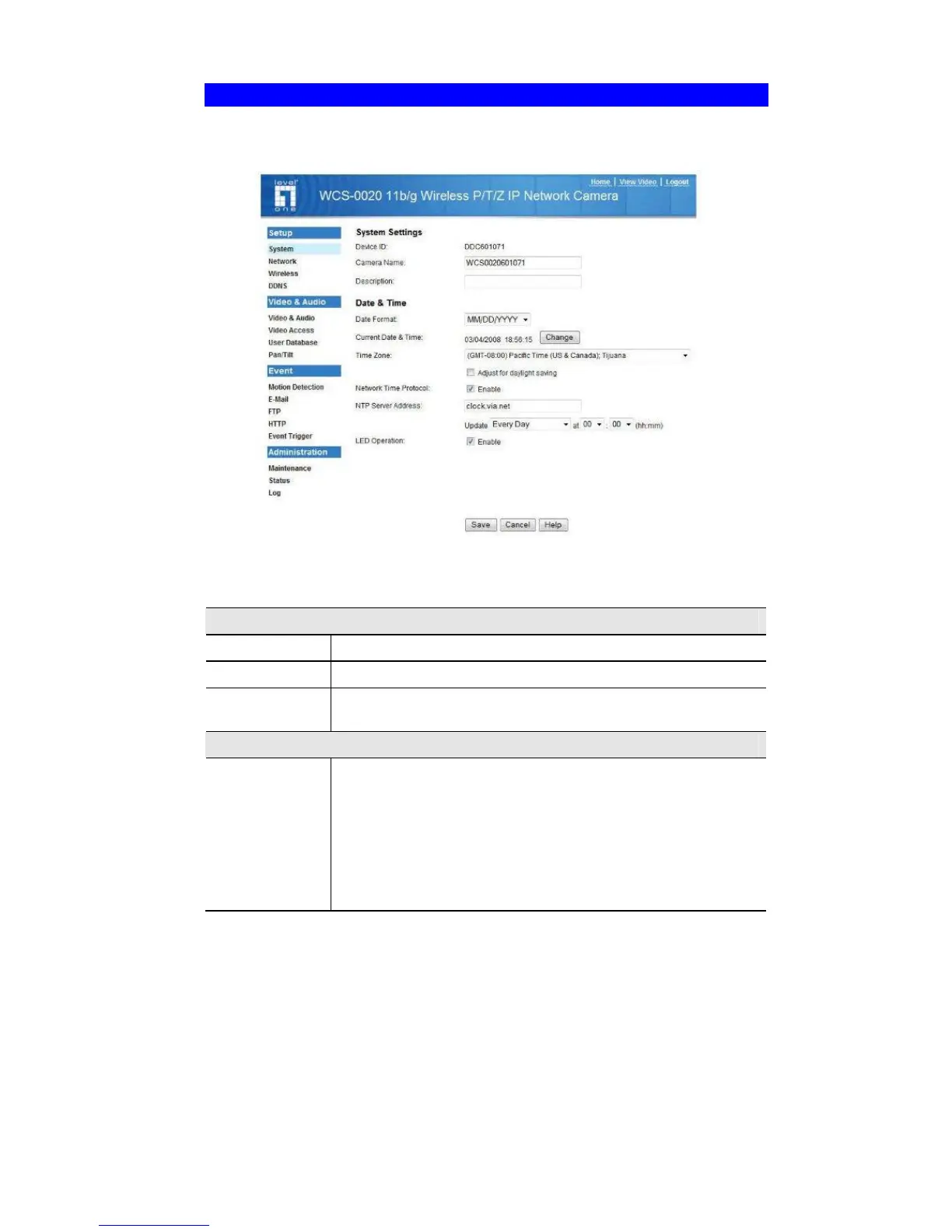
System Screen
After clicking Administration on the main menu, or selecting System on the
Administration menu, you will see a screen like the example below.
Figure 14: System Screen
Data - System Screen
System Settings
Device ID
This displays the name for the FCS-0020/WCS-0020.
Camera Name
Enter the desired name for the FCS-0020/WCS-0020.
Description
This field is used for entering a description, such as the location
of the FCS-0020/WCS-0020.
Date & Time
Date Format
Select the desired date format, it will also be used to display the
date and time as an overlay on the video image.
The abbreviations used to predefine the date formats are list as
follows:
• YYYY-MM-DD = Year-Month-Day, e.g. 2006-01-31
• MM/DD/YYYY = Month/Day/Year, e.g. 01/31/2006
• DD/MM/YYYY = Day/Month/Year, e.g. 31/01/2006















 To Next Page