23
DDNS is designed to solve this problem, by allowing users to connect to your LAN
using a domain name, rather than an IP address.
To use DDNS:
1. Register for the DDNS service with a supported DDNS service provider. You can
then apply for, and be allocated, a Domain Name.
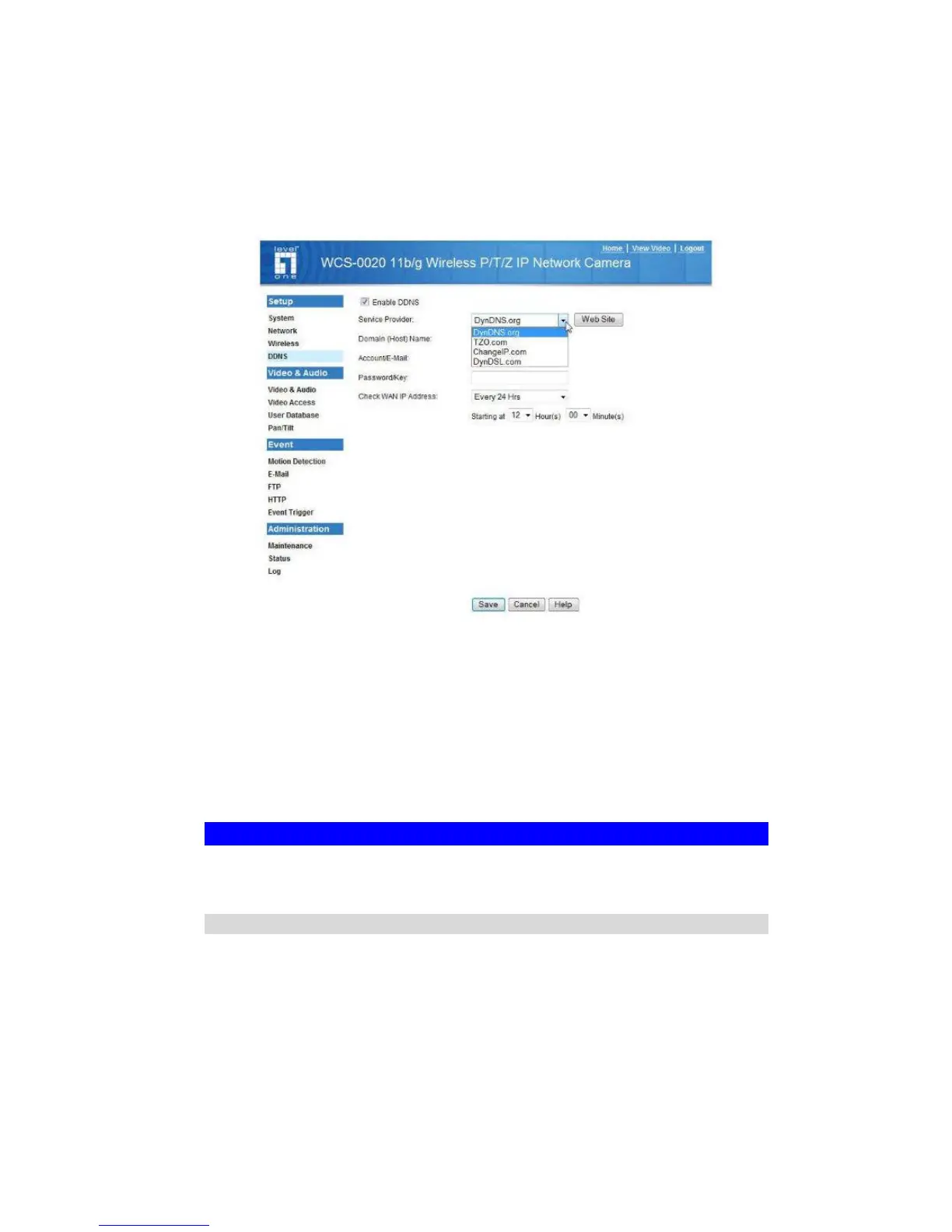
2. Enter and save the correct DDNS settings on the DDNS screen of the FCS-
0020/WCS-0020.
Figure 11: DDNS Screen
3. Operation is then automatic:
• The FCS-0020/WCS-0020 will automatically contact the DDNS server
whenever it detects that the Internet IP address has changed, and inform the
DDNS server of the new IP address.
• Internet users can then connect to the camera using the Domain Name
allocated by the DDNS service provider.
Viewing Live Video via the Internet
Clients (viewers) will also need a broadband connection; dial-up connections are NOT
recommended.
Viewing Live Video Using your Web Browser
If using your Web browser, you need to know the Internet IP address (or the Domain
name) of the camera's Router/Gateway, and the correct port number.
Enter the Internet address of the Router/Gateway, and its port number, in the Address
(or Location) field of your Browser.















 To Next Page