18
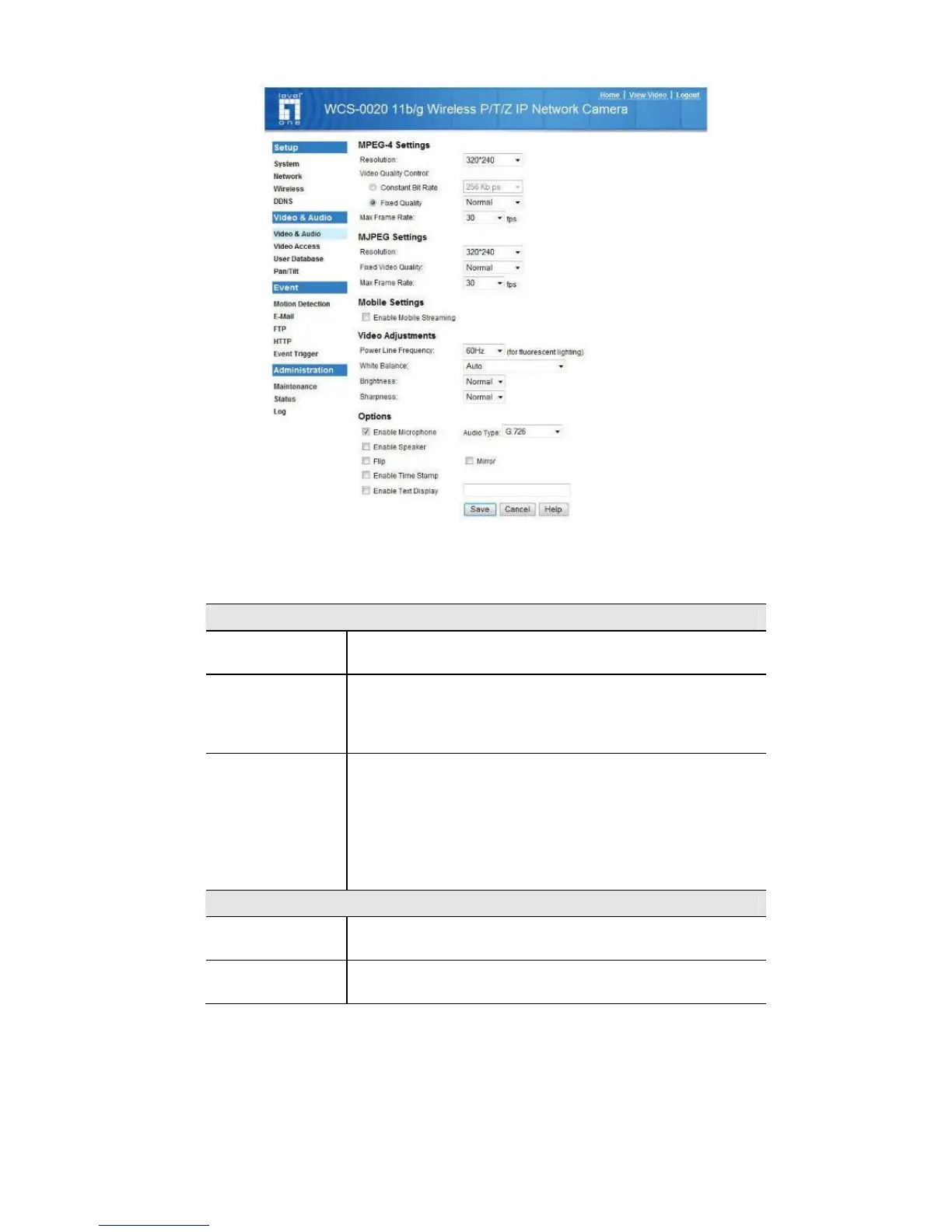
Figure 7: Video & Audio Screen
3. Make the required adjustments, as explained below, and save your changes.
MPEG-4 Settings
Resolution
Select the desired video resolution format. The default
resolution is set to 320*240.
Video Quality
Control
• Constant Bit Rate: Select the desired bit rate. The default
is set to 1.2 Mbps.
• Fixed Quality: Select the desired option. The default fix
quality is set to Normal.
Max. Frame Rate
Select the desired Maximum bandwidth for the video stream.
Note that you can specify EITHER the Bandwidth OR the
Frame Rate, not both. If the Bandwidth is defined, the frame
rate will be adjusted as necessary to achieve the specified
frame rate.
The default values for bandwidth is Unlimited, which allows
you to specify the desired frame rate.
MJPEG Settings
Resolution
Select the desired video resolution format. The default
resolution is set to 320*240.
Fixed Video
Quality
Select the desired fix quality. The default fix quality is set to
Normal.















 To Next Page