User’s Manual
WAB-3003 108M 11g Outdoor PoE CPE/ AP/ Bridge
97
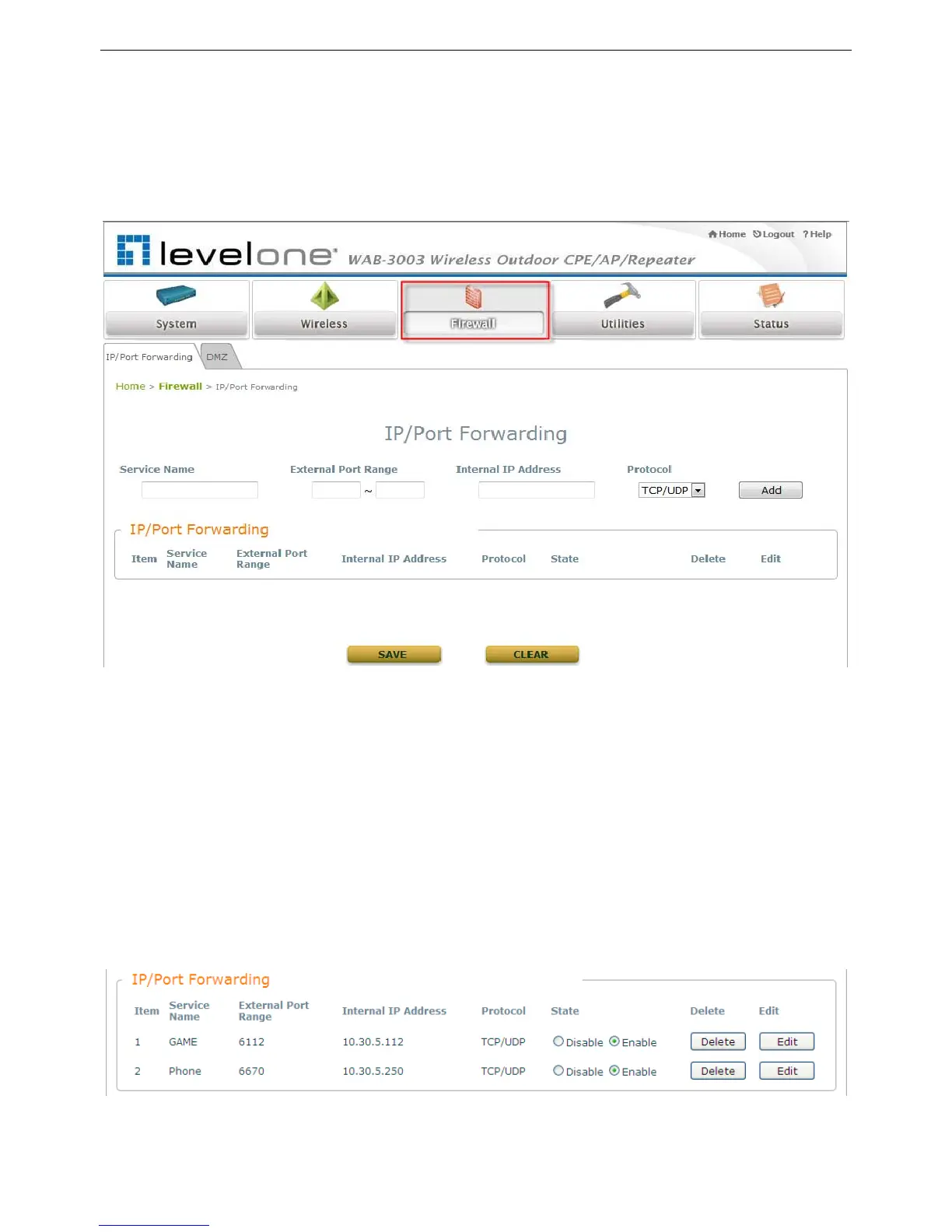
5.3.1 IP/ Port Forwarding
A certain part of the network can be exposed to the Internet in a limited and controlled way for
special-purpose Internet services such as on-line game or video conferencing on this page. Please
ensure that the internal port to be used is not occupied by other applications.
Service Name: The administrator can provide an easy remembered alias for the specific
forwarding.
External Port Range: The external port for forwarding traffic can be selected from the drop-
down list or specified by choosing User Define to set the range manually.
Internal IP Address: Enter the LAN IP address to receive the forwarding traffic.
Protocol: Forwarding traffic protocol can be selected from drop-down list to be TCP/ UCP, TCP or
UDP.
Add: Click Add to activate the new service.
IP/ Port Forwarding: Details of current services available. Click Delete to remove the
specified service. Click Edit to configure the current setting.















 To Next Page