User’s Manual
WAB-3003 108M 11g Outdoor PoE CPE/ AP/ Bridge
80
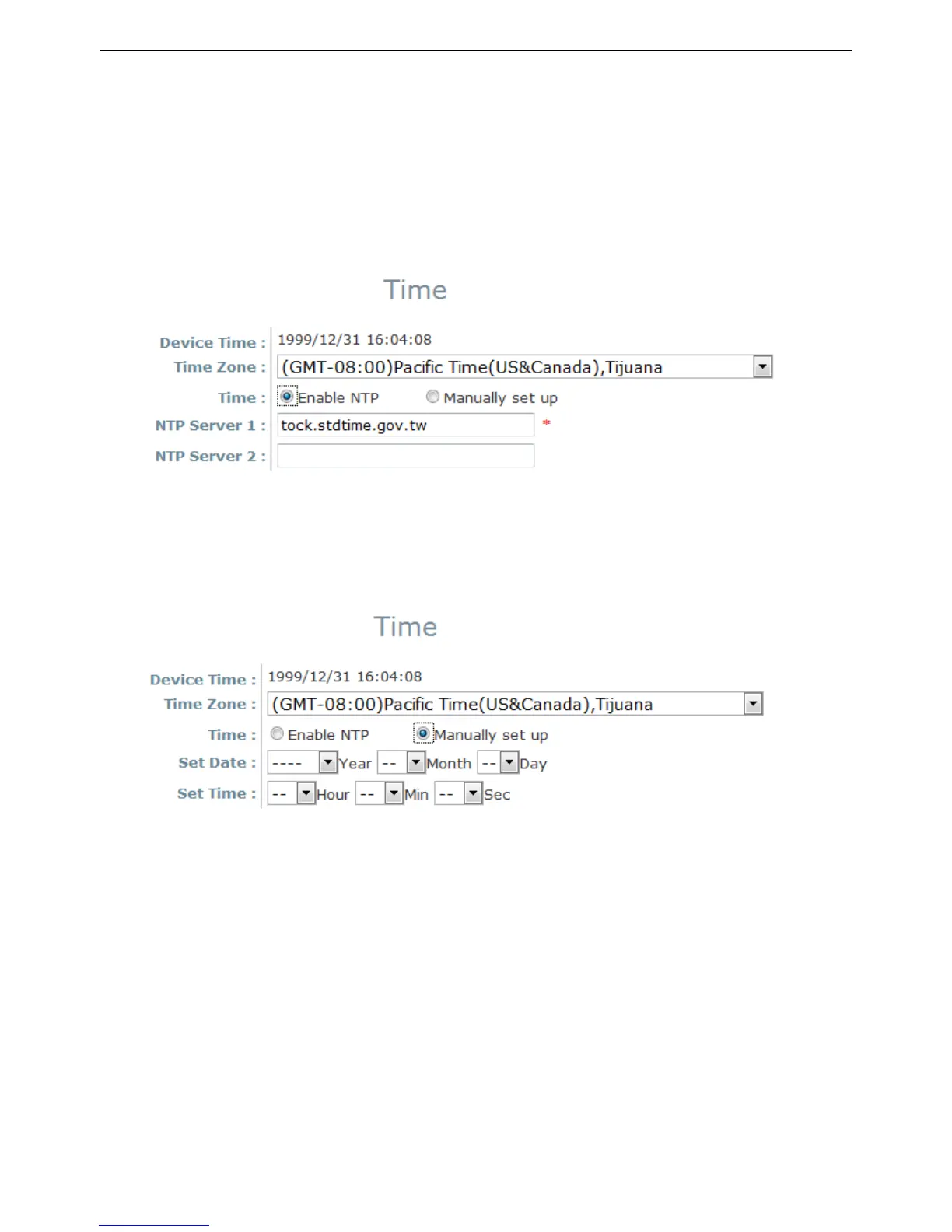
Sync
hronization: Synchronize the system time either by NTP server or manual setup.
(1) Enable NTP:
By selecting Enable NTP, WAB-3003 can synchronize its system time with the NTP
server automatically. While this method is chosen, at least one NTP server's IP address
or domain name must be provided. If FQDN (Full Qualified Domain Name) is used as the
IP address of NTP server, the DNS server must also be activated (please refer to 5.1.3
Network Settings).
(2) Manually set up:
By selecting Set manually set up, the administrator can manually set the system date
and time.
▬ Set Date: Select the appropriate Year, Month, and Day from the drop-down
list box.
▬ Set Time: Select the appropriate Hour, Min, and Sec from the drop-down list
box.















 To Next Page