Hardware Installation
Connect up
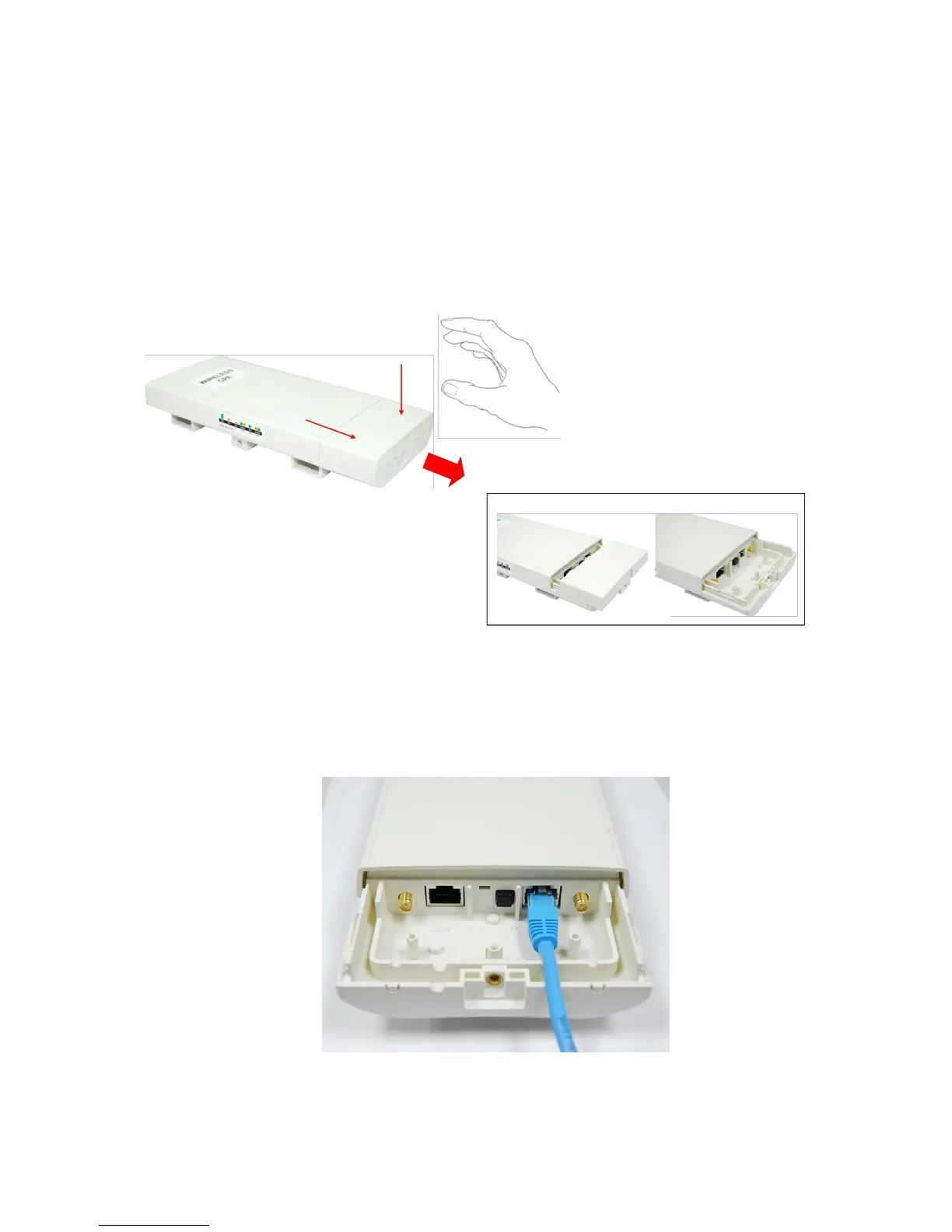
1. The bottom of WAB-5120 300Mbps 5G Wireless Outdoor PoE Access Point/Bridge is a movable
cover. Loosen the screw with a Philips screwdriver. Grab the cover and pull it back harder to
take it out as the figure shown below.
Figure 3 Move the Cover
2. Plug a standard Ethernet cable into the RJ45 port labeled “LAN 1”. Do not plug the cable into
the RJ45 port labeled “LAN 2”.
Figure 4 Cable Connection















 To Next Page