We strongly recommend you enable wireless security on your network!
Only setting the same Authentication, Data Encryption and Key in the CPE and
other associated wireless devices, can the communication be established!
Access Control
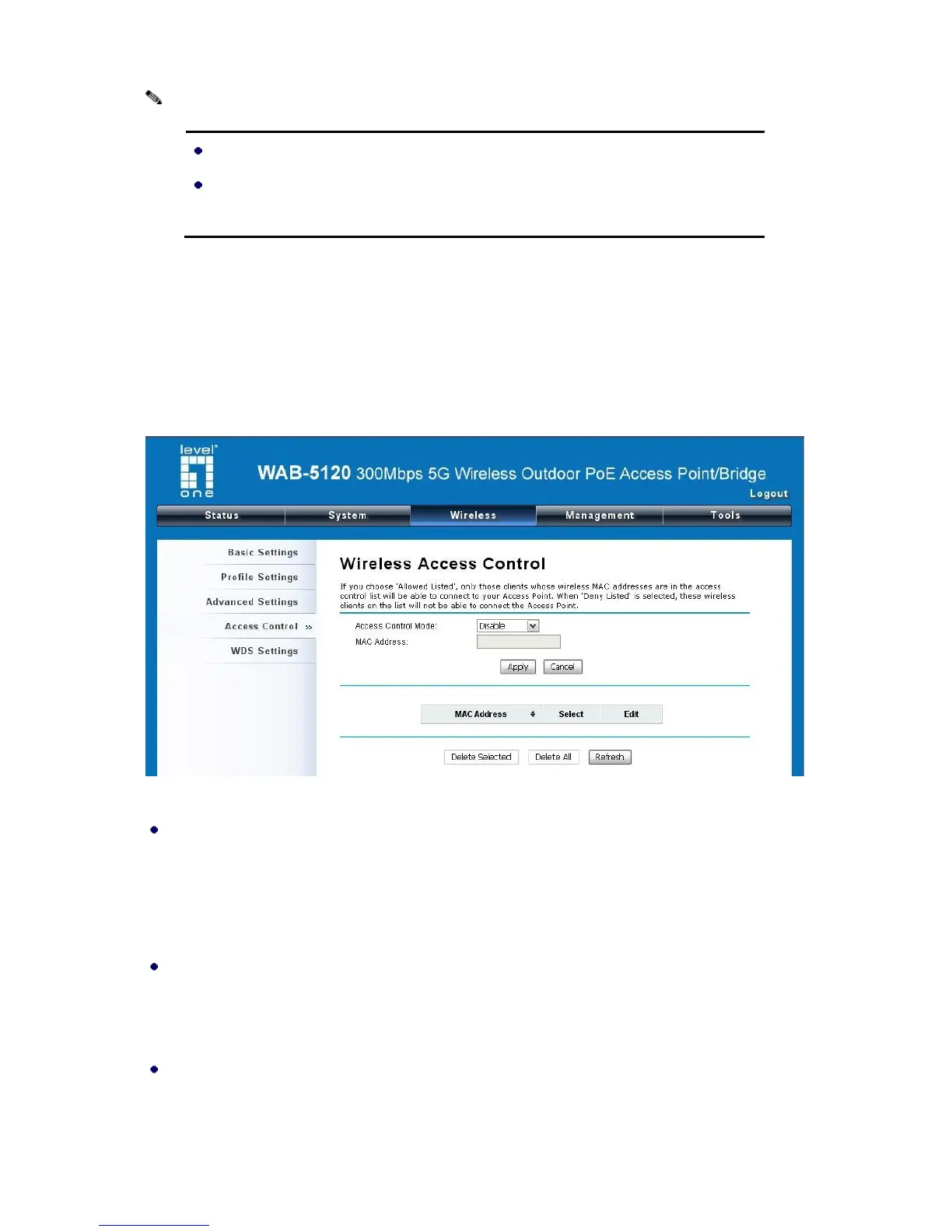
The Access Control appoints the authority to wireless client on accessing the WAB-5120, thus a
further security mechanism is provided. This function is available only under AP mode.
Open “Access Control” in “Wireless” as below.
Figure 29 Access Control
Access Control Mode
If you select “Allow Listed”, only those clients whose wireless MAC addresses are in the access
control list will be able to connect to your AP. While when “Deny Listed” is selected, those
wireless clients on the list will not be able to connect the AP.
MAC Address
Enter the MAC address of the wireless client that you would like to list into the access control list,
click “Apply” then it will be added into the table at the bottom.
Delete Selected/All
Check the box before one or more MAC addresses of wireless client(s) that you would like to
cancel, and click “Delete Selected” or “Delete All” to cancel that access control rule.















 To Next Page