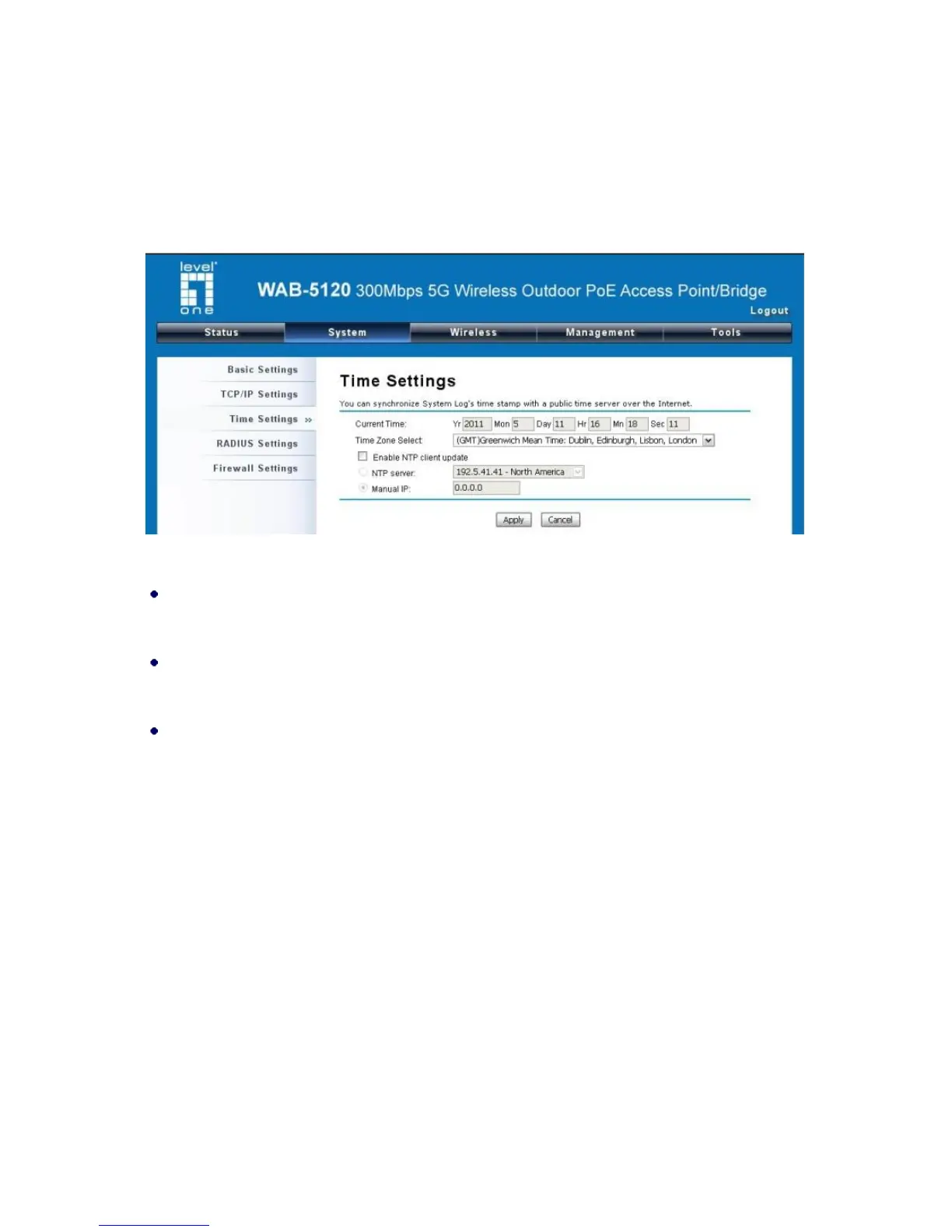
Time Settings
Compliant with NTP, the WAB-5120 300Mbps 5G Wireless Outdoor PoE Access Point/Bridge is
capable of keeping its time in complete accord with the Internet time. Make configuration in “Time
Settings” from “System”. To use this feature, check “Enable NTP Client Update” in advance.
Figure 14 Time Settings
Current Time
Display the present time in Year, Mon, Day, Hr, Min and Sec.
Time Zone Select
Select the time zone from the dropdown list.
NTP Server
Select the time server from the “NTP Server” dropdown list or manually input the IP address of
available time server into “Manual IP”.
Hit “Apply” to save settings.
RADIUS Settings
RADIUS (Remote Authentication Dial-In User Service) is a server for remote user authentication and
accounting; playing a central role in the network in providing the capabilities of authenticating,
authorizing, accounting, auditing, alarming and etc. It allows an organization to maintain user profiles
in a central database that all remote servers can share.
Open “RADIUS Settings” in “System” to make RADIUS configuration.















 To Next Page