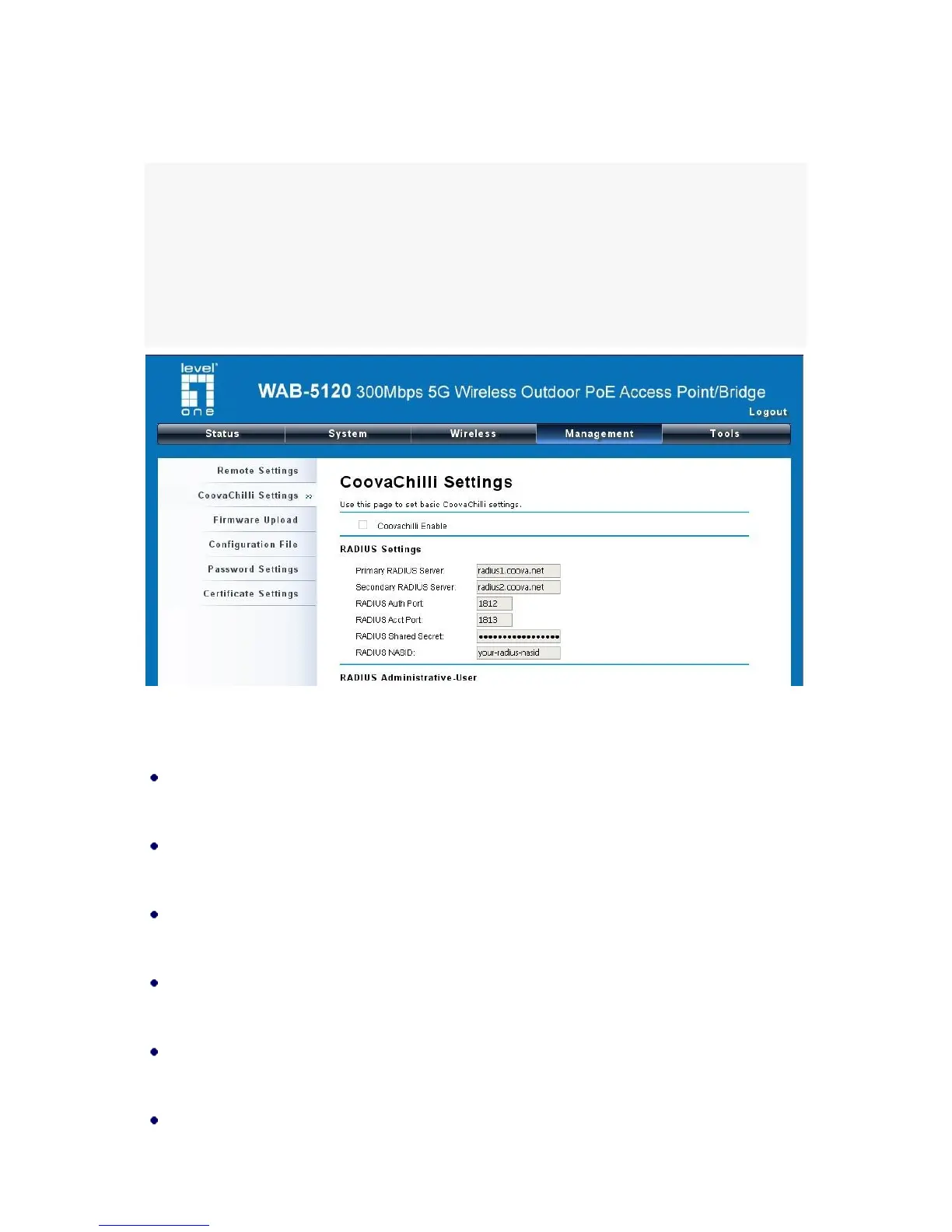
Coovachilli Settings
Coovachilli is a captive portal management which allows WLAN users to easily and securely access
the Internet. Under Router mode, when Coovachilli is enabled, the IEEE 802.11b/g/n Wireless Access
Point will force an HTTP client on a network to see a special web page (usually for authentication
purposes) before using the Internet normally. At that time the browser is redirected to a web page
which may require authentication. Captive portals are used at most Wi-Fi hotspots. Therefore, to
use Coovachilli, you need to find Coovachilli service providers that have the additional services
needed to make Coovahcilli work.
Figure 34 Coovachilli Settings
Radius Settings
Primary Radius Server
Enter the name or IP address of the primary radius server
Secondary Radius Server
Enter the name or IP address of the primary radius server if any.
Radius Auth Port:
Enter the port number for authentication
Radius Acct Port:
Enter the port number for billing
Radius Shared Secret:
Enter the secret key of the radius server
Radius NAS ID:















 To Next Page