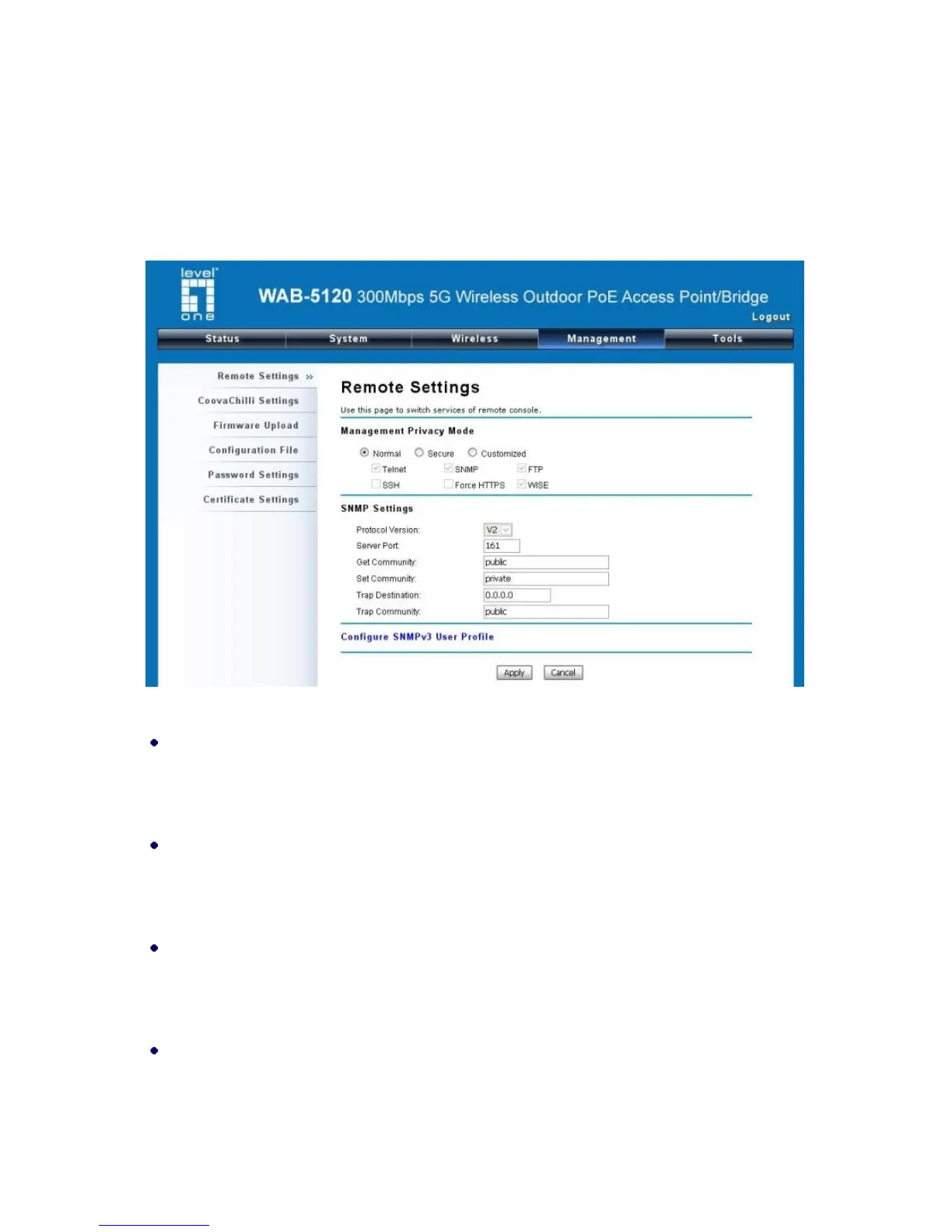
SNMP Management
The WAB-5120 300Mbps 5G Wireless Outdoor PoE Access Point/Bridge supports SNMP for
convenient remote management. Open “Remote Settings” in “Management Privacy Mode” shown
below. Set the SNMP parameters and obtain MIB file before remote management.
Figure 32 SNMP Configuration
Protocol Version
Select the SNMP version, and keep it identical on the CPE and the SNMP manager. The
WAB-5120 supports SNMP v2/v3.
Server Port
Change the server port for a service if needed; however you have to use the same port to use that
service for remote management.
Get Community
Specify the password for the incoming Get and GetNext requests from the management station.
By default, it is set to public and allows all requests.
Set Community
Specify the password for the incoming Set requests from the management station. By default, it is
set to private.















 To Next Page