Enter the name of the radius server if any
Radius Administrative-User
Radius Admin Username:
Enter the username of the Radius Administrator
Radius Admin Password:
Enter the password of the Radius Administrator
Captive Portal
UAM Portal URL:
Enter the address of the UAM portal server
UAM Secret:
Enter the secret password between the redirect URL and the Hotspot.
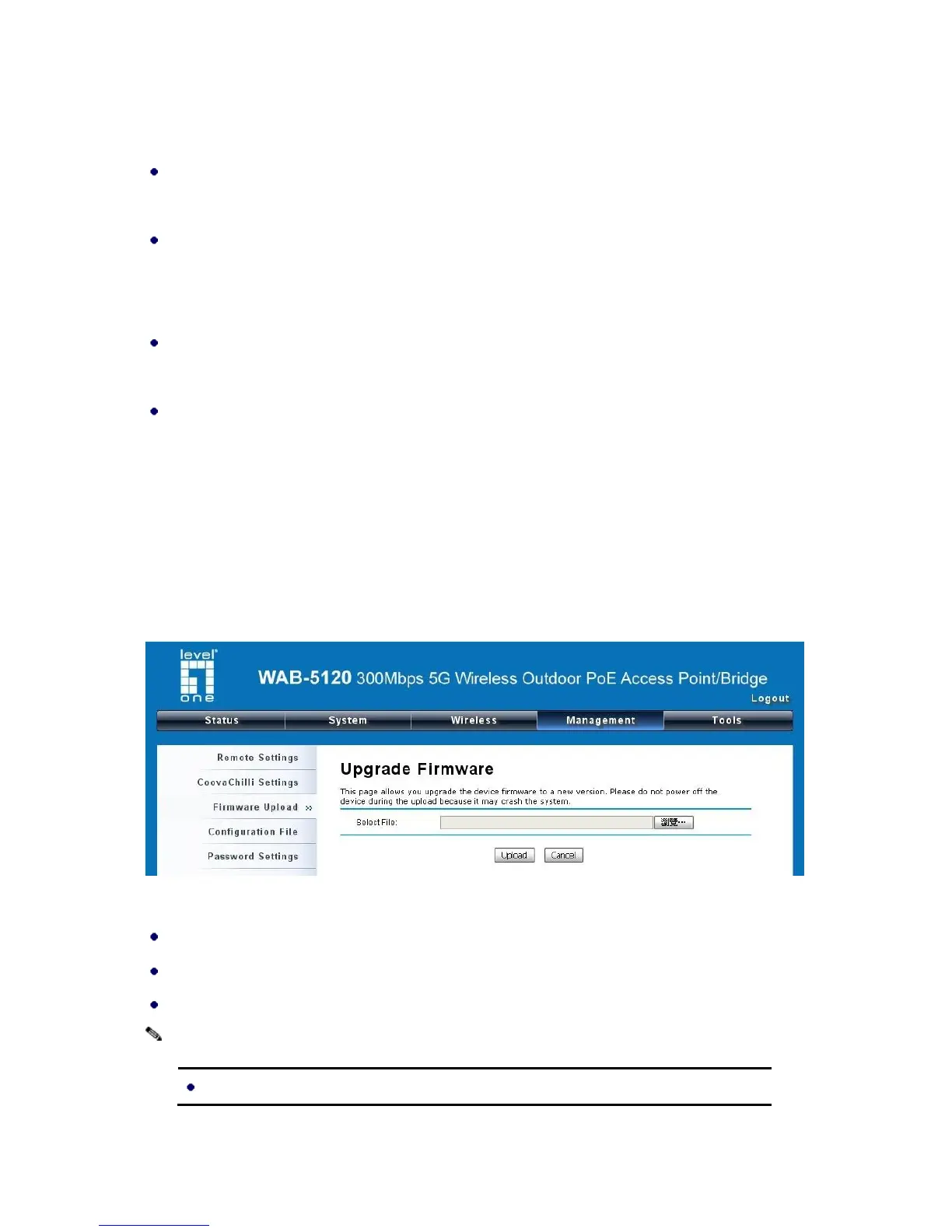
Upgrade Firmware
Open “Firmware Upload” in “Management” and follow the steps below to upgrade firmware locally or
remotely through the CPE’s Web:
Figure 35 Upgrade Firmware
Click “Browse” to select the firmware file you would like to load;
Click “Upload” to start the upload process;
Wait a moment, the system will reboot after successful upgrade.















 To Next Page