Backup/ Retrieve Settings
It is strongly recommended you back up configuration information in case of something unexpected. If
tragedy hits your device, you may have an access to restore the important files by the backup. All
these can be done by the local or remote computer.
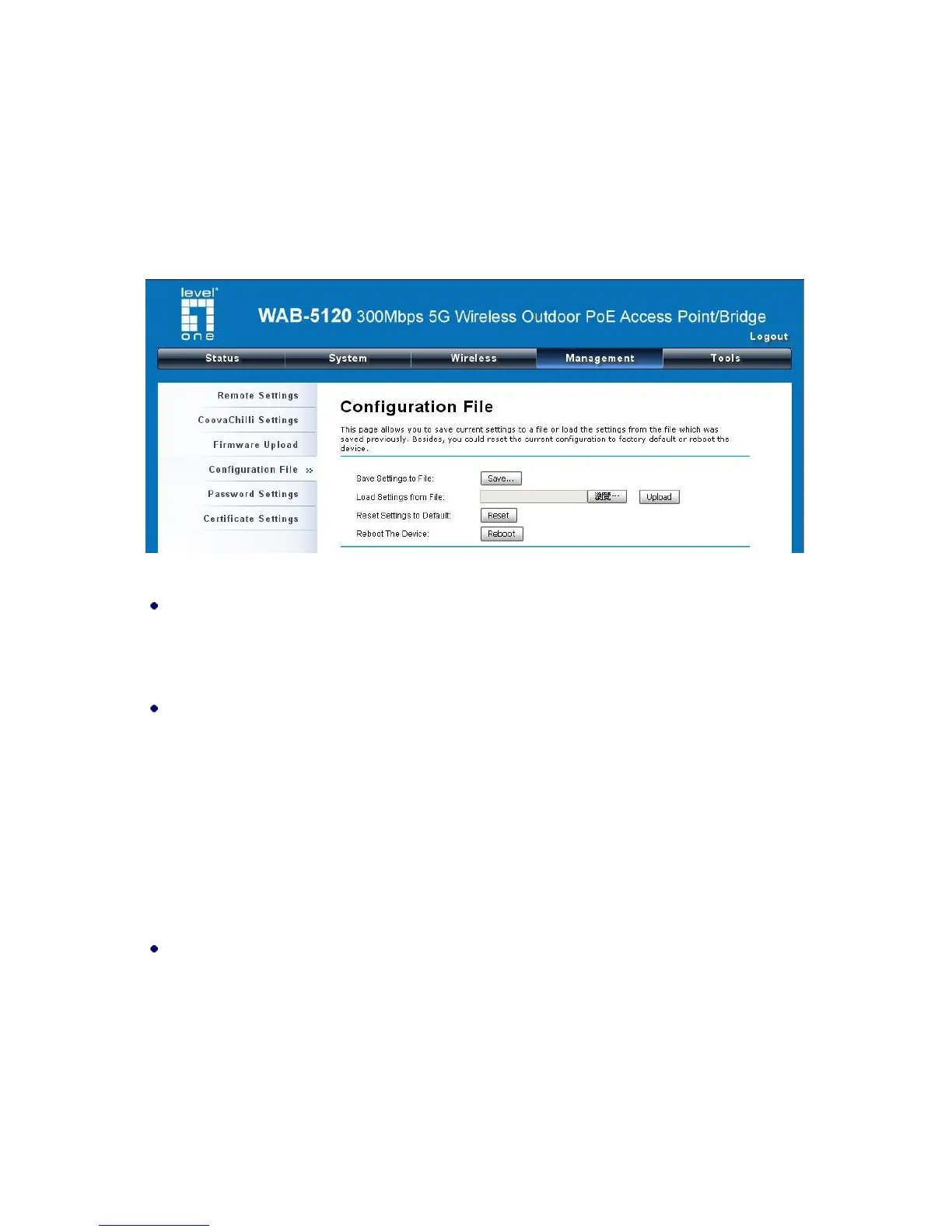
Open “Configuration File” in “Management” as below:
Figure 36 Backup/Retrieve Settings
Save Settings to File
By clicking “Save”, a dialog box will pop up. Save it, then the configuration file ap.cfg will be
generated and saved to your local computer.
Load Setting from File
By clicking “Browse”, a file selection menu will appear, select the file you want to load, like ap.cfg;
Click “Upload” to load the file. After automatically rebooting, new settings are applied.
Restore Factory Default Settings
The WAB-5120 provides two ways to restore the factory default settings:
Restore factory default settings via Web
From “Configuration File”, clicking “Reset Settings to Default” will eliminate all current settings
and reboot your device, then default settings are applied.















 To Next Page