Trap Destination
Specify the IP address of the station to send the SNMP traps to.
Trap Community
Specify the password sent with each trap to the manager. By default, it is set to public and allows
all requests.
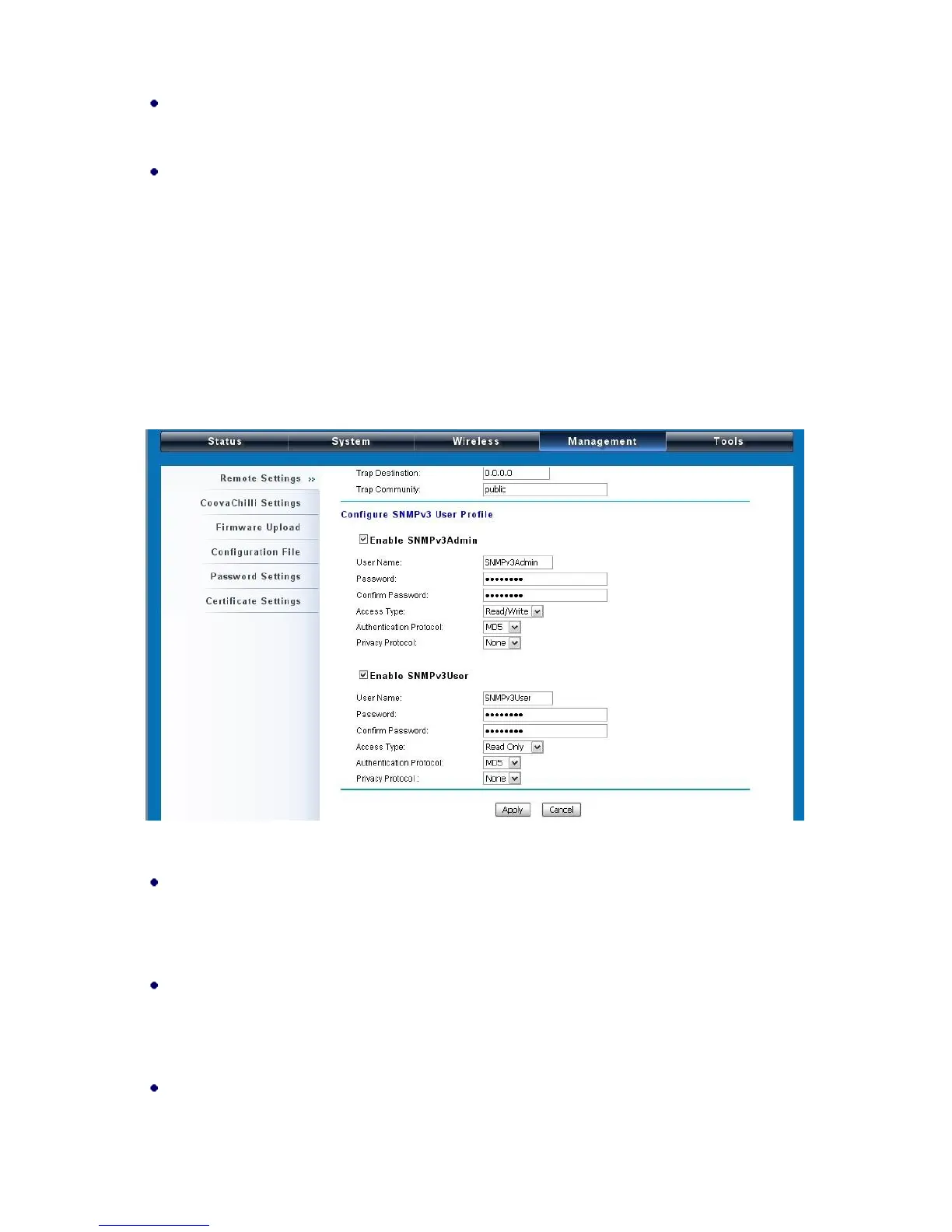
Configure SNMPv3 User Profile
For SNMP protocol version 3, you can click “Configure SNMPv3 User Profile” in blue to set the
details of SNMPv3 user. Check “Enable SNMPv3 Admin/User” in advance and make further
configuration.
Figure 33 Configure SNMPv3 User Profile
User Name
Specify a user name for the SNMPv3 administrator or user. Only the SNMP commands carrying
this user name are allowed to access the CPE.
Password
Specify a password for the SNMPv3 administrator or user. Only the SNMP commands carrying
this password are allowed to access the CPE.
Confirm Password
Input that password again to make sure it is your desired one.















 To Next Page