Pole Mounting
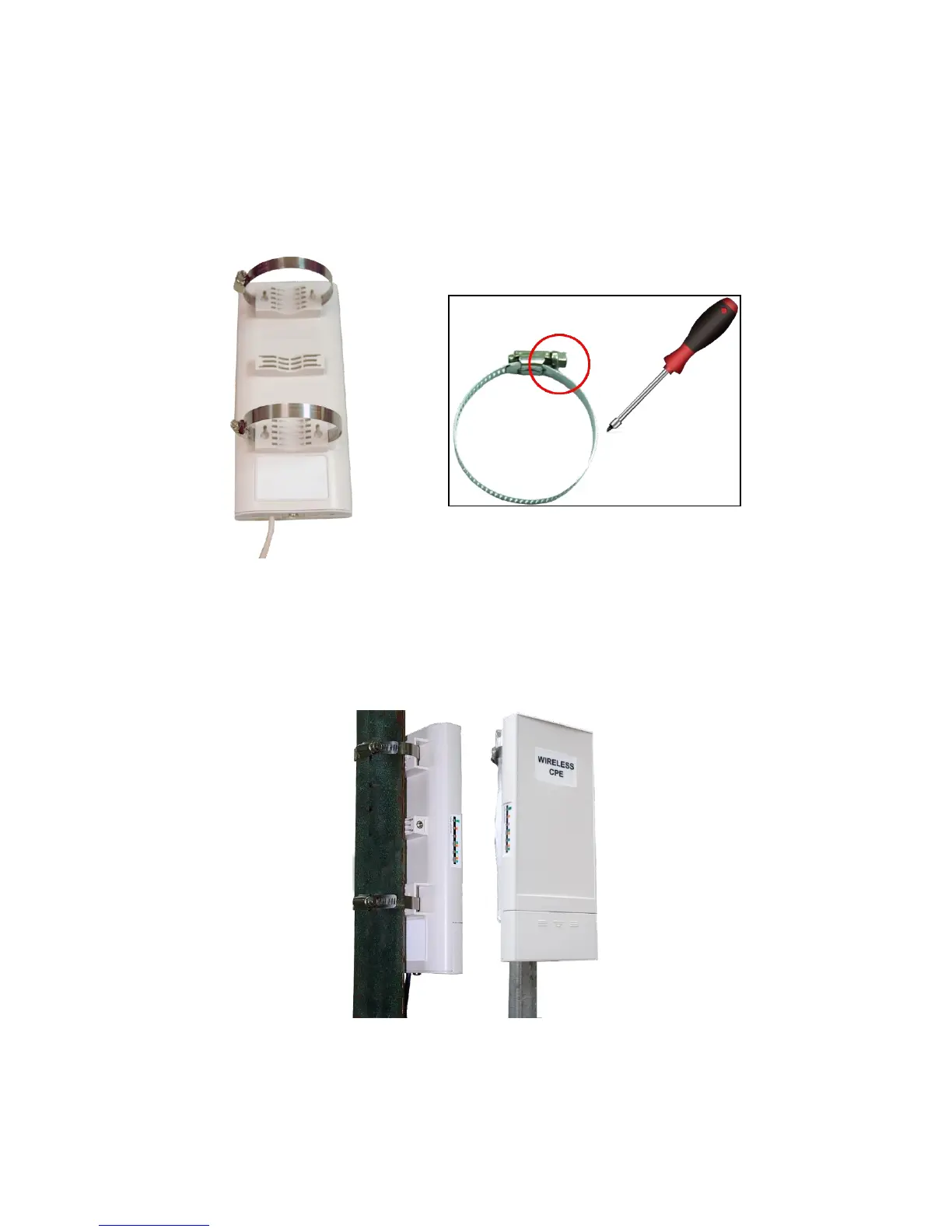
1. Turn the CPE over. Put the pole mounting rings through the middle hole of it. Note that you
should unlock the pole mounting ring with a screw driver before putting it through the CPE as the
following right picture shows.
Figure 7 Pole Mounting – Step 1
2. Mount the WAB-5120 300Mbps 5G Wireless Outdoor PoE Access Point/Bridge steadily to the
pole by locking the pole mounting ring tightly. The mounting ring supports pole diameter 32mm
to 70mm.
Figure 8 Pole Mounting – Step 2
3. Now you have completed the hardware installation of the WAB-5120 300Mbps 5G Wireless
Outdoor PoE Access Point/Bridge.















 To Next Page