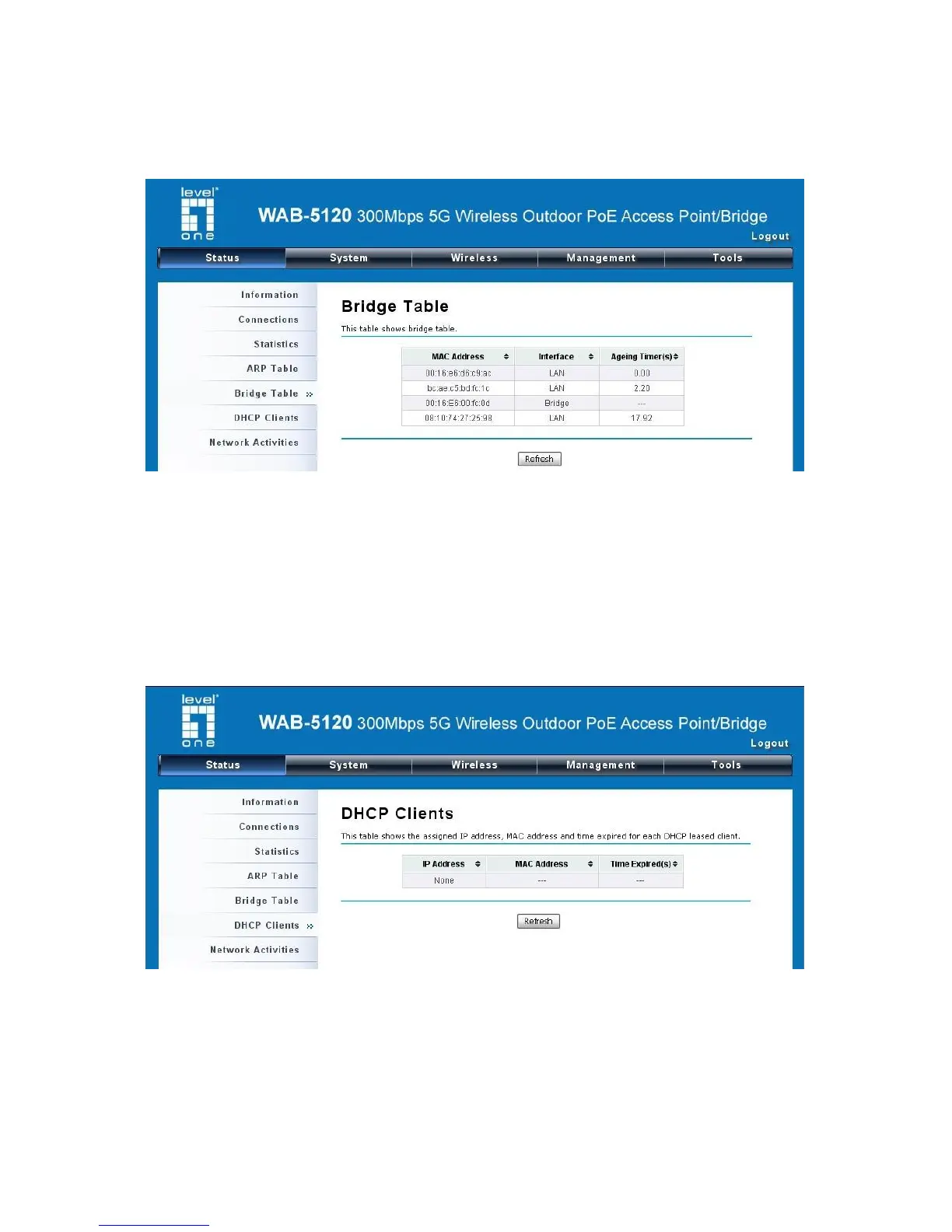
View Bridge Table
Open “Bridge Table” in “Status” as below. Click “Refresh” to view current connected status.
Figure 51 Bridge Table
View Active DHCP Client Table
Open “DHCP Client” in “Status” as below to check the assigned IP address, MAC address and time
expired for each DHCP leased client. Click “Refresh” to view current table.
Figure 52 DHCP Client Table


 To Next Page