4-4
7014-xxx
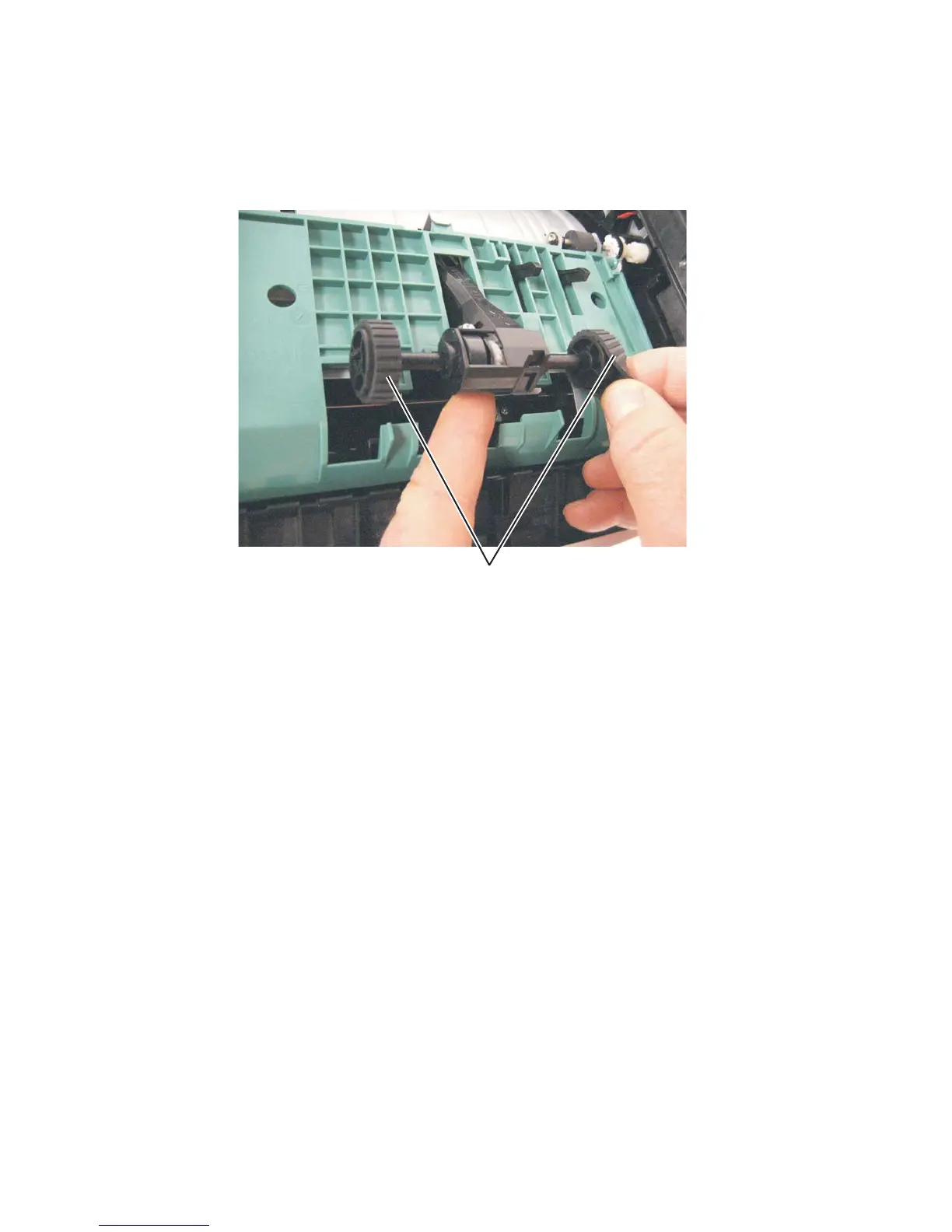
4. Remove the ACM pick tire roller (A).
• If the left hub is gray, then disconnect the old right and left tire/hub assemblies from the ACM, and replace
with the new right and left tire/hub assemblies.
• If the left hub is black, then remove the old right and left tires from the ACM hubs, and replace with the new
tires. Do not attempt to remove the hubs.



 To Next Page