230 paper jam
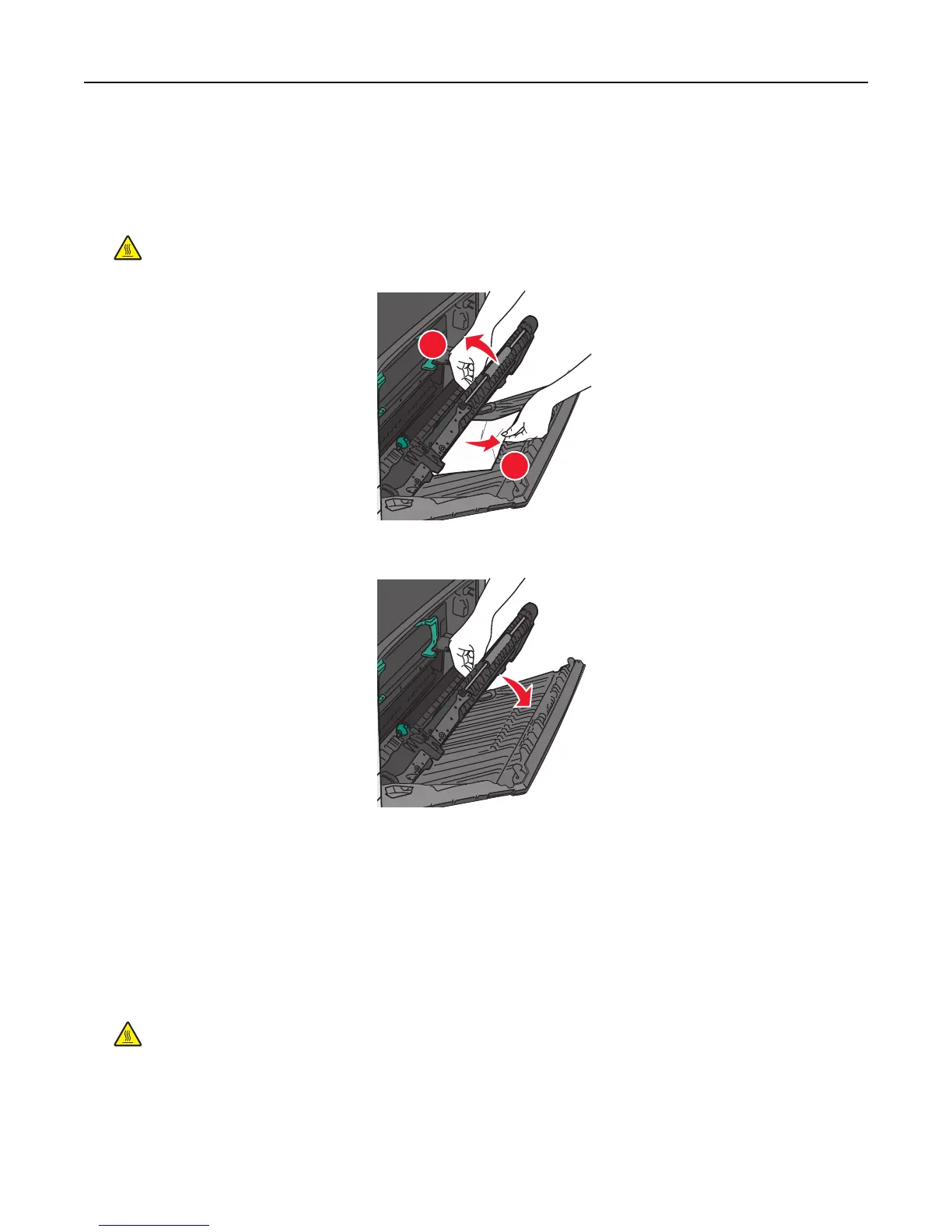
1 Open the side door.
2 Hold onto the handles of the duplexing unit, open the cover, and then remove any jammed paper.
CAUTION—HOT SURFACE: The inside of the printer might be hot. To reduce the risk of injury from a hot
component, allow the surface to cool before touching.
1
2
3 Close the cover on the duplexing unit.
4 Close the side door.
5 Touch Continue, jam cleared.
231–239 paper jams
1 Open the side door.
2 Hold onto the handles of the duplexing unit, open the cover, and then remove any jammed paper.
CAUTION—HOT SURFACE: The inside of the printer might be hot. To reduce the risk of injury from a hot
component, allow the surface to cool before touching.
Clearing jams 175



 To Next Page