Loading paper and specialty media
Setting the paper size and type
The Paper Size setting is automatically sensed according to the position of the paper guides in each tray except in the
standard 150‑sheet tray (Tray 1) and in the multipurpose feeder. The Paper Size setting for Tray 1 is set manually via
the wheel on the tray, while the Paper Size setting for the multipurpose feeder is set in the Paper Size menu.
From the home screen, navigate to:
> Paper Menu > Paper Size/Type > select a tray > select the paper size or type >
Only Tray 1 has Plain Paper as the factory default Paper Type setting. Custom 2, 3, 4, 5, and 6 are the default settings
for the other trays.
Loading the standard or optional 550‑sheet tray
The printer has a standard 150‑sheet (Tray 1) and 250‑sheet tray (Tray 2), and it may have one or more optional
550‑sheet trays. All 550‑sheet trays support the same paper sizes and types.
CAUTION—POTENTIAL INJURY: To reduce the risk of equipment instability, load each paper drawer or tray
separately. Keep all other drawers or trays closed until needed.
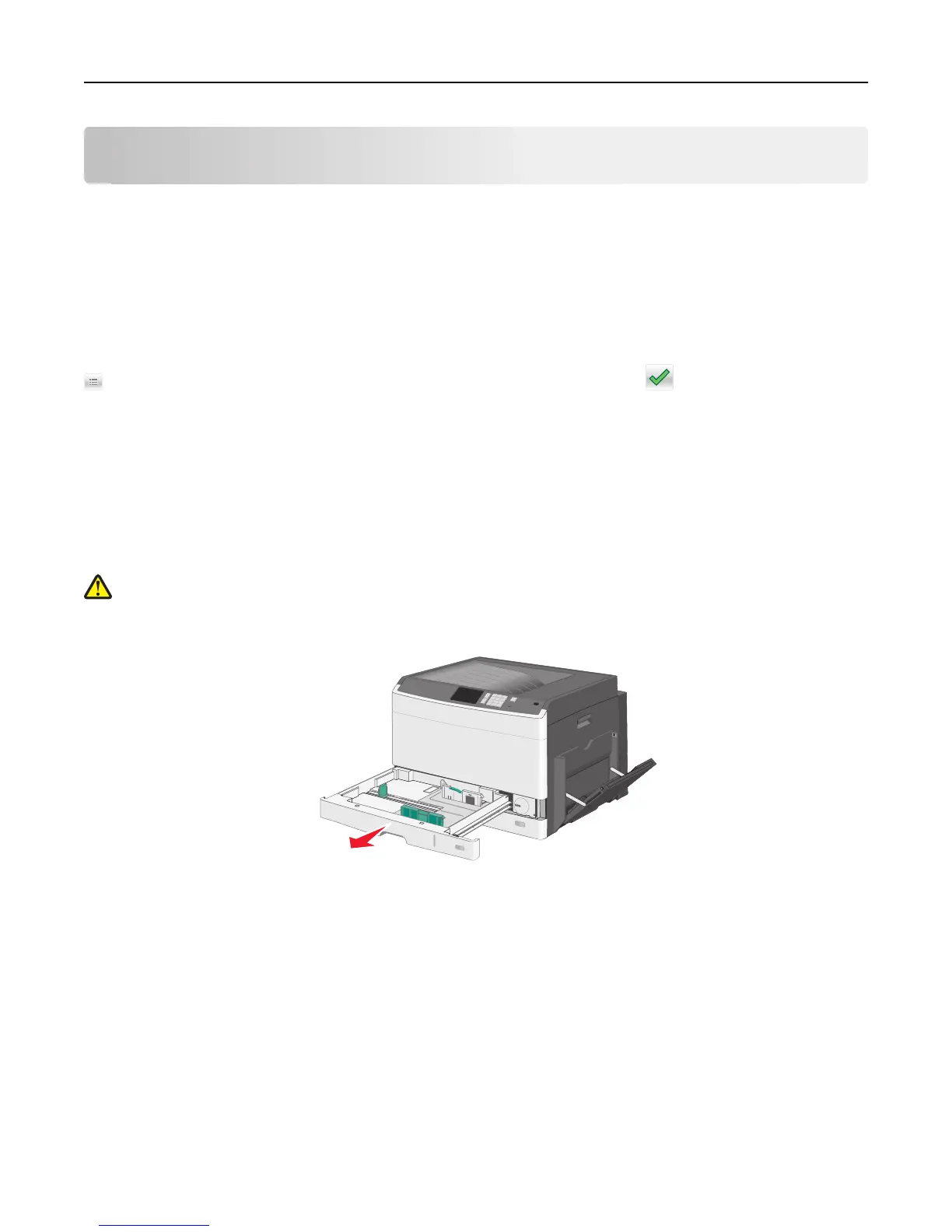
1 Pull the tray out.
Loading paper and specialty media 73



 To Next Page