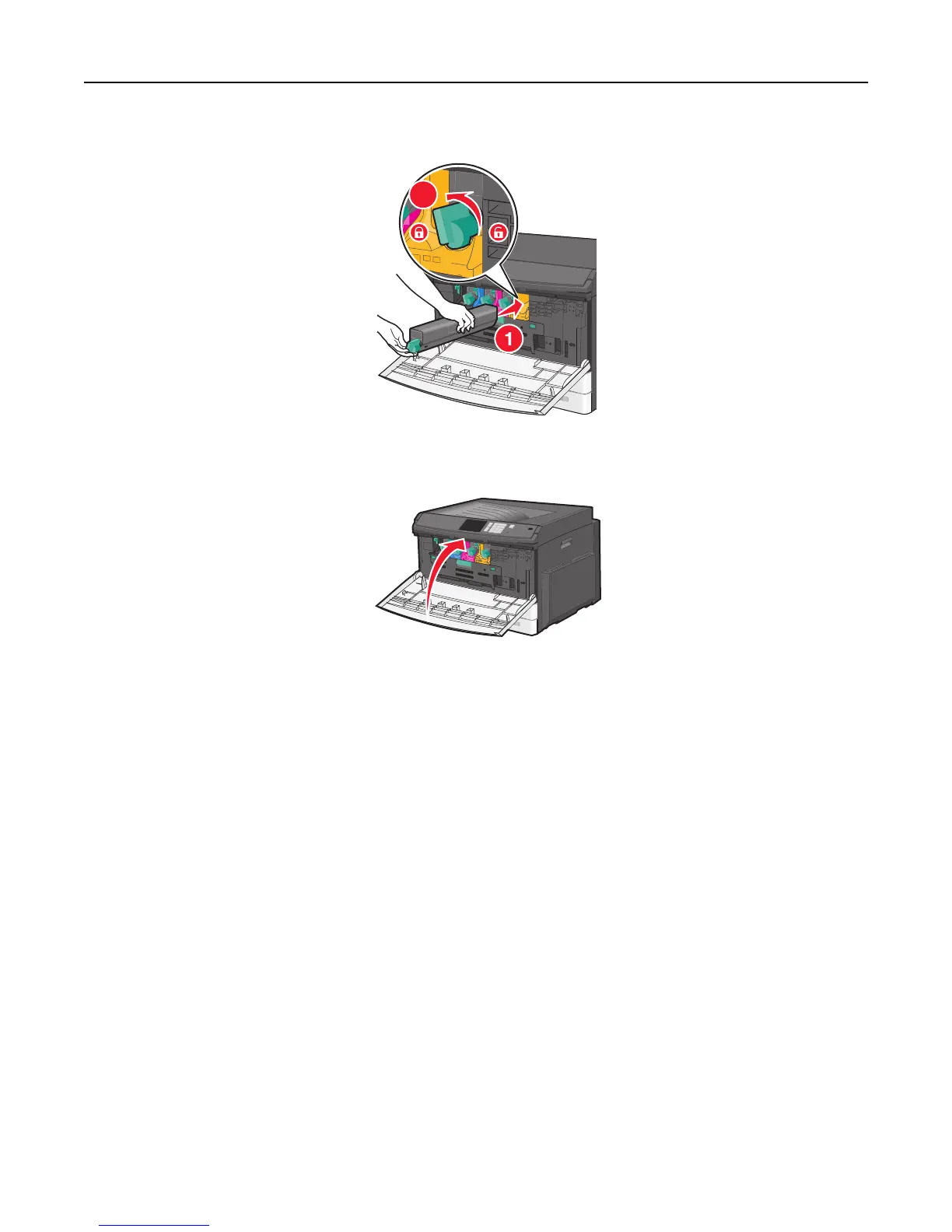
6 Insert the toner cartridge into the printer and then turn the toner lock lever to the left.
2
7 Repeat step 2–6 to for all imaging units.
8 Close the front door.
Storing supplies
Choose a cool, clean storage area for the printer supplies. Store supplies right side up in their original packing until you
are ready to use them.
Do not expose supplies to:
• Direct sunlight
• Temperatures above 35°C (95°F)
• High humidity above 80%
• Salty air
• Corrosive gases
• Heavy dust
Checking the status of supplies
Checking the status of supplies from the printer control panel
From the home screen, touch Status/Supplies > View Supplies.
Maintaining the printer 158



 To Next Page