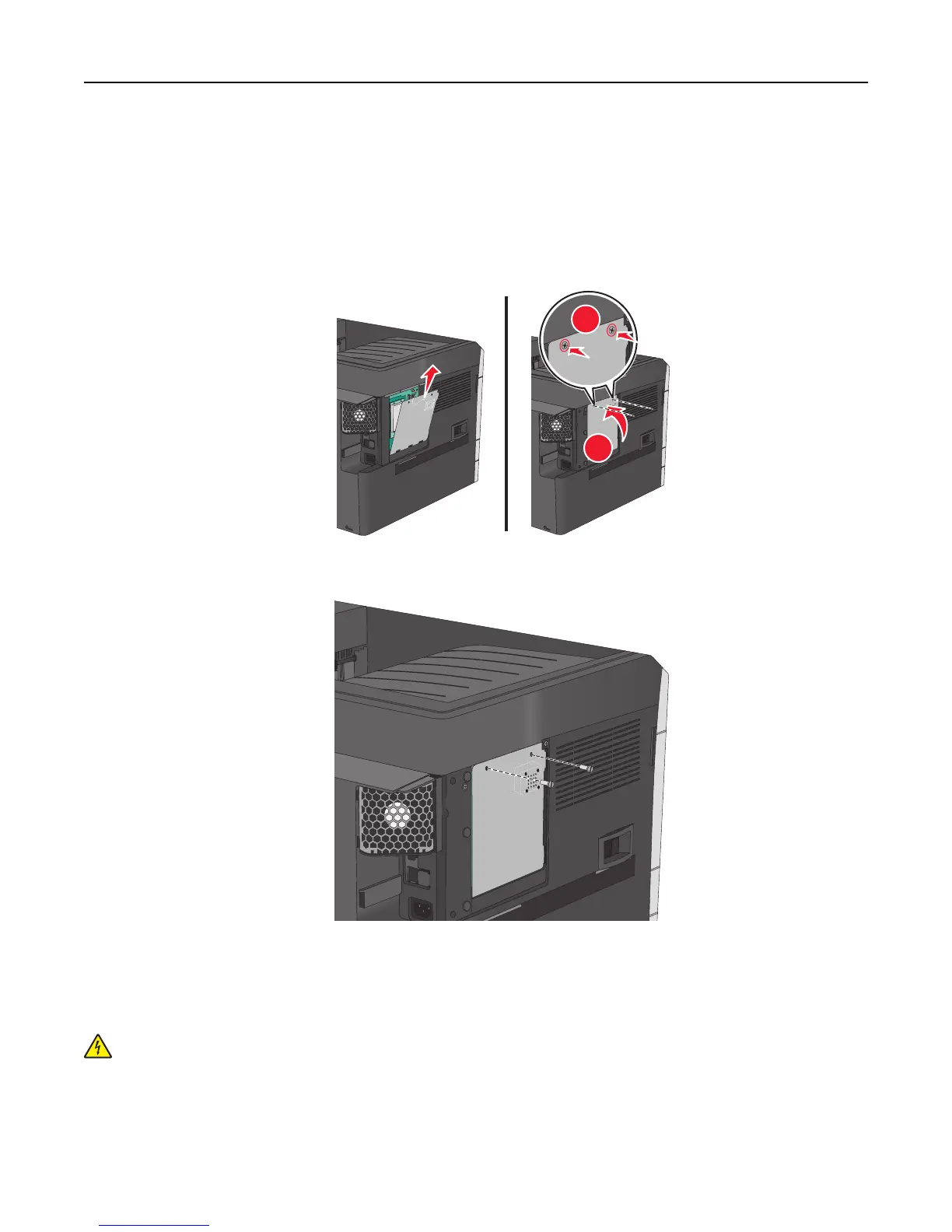
4 Reattach the metal panel.
Note: Make sure the fan cable is plugged to its connector before reattaching the metal panel.
Warning—Potential Damage: System board electronic components are easily damaged by static electricity.
Touch something metal on the printer before touching any system board electronic components or
connectors.
a Lift up and reattach the metal panel.
2
1
b Turn the screws on the metal panel clockwise.
5 Reattach the cover.
Installing a memory card
CAUTION—SHOCK HAZARD: If you are accessing the system board or installing optional hardware or memory
devices sometime after setting up the printer, then turn the printer off, and unplug the power cord from the
wall outlet before continuing. If you have any other devices attached to the printer, then turn them off as well,
and unplug any cables going into the printer.
Warning—Potential Damage: System board electronic components are easily damaged by static electricity. Touch
something metal on the printer before touching any system board electronic components or connectors.
Additional printer setup 28



 To Next Page