EasyManua.ls Logo

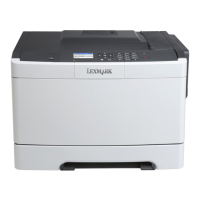
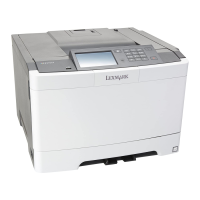
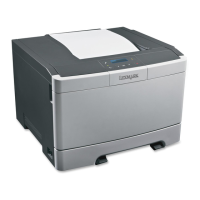
Lexmark CS410 series - User Manual

Lexmark CS410 series
213 pages
Print Icon
To Next Page IconTo Next Page
Loading...
CS410 Series
User's Guide
September 2014 www.lexmark.com
Machine type(s):
5027
Model(s):
410, 430

Table of Contents

Other manuals for Lexmark CS410 series

Questions and Answers

  • P
    Philip BrownAug 30, 2025
    What to do if my Lexmark Printer displays 'Change [paper source] to [custom type name]'?
    • E
      elizabethalexanderAug 30, 2025
      If your Lexmark printer displays this message, load the correct size and type of paper in the tray, and then select Finished changing paper on the printer control panel to clear the message and continue printing. For non-touch-screen printer models, press to confirm. Alternatively, you can cancel the print job.
  • M
    Maria HansonSep 8, 2025
    What to do if my Lexmark CS410 Printer displays 'Error reading USB drive. Remove USB.'?
    • S
      Stacey MoralesSep 8, 2025
      If your Lexmark printer displays this message, it means an unsupported USB device is inserted. Remove the USB device, and then insert a supported one.
  • C
    Christopher JamesAug 29, 2025
    How to fix 'Memory full [38]' error on Lexmark Printer?
    • H
      Haley WhiteAug 29, 2025
      If your Lexmark printer displays this message, select Cancel job from the printer control panel to clear the message. For non-touch-screen printer models, press to confirm. Alternatively, install additional printer memory.
  • S
    Shawn JonesSep 18, 2025
    What to do if my Lexmark CS410 Printer displays 'Replace waste toner bottle [82.xy]'?
    • A
      anthony98Sep 18, 2025
      If your Lexmark printer displays this message, replace the waste toner bottle to clear the message.
  • B
    Bruce MartinezSep 9, 2025
    What to do if my Lexmark CS410 Printer displays 'Incompatible tray [x] [59]'?
    • A
      Arthur YoungSep 9, 2025
      If your Lexmark printer displays this message, remove, and then reinstall the indicated tray to clear the message.
  • T
    tracy44Sep 12, 2025
    What to do if my Lexmark CS410 Printer displays 'Not enough free space in flash memory for resources [52]'?
    • A
      alexander62Sep 12, 2025
      If your Lexmark printer displays this message, select Continue on the printer control panel to clear the message and continue printing. For non-touch-screen printer models, press to confirm. Another solution is to delete fonts, macros, and other data stored in the flash memory. As a last resort, upgrade to a larger capacity flash memory card.
  • E
    Elijah GentrySep 18, 2025
    What to do if my Lexmark CS410 displays 'Replace unsupported [color] cartridge [32.xy]'?
    • K
      Katherine RichardsonSep 18, 2025
      If your Lexmark printer displays this message, remove the toner cartridge, and then install a supported one to clear the message.
  • R
    Rebecca JacksonAug 27, 2025
    What to do if my Lexmark CS410 Printer displays 'Load [paper source] with [paper type] [paper size]'?
    • K
      Kimberly WheelerAug 27, 2025
      If your Lexmark printer shows this message, load the tray or feeder with the correct size and type of paper. To use the tray or feeder with the correct paper size and type, select Finished loading paper on the printer control panel. For non-touch-screen printer models, press to confirm.
  • C
    colleen97Aug 26, 2025
    What to do if my Lexmark CS410 Printer displays 'Load [paper source] with [paper size]'?
    • H
      hfernandezAug 26, 2025
      If your Lexmark printer shows this message, load the tray or feeder with the correct size of paper. To use the tray or feeder with the correct paper size, select Finished loading paper on the printer control panel. For non-touch-screen printer models, press to confirm.
  • D
    Derek BanksAug 25, 2025
    What to do if my Lexmark Printer displays 'Load [paper source] with [custom type name]'?
    • J
      Jose NavarroAug 26, 2025
      If your Lexmark printer shows this message, load the tray or feeder with the correct size and type of paper. Alternatively, to use the tray with the correct paper size or type, select Finished loading paper on the printer control panel. For non-touch-screen printer models, press to confirm.

Summary

Safety Information

Learning About the Printer

Using the Printer Control Panel

Explains the function of each button and the display on the printer's control panel.

Additional Printer Setup

Installing Internal Options

Customizing printer connectivity and memory with optional cards.

Installing a Memory Card

Instructions for safely installing a memory card into the printer.

Installing Optional Trays

Guide on how to attach optional paper trays to the printer.

Setting Up the Printer Software

Steps for installing the necessary software to operate the printer.

Loading Paper and Specialty Media

Setting the Paper Size and Type

Guide on configuring paper size and type settings for printer trays.

Loading the 250- and 550-Sheet Tray

Instructions for properly loading paper into paper trays.

Loading the Multipurpose Feeder

Guide on loading paper and specialty media into the multipurpose feeder.

Loading the Manual Feeder

Instructions for feeding paper one sheet at a time using the manual feeder.

Paper and Specialty Media Guide

Supported Paper Sizes, Types, and Weights

Table detailing supported paper specifications for various printer trays.

Printing

Printing a Document

Step-by-step instructions for printing documents from various operating systems.

Printing from a Flash Drive or Mobile Device

Guide on printing directly from USB flash drives or mobile devices.

Printing Confidential and Other Held Jobs

How to print secure, confidential, or held print jobs stored in the printer.

Understanding the Printer Menus

Securing the Printer

Maintaining the Printer

Replacing Toner Cartridges

Step-by-step procedure for replacing toner cartridges.

Managing the Printer

Clearing Jams

Avoiding Jams

Tips and best practices to prevent paper jams from occurring.

Troubleshooting

The Printer Is Not Responding

Step-by-step guide to diagnose and fix printer unresponsiveness.

Printer Display Is Blank

Troubleshooting steps for when the printer's display screen is blank.

Paper Feed Problems

Solutions for common paper feeding issues, including jams and misfeeds.

Solving Print Problems

Comprehensive guide to diagnose and resolve various printing issues.

Print Quality Problems

General guidance for diagnosing and fixing common print quality issues.

Contacting Customer Support

Lexmark CS410 series Specifications

General IconGeneral
Print TechnologyColor Laser
Print Speed (Letter, Black)32 ppm
Print Speed (Letter, Color)32 ppm
Print Resolution (Black)1200 x 1200 dpi
Print Resolution (Color)1200 x 1200 dpi
Processor Speed800 MHz
First Page Out Time (Black)9 seconds
Maximum Paper Size8.5 x 14 inches
Supported Operating SystemsWindows, Mac OS, Linux
Monthly Duty Cycle75, 000 pages
Input Capacity250 sheets
Output Capacity150 pages
ConnectivityUSB, Ethernet
First Page Out Time (Color)9.5 seconds
Recommended Monthly Page Volume750 to 3, 000 pages

Related product manuals