Head
28
⏐
GA10218_0101 - 5/2002
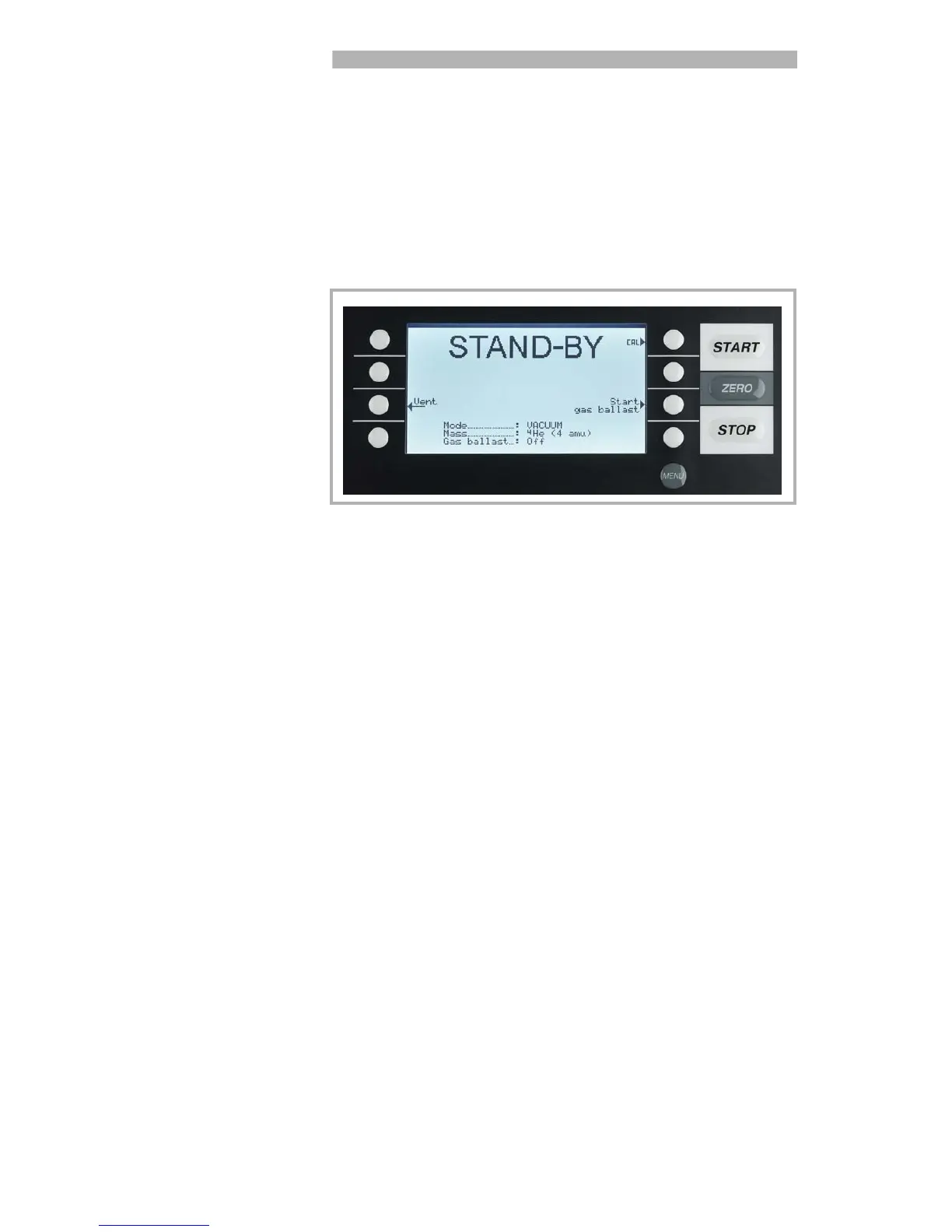
5. Press the START Button Fig. 4/10. The inlet will be evacuated and if the
inlet pressure drops below 15 mbar a measured leak rate will be dis-
played.
6. Press the STOP Button Fig. 4/12, the PhoeniXL will go to Stand-by. If
you press STOP a few seconds the inlet of the PhoeniXL will be vented.
7. To finish the startup procedure please proceed with step 21. For cali-
bration proceed with step 8.
3.2.2 Internal Calibration
8. Proceed the internal calibration (Please refer to Chapter 7.2.1). For bet-
ter quantitative measurements please let the unit warm up (15 … 20
minutes).
Press Calibration (Soft Key no. 5 Fig. 4/5) to get into the calibration
menu.
Select internal (Soft Key no. 4, Fig. 23) to choose the internal calibra-
tion.
The internal calibration starts automatically and takes about 30 sec-
onds. After a succesfull calibration a visual and audible signal comes up.
9. Press the STOP Button Fig. 4/12 until the message STAND-BY / VEN-
TED appears on the display. The inlet is vented now.
Fig. 4 Control panel
Pos. Description Pos. Description
1 Soft Key no. 1 8 Soft Key no. 8
2Soft Key no. 2 9LC Display
3 Soft Key no. 3 10 START
4Soft Key no. 4 11ZERO
5 Soft Key no. 5 12 STOP
6Soft Key no. 6 13MENU
7Soft Key no. 7
9
1
2
3
4
5
6
7
8
10
11
12
13



 To Next Page