Head
GA10218_0101 - 5/2002
⏐ 96
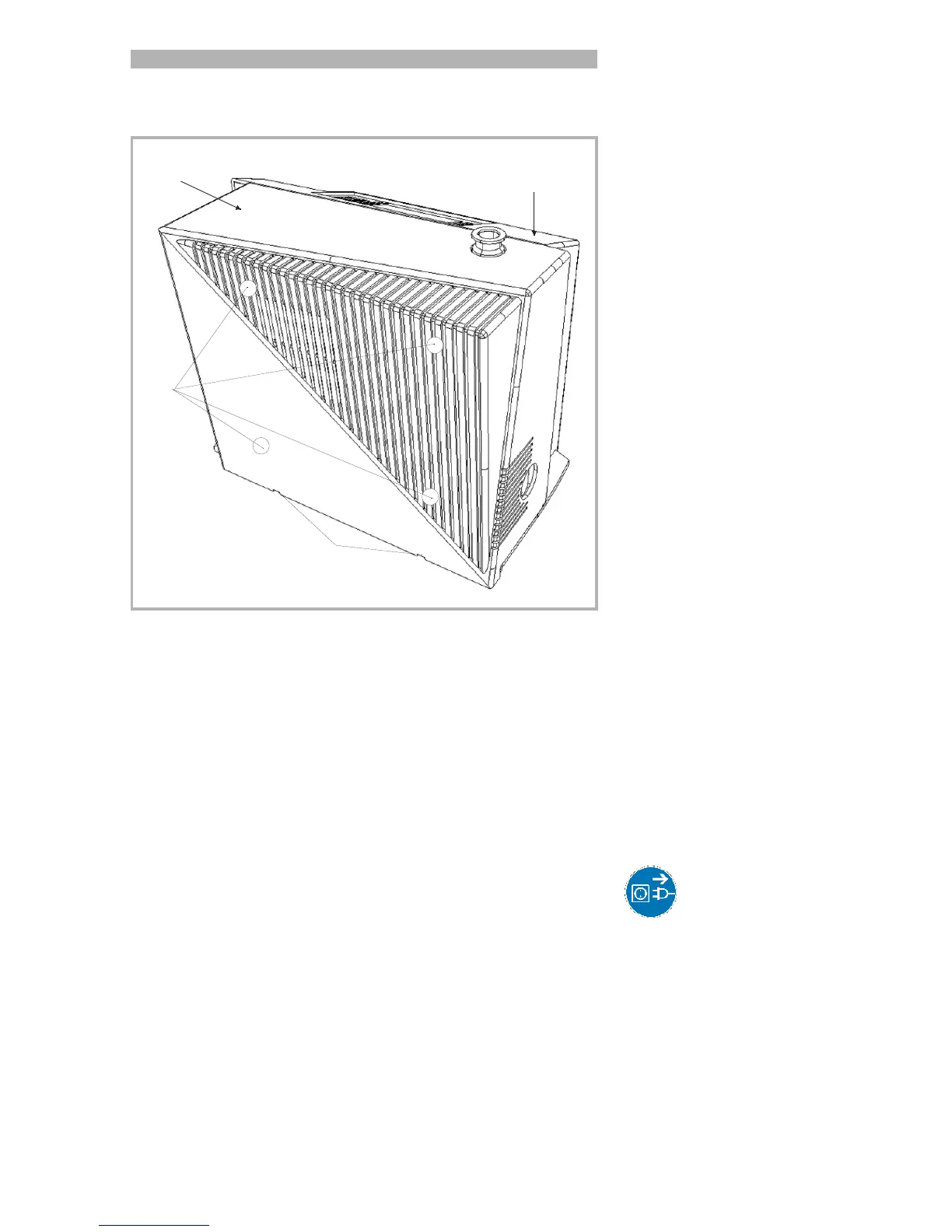
9.1.2 Opening the PhoeniXL
1. Switch the PhoeniXL off.
2. Pull the mains cord on the PhoeniXL.
CautionYou can get an electric shock!
3. Separate the PhoeniXL from other vacuum components at the test port.
4. Turn the PhoeniXL so that it is orientated in the same way as shown in
Fig 36.
5. Use two flat blade screwdrivers and insert these into the openings (Fig.
36/1) and lever the cover for the mechanical section out at the bottom.
6. In doing so, the cover should be moved somewhat to the front by the
downward motion of the screwdrivers. The cover may be lifted up by
the upwards motion of the srewdrivers so that the cover is disengaged
completely.
7. Then pull the cover off the mechanical section up to its stop and
Fig. 36 Backview of PhoeniXL
1: Openings for removal of the cover for the mechanical section
2: Four screws for loosening the cover for the electronics section.
3: Mechanical cover
4: Electronic cover
1
2
3
4



 To Next Page