Head
GA10218_0101 - 5/2002
⏐ 82
6.7 Information
Main menu > Information
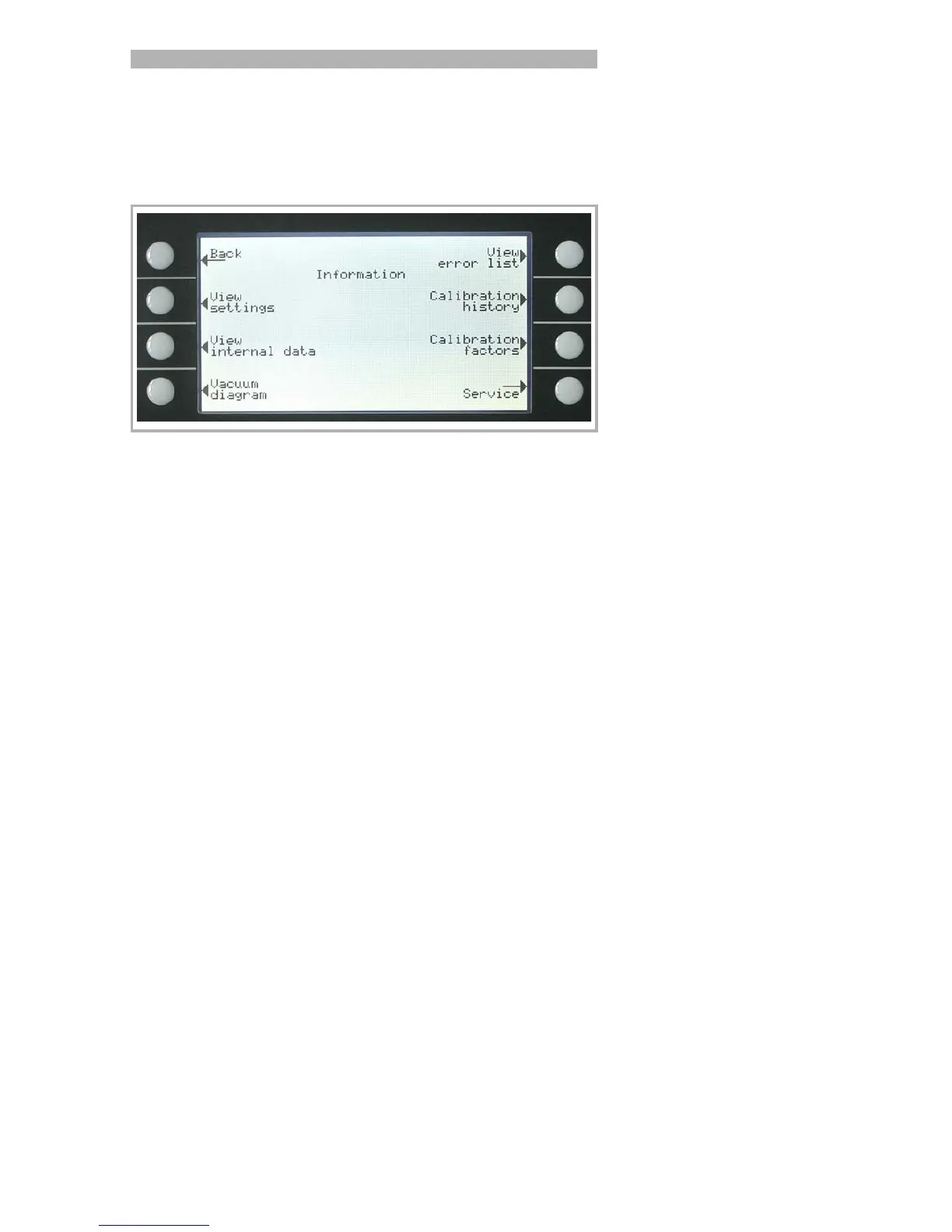
The Information Menu Fig. 27 enables submenus to select different kinds
of information belonging to the PhoeniXL.
6.7.1 Service
Main menu > Information > Service
With the main menu special functions can be accomplished (e. g. manual
switching of the valves). The access to the service menu is protected by a
PIN. This PIN is not communicated with the delivery of the leak detector
but after an adequate service training.
Fig. 27 Display: Information Menu
Softkey 2: View settings
The current settings will be displayed on 5 pages, e.g. trigger levels, test
leak mass, date and time.
Softkey 3: View internal data
Information on measured internal data is provided on 10 screens.
Softkey 4: Vacuum diagram
The vacuum diagram of the PhoeniXL is shown. Here you can see which
valves are opend or closed momentarily. See chapter 4.1.1
Softkey 5: View error list
The list of occured errors and warnings will be displayed. See chapter
8.2.
Softkey 6: Calibration history
The carried out calibrations will be listed.
Softkey 7: Calibration factors
The calibration factors for the different masses and the machine factor will
be displayed.
Softkey 8: Service



 To Next Page