Other functions
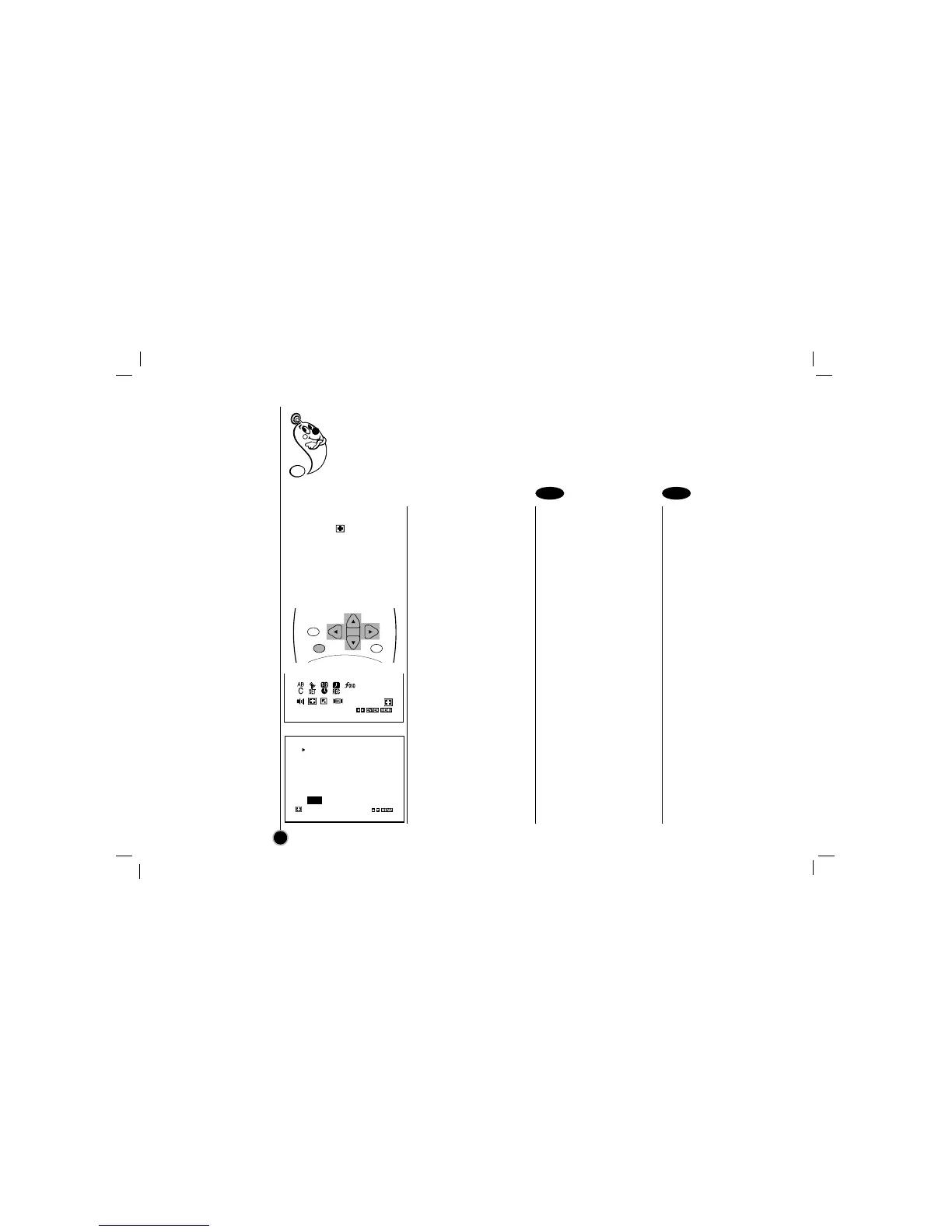
Video Doctor
Operating Hints
Video Doctor
Select the item on the
main menu with
FF
or
GG
,
and then press ENTER.
Press
D or E to select a
item to check a problem.
ANTENNA CONNECT– If
PLEASE CHECK! appears,
Connect the VCR to the
antenna and TV correctly
and securely.
HEAD STATUS– If “PLEASE
CLEAN” appears, clean your
video heads.
TAPE STATUS– Indicates
whether the protection tab of
the cassette inside VCR is
removed or not.
(RECORDABLE,
NOT RECORDABLE or
NO TAPE IS LOADED)
NO. OF TIMER PROGRAM–
Indicates how many timer
recording are set.
NEXT TIMER PROGRAM–
Indicates setting contents of
the next timer recording.
Operating hints
• Auto play system;
If you insert a cassette
tape without a prevention
tab into the VCR, the tape
will begin playing
automatically. When the
tape is finished, it will
rewind and be ejected,
and it will turn itself off.
Auto play function is not
operated when VCR is in
Timer Recording mode
(The TIMER indicator is
lighted.).
• In manual recording, Timer
recording, Instant Timer
Recording, playback, or
fast forward modes, the
VCR automatically starts
rewinding the tape at the
end of the tape. The
cassette will stop at the
beginning of the tape and
be ejected, and the VCR
will turn itself off.
• After you have finished
using the VCR, rewind,
eject, and remove the
cassette. Place the
cassette in its protective
sleeve to protect it from
dust. It is not necessary to
rewind the cassette before
removing it, but if you do,
it will be ready to play or
record the next time you
use it.
• Be sure the VCR Channel
Selector is on the correct
channel you wish to
record. The channel that is
being recorded can always
be checked by setting the
television on the VCR
channel (3 or 4) and
pressing TV/VCR selector
to turn the VCR indicator
on.
• Do not attempt to hook up
more than one television
set to the VCR for either
recording or playback.
Video Doctor (Advanced Self-Diagnosis); This feature informs you that there is a problem with your
VCR. These error messages will appear on the TV screen.
26
1 2



 To Next Page