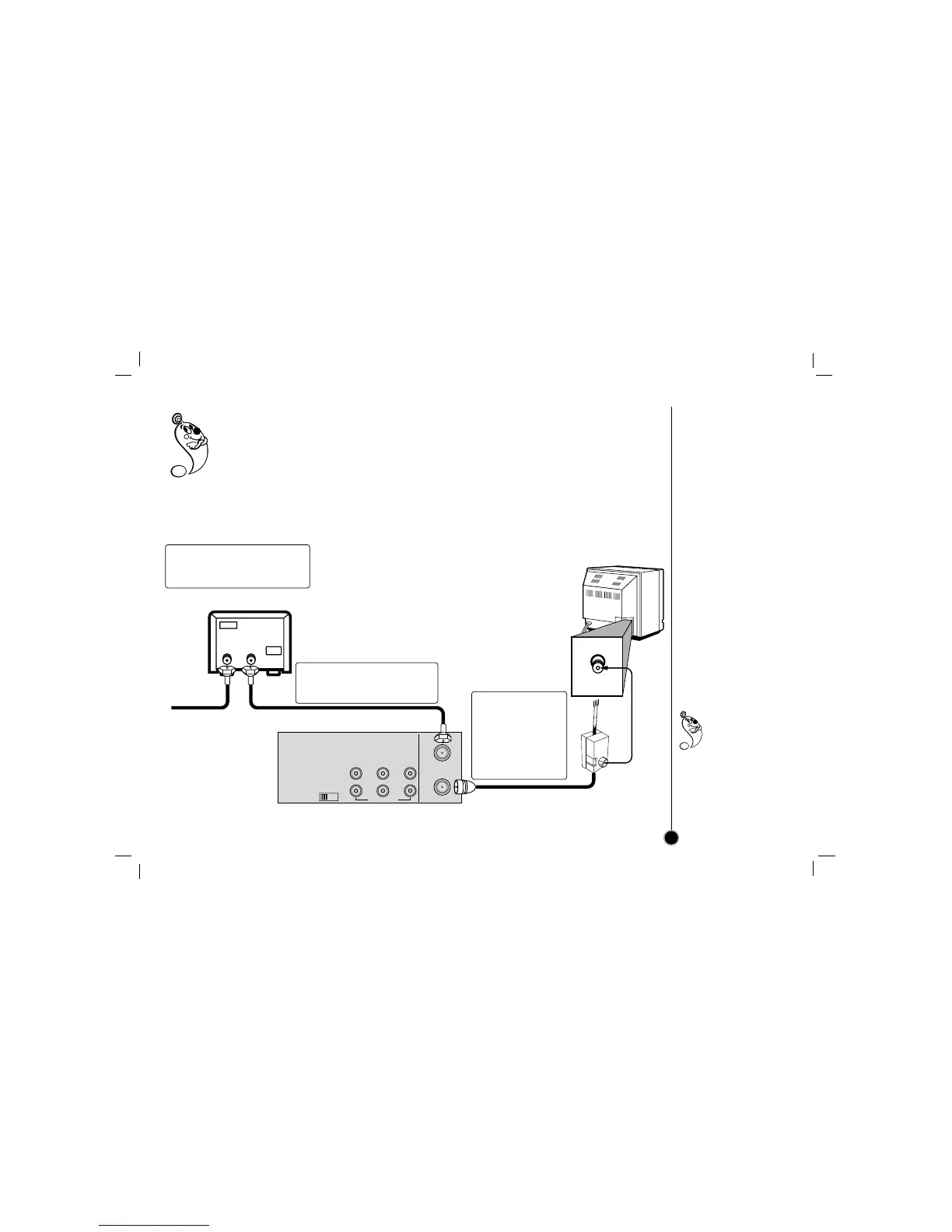
If your cable service supplies you with a cable converter box, you can use the basic connection shown
below.
To view or record CATV channel
1 Set the TV channel to the video output channel as located on the back of the VCR (CH3 or CH4).
2 Set the VCR channel selector to the output channel of the cable converter box by pressing
CH (+/–) or number buttons (0-9) of your VCR. (Example: CH3)
3 Select the channel to view at the Cable Converter Box.
Connections
CATV to VCR
9
With this connection,
you CANNOT
record one
program while
viewing another.
1 Connect the cable from the
CATV system to the input on
the CATV converter.
2 Connect the output on the
converter to ANT.IN on this
VCR.
3 Connect the
supplied coaxial
cable to OUT TO
TV on the VCR
and antenna
connector on
your TV.



 To Next Page