If you have finished programming and you want to set the VCR to record the programs you have entered.
A) MAKE SURE YOU HAVE INSERTED A TAPE INTO THE VCR. B) YOU MUST TURN OFF THE
VCR BEFORE IT WILL RECORD ANY TIMER PROGRAMS. (TIMER indicator appears). The VCR
is now set to record the preset programs.
How to record
Timer Recording
21
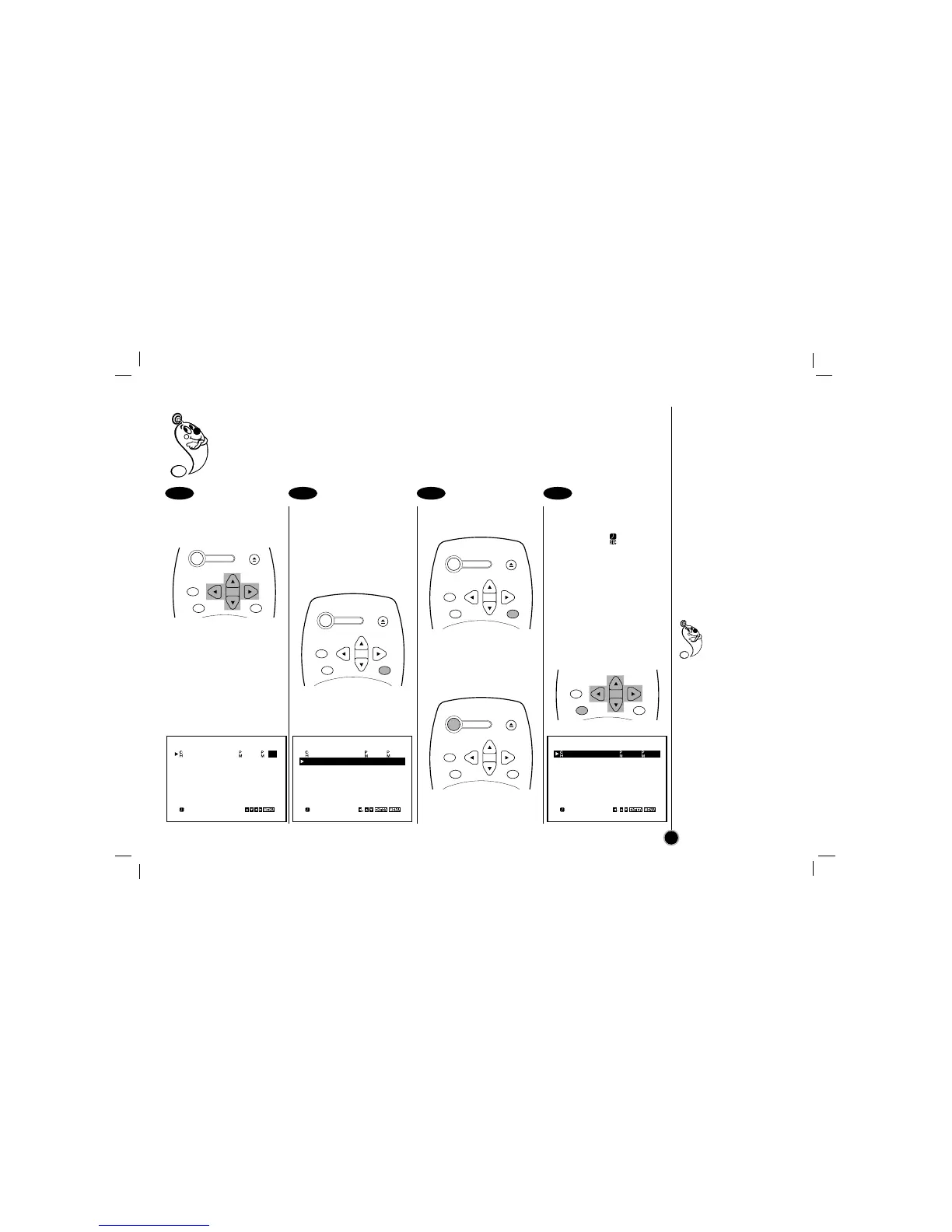
Press
EEDDFFGG
to select
and set each of the
remaining items at right.
Remaining item to be set:
START and STOP time
Recording Speed (SP or EP)
To make corrections
Repeatedly press
FF
to move
the cursor to the left, or
GG
to
move to the right to the
incorrect entry and make the
correction.
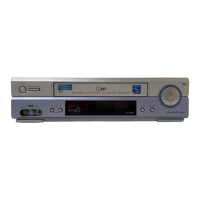
Press MENU, the
program will be
memorized at the VCR.
Additional programs may be
entered by repeating steps
❷
to
❺
.
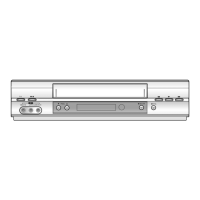
Press MENU to exit the
menu again.
Press POWER off to set
the timer.
TIMER indicator appears on
the display window.
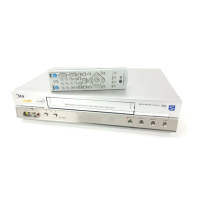
Checking (Erasing) the
Timer recording
① Select the item on
the main menu with
FF
or
GG
, and then press
ENTER.
② Press
EE
or
DD
to select
a program you want to
check or erase.
➂ Press
FF
or ENTER to
erase or modify the
program.
5 6 7 8
If the program preset
time is past, the
PAST TIME
PROGRAMMED
message will appear on
the TV screen. Correct the
time.
If the incorrect data is
entered, the PLEASE
CORRECT THE DATA
message will appear on
the TV screen.Correct the
data.
Make sure that the preset
times of the timer
recording events do not
overlap. If that do, the
earlier program will always
be given priority.
CH DATE T I M E
04 JUL 6 6 : 00 7 : 30
SP
– – – – – – – –– – : – – – – : – – SP
– – – – – – – –– – : – – – – : – – SP
– – – – – – – –– – : – – – – : – – SP
– – – – – – – –– – : – – – – : – – SP
– – – – – – – –– – : – – – – : – – SP
– – – – – – – –– – : – – – – : – – SP
DELETE:
CH DATE T I M E
04 JUL 6 6 : 00 7 : 30
SP
– – – – – – – –– – : – – – – : – – SP
– – – – – – – –– – : – – – – : – – SP
– – – – – – – –– – : – – – – : – – SP
– – – – – – – –– – : – – – – : – – SP
– – – – – – – –– – : – – – – : – – SP
– – – – – – – –– – : – – – – : – – SP
DELETE:
CH DATE T I M E
04 JUL 6 6 : 00 7 : 30
SP
– – – – – – – –– – : – – – – : – – SP
– – – – – – – –– – : – – – – : – – SP
– – – – – – – –– – : – – – – : – – SP
– – – – – – – –– – : – – – – : – – SP
– – – – – – – –– – : – – – – : – – SP
– – – – – – – –– – : – – – – : – – SP
POWER
EJECT
CH+/TRK+
CH—/TRK—
CLEAR
ENTER
MENU
POWER
EJECT
CH+/TRK+
CH—/TRK—
CLEAR
ENTER
MENU
POWER
EJECT
CH+/TRK+
CH—/TRK—
CLEAR
ENTER
MENU
POWER
EJECT
CH+/TRK+
CH—/TRK—
CLEAR
ENTER
MENU
CH+/TRK+
CH—/TRK—
CLEAR
ENTER
MENU



 To Next Page