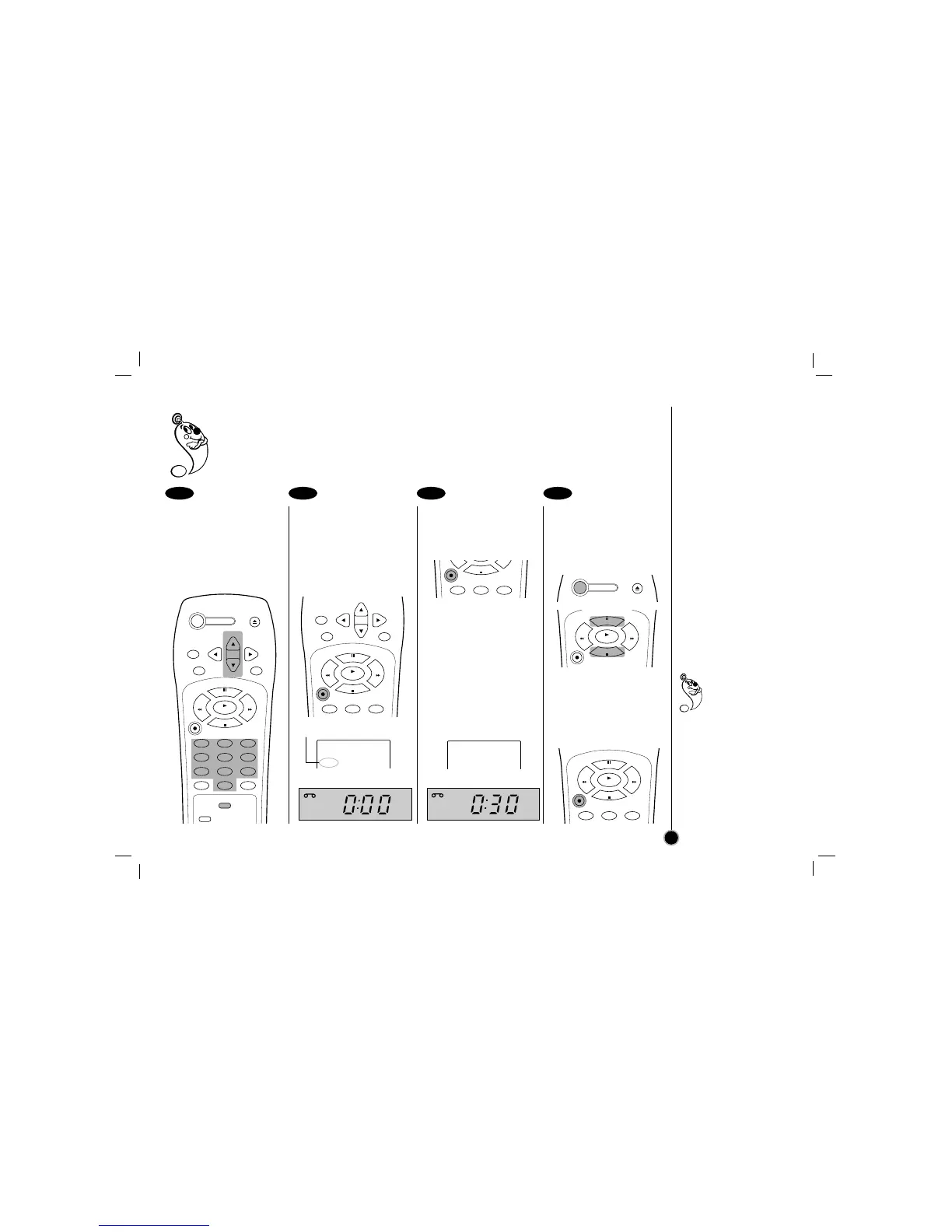
Preparations
•Make sure that you have correctly installed your VCR as described earlier in this book.
• Turn on the power of both the VCR and TV.
• Set the TV to the VCR Output Channel (CH 3 or 4) or video input.
• Insert a video cassette with protection tab into your VCR.
Set the desired speed
(SP or EP) and select the
channel to record by
following steps
❶
to
❷
as shown “Normal
Recording” on the
previous page.
Press REC/ITR twice.
The ITR information as
illustrated, will appear on the
TV screen and display
window.
Recording will start.
ITR Information
Within a few seconds,
press REC/ITR
repeatedly to set the
recording duration.
0H00M (Regular recording)
↓↑
0H30M → 1H00M →....→ 9H00M
Instant Timer Recording
information appears on the
TV screen and window
display. (TIMER indicator
appears also.)
To stop, pause, or turn
off the power while
recording
Press STOP, P/STILL, or
POWER.
To extend the recording
duration while recording
Press REC/ITR, until the
new duration you want
appears.
1 2 3 4
How to record
Instant Timer Recording
19
When the recording
time indicator in the
display window
counts down to
“0:00”, recording stops and
VCR turns off.
When the regular
recording is resumed by
pressing REC/ITR
repeatedly to display
“0H00M”, Instant Timer
Recording is canceled.
RECORD CH 4
SP MONO
0H00M
RECORD CH 4
SP MONO
0H30M



 To Next Page