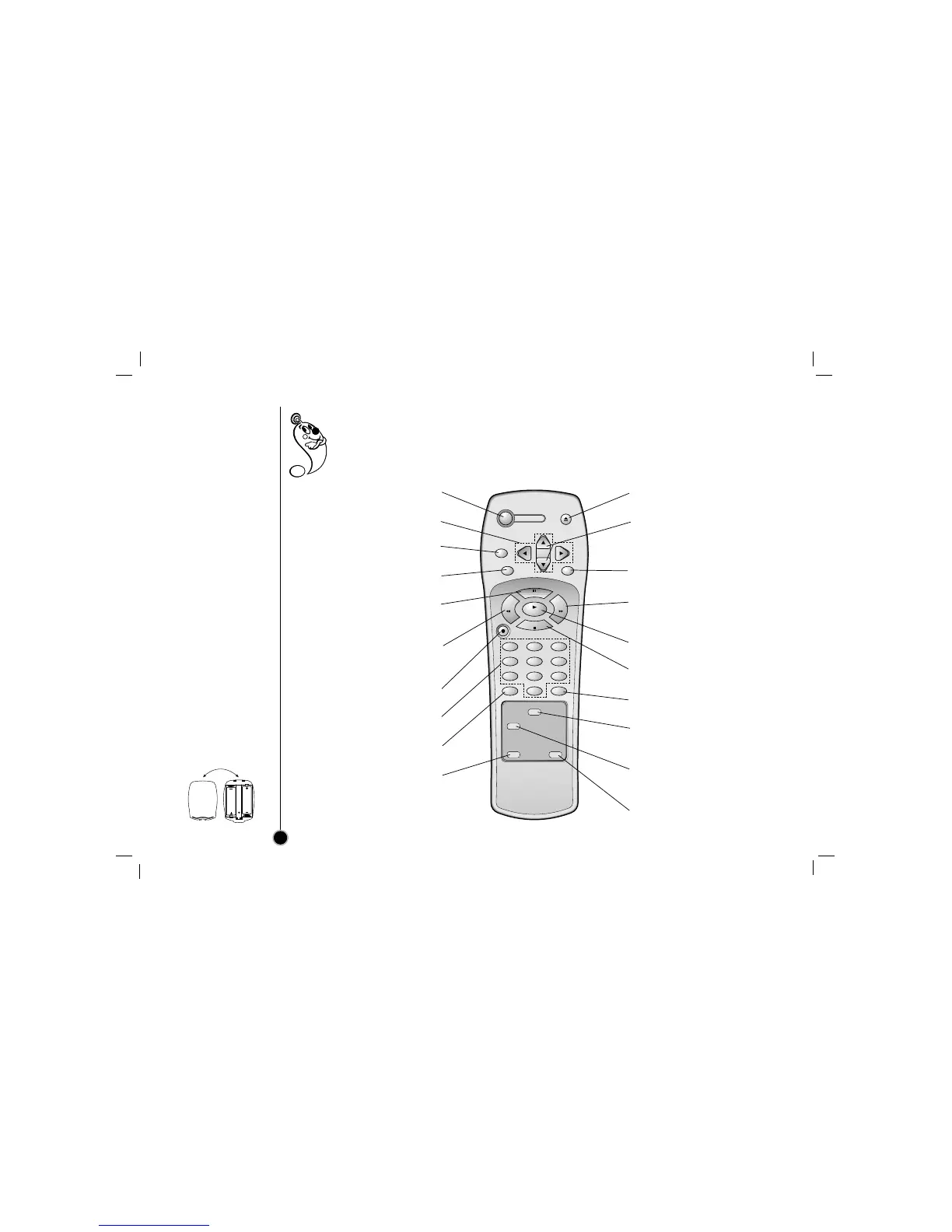
Remote Control
Location & Functions
6
Your video recorder (VCR) is designed so that almost all of it’s features can be controlled from the Remote
Control. Some features can also be controlled from the front panel of the video recorder. The
maximum operating distance that you may control your video recorder is about 25 feet (7.5 meters).
It must also be within an angle of 30 degrees either side of the remote sensor on the front of your
video recorder.
To avoid damage from possible battery leakage, remove the batteries if you do not plan to use the remote control
for an extended period of time. Do not use batteries of differing age or type. Always discard batteries safely.
To install batteries:
Your remote control is
powered by two AA type
batteries.
1. To insert them, push the
tab backwards and lift
off the cover of the
remote control.
2. Put the two batteries
into the compartment
making sure the + and –
are correctly positioned.
3. Replace the cover.
POWER
To turn the VCR on and off.
DD EE FF GG
ARROWS
For OSD menu setting (page 12).
CLEAR
See the page 25.
ENTER
See the page 11, 12.
P/STILL
To still playback (page 16) or to
pause recording (page 18).
REW (Rewind)
To rewind the tape or for reverse
search (page 16).
REC (Record)/ITR
To start recording (page 18, 19)
NUMBER BUTTONS
To select a channel.
TV/VCR
See the page 18.
ez POWER OFF
See the page 27.
EJECT
To eject the tape in the VCR.
CHANNEL/TRACKING (+/–)
To scan up or down channels or
to obtain the best possible
picture (page 14, 15).
MENU
Shows main menu (page 12).
FF (Fast Forward)
To advance the tape or for
forward search (page 16).
PLAY
To play back a recorded tape.
STOP
To stop the tape.
CM SKIP
See the page 16.
SP/EP
Use to select recording speed
(page 18).
SLOW
For slow motion playback
(page 17).
ez REPEAT
See the page 27.



 To Next Page